Playback starts YouTube’s embedded player (privacy-enhanced mode).
How to Create Perspective Text in Illustrator
ChannelDesign CutsDescription from the creator
How to Create Perspective Text in Illustrator
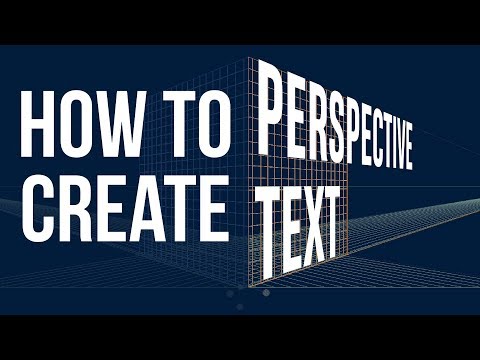
In today's tutorial we're going to have a look at creating perspective text in Illustrator. First you will need to select the Perspective Grid Tool, which you can find in the left hand toolbar menu. The with the Perspective Grid on the screen we'll show you how you can select the three different panels of the grid, draw a rectangle on two of them and add your text using the Perspective Selection Tool.
There are some limitations and challenges when wanting to select and recolor your text, but we will cover all of that in the tutorial as well.
00:13 Select the Perspective Grid Tool
00:52 Select Panels with Select Drop
01:09 Create a Rectangle
01:42 Choose another Panel to work on
02:03 How to add Perspective Text
02:48 Use Perspective Selection Tool to Add Text
03:26 Change Text Colour
06:12 Hide the Perspective Grid
VIEW MORE VIDEOS JUST LIKE THIS ON OUR YOUTUBE CHANNEL
Subscribe: s.designcuts.com/Youtube-Subscribe
IF YOU LIKED THIS VIDEO YOU MAY LIKE THESE SIMILAR VIDEOS
How to add Dimension with Effects in Adobe Illustrator: s.designcuts.com/Ai-Add-Dimension-with-Effects
How to Use Brushes in Adobe Illustrator: s.designcuts.com/Ai-Brushes
How to re-color vector artwork In Adobe Illustrator: s.designcuts.com/Ai-Recolor-Vector-Artwork
FIND US ON SOCIAL MEDIA
Facebook ► s.designcuts.com/Facebook
Instagram ► s.designcuts.com/Instagram
Twitter ► s.designcuts.com/Twitter
Pinterest ►s.designcuts.com/Pinterest
In today's tutorial we're going to have a look at creating perspective text in Illustrator. First you will need to select the Perspective Grid Tool, which you can find in the left hand toolbar menu. The with the Perspective Grid on the screen we'll show you how you can select the three different panels of the grid, draw a rectangle on two of them and add your text using the Perspective Selection Tool.
There are some limitations and challenges when wanting to select and recolor your text, but we will cover all of that in the tutorial as well.
00:13 Select the Perspective Grid Tool
00:52 Select Panels with Select Drop
01:09 Create a Rectangle
01:42 Choose another Panel to work on
02:03 How to add Perspective Text
02:48 Use Perspective Selection Tool to Add Text
03:26 Change Text Colour
06:12 Hide the Perspective Grid
VIEW MORE VIDEOS JUST LIKE THIS ON OUR YOUTUBE CHANNEL
Subscribe: s.designcuts.com/Youtube-Subscribe
IF YOU LIKED THIS VIDEO YOU MAY LIKE THESE SIMILAR VIDEOS
How to add Dimension with Effects in Adobe Illustrator: s.designcuts.com/Ai-Add-Dimension-with-Effects
How to Use Brushes in Adobe Illustrator: s.designcuts.com/Ai-Brushes
How to re-color vector artwork In Adobe Illustrator: s.designcuts.com/Ai-Recolor-Vector-Artwork
FIND US ON SOCIAL MEDIA
Facebook ► s.designcuts.com/Facebook
Instagram ► s.designcuts.com/Instagram
Twitter ► s.designcuts.com/Twitter
Pinterest ►s.designcuts.com/Pinterest
About this tutorial
Design Cuts published this 6:53 video tutorial on November 3, 2017. It has been watched 343,976 times on YouTube.
- Channel
- Design Cuts
- Category
- Education
- Duration
- 6:53
- Published
- November 3, 2017
- Views
- 343,976
- Likes
- 2,139
Tags
Share
This tutorial in other languages
- FRComment créer une perspective texte dans Illustrator
- ESCómo crear Perspectiva de texto en Illustrator
- PTComo criar Perspectiva de texto no Illustrator
- ITCome creare prospettiva di testo in Illustrator
- DESo erstellen Perspective Text in Illustrator
- NLHoe maak je Perspectief tekst in Illustrator
- RUКак создать Перспективный текст в Illustrator
- PLJak stworzyć perspektywy tekstu w programie Illustrator
- JAIllustratorの遠近テキストを作成する方法
- ARكيفية إنشاء نص منظور في Illustrator
- HIकैसे Illustrator में परिप्रेक्ष्य पाठ बनाने के लिए
- IDCara Membuat Perspektif Teks di Illustrator