Playback starts YouTube’s embedded player (privacy-enhanced mode).
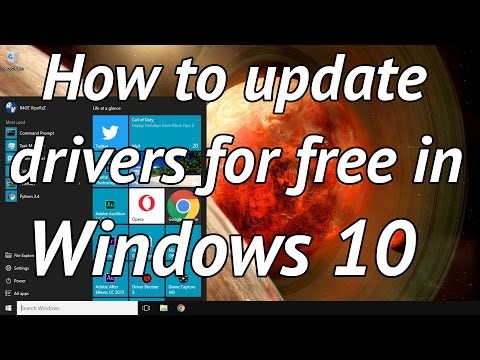
How to easily update your drivers for free in windows 10
ChannelR4GE VipeRzZDescription from the creator
This will not update your motherboards drivers and will not update graphics card drivers using the free version. To update graphics card drivers you will need to use the manufacturers specific software.
In this video I'll show you how to easy update your windows 10 drivers easily and for free with the driver booster program.
Driver booster link: iobit.com/en/driver-booster.php
Updating drivers can sometimes cause programs such a browsers to not work. If this does occur then you can use the restore point that driver booster creates to get you computer back to how it was before the drivers were installed.
Updating your drivers can give you better performance and improve the overall running of your computer. Updated drivers can also better protect you from having your personal information stolen.
If you can't understand my accent Closed Captions are available. To turn on the closed Closed Captions click on the settings icon, then click subtitles/CC, and then click English (United Kingdom).
About this tutorial
R4GE VipeRzZ published this 5:11 video tutorial on October 25, 2016. It has been watched 411,159 times on YouTube.
- Channel
- R4GE VipeRzZ
- Category
- Education
- Duration
- 5:11
- Published
- October 25, 2016
- Views
- 411,159
- Likes
- 4,344
Tags
Share
Further reading
-
Update drivers in Windows 10
support.microsoft.com
Update the device driver. In the search box on the taskbar, enter device manager, then select Device Manager. Select a category to see names of devices, then right-click (or press and hold) the one you’d like to update.…
-
How To Easily Update Drivers In Your Windows PC
techviral.net
How To Easily Update Drivers In Your Windows PC. The method is quite simple and easy and you just need is a third party tool that we are going to discuss in this guide and that will help you to easily update windows dri…
-
How to Update Drivers in Windows 10, 8.1, 7. Quickly & Easily! - Driver ...
drivereasy.com
Updating drivers using Device Manager is easy to follow but Windows only provides some basic drivers. With this method, it is probably that you would fail to update the driver. Updating drivers by downloading drivers ma…
This tutorial in other languages
- FRComment mettre à jour facilement vos pilotes gratuitement dans Windows 10
- ESCómo actualizar fácilmente los controladores de forma gratuita en Windows 10
- PTComo atualizar facilmente os seus drivers para livre no Windows 10
- ITCome aggiornare facilmente i driver gratuitamente in Windows 10
- DEWie leicht zu Ihren Treiber kostenlos in Windows 10 aktualisieren
- NLHoe maak je eenvoudig je drivers voor de gratis update in Windows 10
- RUКак легко обновить драйверы бесплатно в Windows 10
- PLJak łatwo zaktualizować sterowniki za darmo w Windows 10
- JA簡単に窓10に自由のためのあなたのドライバを更新する方法
- ARكيفية تحديث برامج التشغيل الخاصة بك بسهولة مجانا في ويندوز 10
- HIकितनी आसानी से खिड़कियों 10 में मुक्त करने के लिए अपने ड्राइवरों को अद्यतन करने के
- IDCara mudah memperbarui driver Anda secara gratis di windows 10