Playback starts YouTube’s embedded player (privacy-enhanced mode).
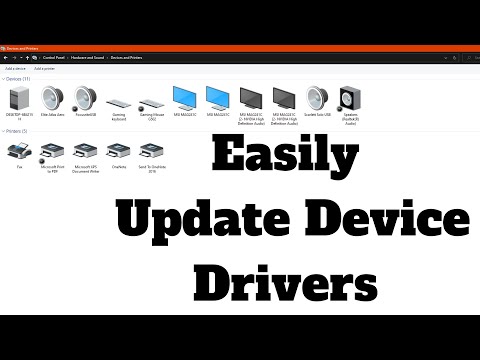
How to Easily Update Drivers on Windows 10
ChannelBritec09Description from the creator
►►►SUBSCRIBE for more: youtube.com/user/Britec09?sub_confirmation=1
How to Update Drivers in Windows 10 Easily? Updating windows 10 device drivers is pretty easy and most of the time Microsoft Windows 10 takes care of it. But its always recommended to download and install your own drivers to get the latest and best possible drivers for your hardware. You can either use snappy driver installer or snappy driver installer origin or download drivers for Audio Sound Card, Graphics Card, Chipset Drivers, Ethernet or Wifi drivers and any other drivers you may need from the manufacturer website. Asus, MSI, Gigabyte, Asrock, Biostar or any other motherboard manufacturer.
Remember its "Snappy Driver Installer Origin" and NOT Snappy Driver Installer
snappy-driver-installer.org
DISCLAIMER
This video is only made for educational and entertainment purposes. By following instructions, whether visual or verbal in the video, is done at your own risk, Britec will not be held responsible for any loss of data or damage to your computer.
* I am not affiliated with Snappy Driver Installer Origin Software
* I did not create Snappy Driver Installer Origin Software
* I have not tested the software for malware or legitimacy
You download and use this software at your own risk!!
——————— My Social Links:
🔵 View My Channel - youtube.com/Britec09
🔵 View My Playlists -youtube.com/user/Britec09/playlists
🔵 Follow on Twitter - twitter.com/Britec09
🔵 Follow on Facebook: facebook.com/BritecComputers
🔵 View my Website: BritecComputers.co.uk
🔵 My Official Email: [email protected]
🔵 My Discord: discord.gg/YAuGm5j
✅ Britec Merchandise teespring.com/en-GB/stores/britec-store
#DeviceDrivers #Updates #Drivers #SoftwareDriver
About this tutorial
Britec09 published this 11:50 video tutorial on April 25, 2020. It has been watched 64,856 times on YouTube.
Tags
Share
Further reading
-
Update drivers in Windows 10
support.microsoft.com
Update the device driver. In the search box on the taskbar, enter device manager, then select Device Manager. Select a category to see names of devices, then right-click (or press and hold) the one you’d like to update.…
-
How To Easily Update Drivers In Your Windows PC
techviral.net
How To Easily Update Drivers In Your Windows PC. The method is quite simple and easy and you just need is a third party tool that we are going to discuss in this guide and that will help you to easily update windows dri…
-
How to Update Drivers (Windows 10, 8, 7, Vista, XP)
lifewire.com
Windows 7 & Vista: Right-click on the hardware's name or icon, choose Properties, then the Driver tab, followed by the Update Drive button. The Update Drivers or Update Driver Software wizard will begin, which we'll com…
This tutorial in other languages
- FRComment mettre à jour facilement les pilotes sous Windows 10
- ESCómo actualizar fácilmente controladores en Windows 10
- PTComo facilmente atualizar drivers no Windows 10
- ITCome aggiornare facilmente driver in Windows 10
- DEWie leicht Treiber auf Windows Update 10
- NLHoe gemakkelijk bijwerken Drivers op Windows 10
- RUКак легко обновить драйвера на Windows 10
- PLJak łatwo aktualizować sterowników w systemie Windows 10
- JA簡単にWindowsの10のドライバを更新する方法
- ARكيفية تحديث برامج تشغيل بسهولة على ويندوز 10
- HIकैसे आसानी से Windows 10 पर ड्राइवर अद्यतन करने के लिए
- IDCara Mudah Update Driver pada Windows 10