Playback starts YouTube’s embedded player (privacy-enhanced mode).
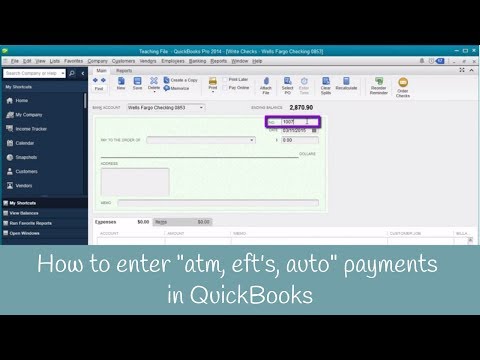
How to enter "atm, eft's, auto" payments in QuickBooks
ChannelCandus KampferChapters
Description from the creator
Over the years I’ve often been asked, “How do I enter an ATM transaction?”
I created this quick video to teach you how simple it really can be. 🤩
➡️ Steps to Entering ATM Transactions:
**You can do this inside the Check Register or Write Checks
➡️ Write Checks
“Bank Account”
“No.”
“Pay to order of”
“Date”
“$” amount
➡️ Check Register
In the home screen, click “Check Register”
“Select Account”
Click “OK”
Go down to the bottom
Enter the details
Click “Record”
Timestamps:
0:00 - Intro
0:27 - Enter "atm, eft's, auto" payments in QuickBooks
2:25 - Final Thoughts
Need to learn more areas of QuickBooks? Join us on our next workshop to learn how to design QuickBooks for your specific business...
➡️ CandusKampfer.com/workshop
Receive our QB tips straight to your inbox each week visit:
➡️ CandusKampfer.com/tips
Subscribe for more QuickBooks tips
➡️ youtube.com/c/CandusKampfer?sub_confirmation=1
I’d love to connect with you 👇
Instagram: instagram.com/candus.kampfer
Facebook: facebook.com/CandusKampfer
CandusKampfer.com: canduskampfer.com/
TikTok: tiktok.com/@canduskampfer
Pinterest: pinterest.com/canduskampfer/
#CandusKampfer
I created this quick video to teach you how simple it really can be. 🤩
➡️ Steps to Entering ATM Transactions:
**You can do this inside the Check Register or Write Checks
➡️ Write Checks
“Bank Account”
“No.”
“Pay to order of”
“Date”
“$” amount
➡️ Check Register
In the home screen, click “Check Register”
“Select Account”
Click “OK”
Go down to the bottom
Enter the details
Click “Record”
Timestamps:
0:00 - Intro
0:27 - Enter "atm, eft's, auto" payments in QuickBooks
2:25 - Final Thoughts
Need to learn more areas of QuickBooks? Join us on our next workshop to learn how to design QuickBooks for your specific business...
➡️ CandusKampfer.com/workshop
Receive our QB tips straight to your inbox each week visit:
➡️ CandusKampfer.com/tips
Subscribe for more QuickBooks tips
➡️ youtube.com/c/CandusKampfer?sub_confirmation=1
I’d love to connect with you 👇
Instagram: instagram.com/candus.kampfer
Facebook: facebook.com/CandusKampfer
CandusKampfer.com: canduskampfer.com/
TikTok: tiktok.com/@canduskampfer
Pinterest: pinterest.com/canduskampfer/
#CandusKampfer
About this tutorial
Candus Kampfer published this 2:55 video tutorial on October 31, 2015. It has been watched 42,342 times on YouTube.
- Channel
- Candus Kampfer
- Category
- Education
- Duration
- 2:55
- Published
- October 31, 2015
- Views
- 42,342
- Likes
- 354
Tags
Share
This tutorial in other languages
- FRComment entrer « atm, de TEF, auto » paiements QuickBooks
- ESCómo entrar en "ATM, de EFT, automático" pagos en QuickBooks
- PTComo entrar "atm, EFT, auto" pagamentos em QuickBooks
- ITCome inserire "atm, di EFT, auto" pagamenti in QuickBooks
- DEWie kann man teilnehmen „atm, EFT, auto“ Zahlungen in Quickbooks
- NLHoe kun je deelnemen "atm, eft's, auto" betalingen in QuickBooks
- RUКак войти в «атм, EFT, автоотключение» платежи в QuickBooks
- PLJak wpisać "ATM EFT'S, auto" Płatności w QuickBooks
- JAQuickBooksの中に「ATM、EFTの、自動」の支払いを入力する方法
- ARكيفية إدخال "أجهزة الصراف الآلي، وتقنية الحرية النفسية، لصناعة السيارات" المدفوعات في QuickBooks
- HIकैसे प्रवेश करने के लिए "एटीएम, ईएफ़टी के, ऑटो" QuickBooks में भुगतान
- IDCara memasukkan "atm, ini TDE, auto" pembayaran di QuickBooks