Playback starts YouTube’s embedded player (privacy-enhanced mode).
How to Fix A Bad Sector on a Hard Drive
ChannelBritec09Description from the creator
How to Fix A Bad Sector on a Hard Drive
►►►SUBSCRIBE for more: youtube.com/user/Britec09?sub_confirmation=1
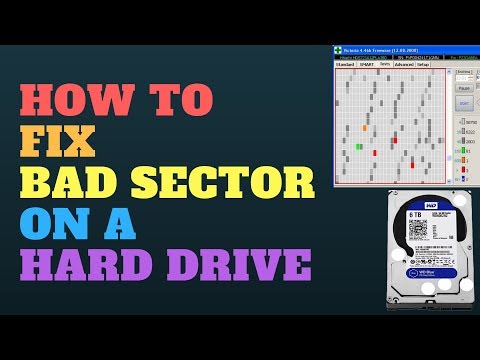
When a hard drive starts to show signs of wear and tear, you may see one or more bad sectors show up when scanning for errors on the disk, when the hard disk starts to go bad and shows bad sectors, the data may get lost on them bad sectors. Does this mean I have to replace my hard drive? no, the rest of the disk will be unaffected by bad sectors and the hard disk will still be usable. What Victoria can do is scan for bad sectors on the drive and mark them as unusable. If you choose to mark as unusable sector, the Operating System will know not write or store data to them bad sectors. In my personal experience, each hard drive and bad sector error is different from case to case and this method may or may not work for you. If the hardware is damaged bad enough I would suggest you backup what you can and replace the hard disk with a new one.
This software is no miracle worker, but it does work for same hard drive problems. Victoria Software can only fix bad sectors that aren't physical problems, which means if its related to a software issue that leads the bad sector to be marked as bad. Remember physically damaged bad sectors on the hard drive cannot be repaired.
——————— My Social Links:
🔵 View My Channel - youtube.com/Britec09
🔵 View My Playlists -youtube.com/user/Britec09/playlists
🔵 Follow on Twitter - twitter.com/Britec09
🔵 Follow on Facebook: facebook.com/BritecComputers
🔵 View my Website: BritecComputers.co.uk
🔵 My Official Email: [email protected]
►►►SUBSCRIBE for more: youtube.com/user/Britec09?sub_confirmation=1
When a hard drive starts to show signs of wear and tear, you may see one or more bad sectors show up when scanning for errors on the disk, when the hard disk starts to go bad and shows bad sectors, the data may get lost on them bad sectors. Does this mean I have to replace my hard drive? no, the rest of the disk will be unaffected by bad sectors and the hard disk will still be usable. What Victoria can do is scan for bad sectors on the drive and mark them as unusable. If you choose to mark as unusable sector, the Operating System will know not write or store data to them bad sectors. In my personal experience, each hard drive and bad sector error is different from case to case and this method may or may not work for you. If the hardware is damaged bad enough I would suggest you backup what you can and replace the hard disk with a new one.
This software is no miracle worker, but it does work for same hard drive problems. Victoria Software can only fix bad sectors that aren't physical problems, which means if its related to a software issue that leads the bad sector to be marked as bad. Remember physically damaged bad sectors on the hard drive cannot be repaired.
——————— My Social Links:
🔵 View My Channel - youtube.com/Britec09
🔵 View My Playlists -youtube.com/user/Britec09/playlists
🔵 Follow on Twitter - twitter.com/Britec09
🔵 Follow on Facebook: facebook.com/BritecComputers
🔵 View my Website: BritecComputers.co.uk
🔵 My Official Email: [email protected]
About this tutorial
Britec09 published this 8:02 video tutorial on November 7, 2018. It has been watched 331,186 times on YouTube.
Tags
Share
This tutorial in other languages
- FRComment réparer un mauvais secteur sur un disque dur
- ESCómo arreglar un sector defectuoso en un disco duro
- PTComo corrigir um setor defeituoso em um Disco Rígido
- ITCome riparare un settore danneggiato su un disco rigido
- DEWie Fix A Bad Sector auf einem Festplattenlaufwerk
- NLHoe te Fix Een slechte sector op een harde schijf
- RUКак исправить поврежденный сектор на жестком диске
- PLJak naprawić uszkodzony sektor na dysku twardym
- JAハードドライブ上のA不良セクタを修復する方法
- ARكيفية إصلاح قطاع تالف على القرص الصلب
- HIएक बुरा क्षेत्र तय करने के लिए कैसे एक हार्ड ड्राइव पर
- IDCara Perbaiki A Bad Sector pada Hard Drive