Playback starts YouTube’s embedded player (privacy-enhanced mode).
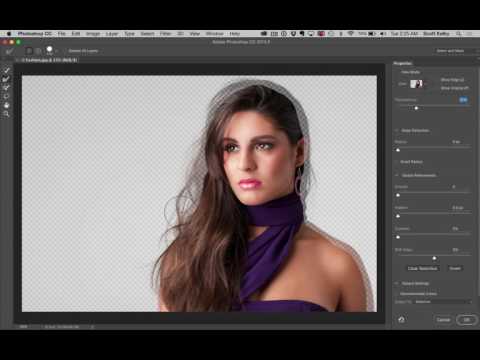
How to Mask Hair Using Photoshop's New "Select and Mask" Feature
ChannelKelbyOneDescription from the creator
kelbyone.com - Scott Kelby shows you how to use Photoshop CC 2015.5's new hair masking feature called "Select and Mask" - it's fairly darn awesome and the best making tool Photoshop's ever had (and that's sayin' something).
If you're into Photoshop, we have thousands of lessons and loads of full-length, in-depth courses that will make you a Photoshop shark in no time! Take the 10-day free trial at kelbyone.com right now and start learning today, right now.
If you're into Photoshop, we have thousands of lessons and loads of full-length, in-depth courses that will make you a Photoshop shark in no time! Take the 10-day free trial at kelbyone.com right now and start learning today, right now.
About this tutorial
KelbyOne published this 5:21 video tutorial on November 1, 2016. It has been watched 621,272 times on YouTube.
Tags
Share
This tutorial in other languages
- FRComment Masque cheveux à l'aide de Photoshop Nouveau « Sélectionner et masque » Feature
- ESCómo Utilizar mascarilla para el pelo de Photoshop Nuevo "Seleccionar y Máscara" Característica
- PTComo máscara cabelo Usando Novo Photoshop "Select e Máscara" Recurso
- ITCome maschera per capelli Utilizzo di Photoshop Nuovo "Selezionare e Maschera" Caratteristica
- DEMit Photoshop Neuen How to Mask Hair „Auswählen und Maske“ Eigenschaft
- NLHoe te Hair Mask Photoshop Nieuwe "Select en Masker" Feature
- RUКак Маска для волос с помощью Photoshop нового «Выбор и маска» Характеристика
- PLJak maska do włosów za pomocą Photoshopa za nową „wybierz i Maska” funkcji
- JAPhotoshopの新「を選択し、マスク」機能を使用して髪をマスクする方法
- ARكيفية قناع الشعر عن طريق فوتوشوب الجديد "تحديد وقناع" ميزة
- HIबाल मास्क कैसे फ़ोटोशॉप का नया उपयोग करना "का चयन करें और मास्क" सुविधा
- IDCara Masker Rambut Menggunakan Photoshop Baru "Pilih dan Topeng" Fitur