Playback starts YouTube’s embedded player (privacy-enhanced mode).
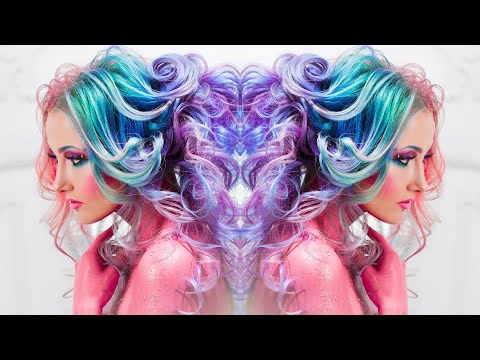
How to Mirror an Image in Photoshop CC 2020 / 2021
ChannelPhotoshop EssentialsChapters
Description from the creator
Learn the fastest way to mirror an image in Photoshop to create fun symmetrical designs from any photo!
Download the written PDF on my Patreon: patreon.com/photoshopessentials
This is an update to my original Mirror Image Effect video, and this time I show you an even faster and easier way to flip and mirror an image. These all new steps take only a few minutes from start to finish and work with any recent version, including Photoshop 2023.
► Get Photoshop here: prf.hn/l/dlXjD2w
► Image used in this tutorial: prf.hn/l/aQXv30M
► My related videos:
1. Flip and Mirror Images to Create Fun Designs and Patterns: youtu.be/ujyxV_tnTkc
2. Turn a Single Photo into a Collage: youtu.be/ziJiOhfbi5M
3. Easy Abstract Twirl-Art Effects: youtu.be/pwsjgqI4eaY
► Video chapters:
0:00 - Intro
0:31 - Step 1: Open the image
0:36 - Step 2: Make a copy of the Photoshop document
1:09 - Step 3: Crop the image to the mirror point
2:06 - Step 4: Make a copy of the Background layer
2:18 - Step 5: Open Free Transform
2:29 - Step 6: Drag the reference point to a side handle
3:01 - Step 7: Flip the image horizontally
3:42 - Step 8: Choose Reveal All
#photoshoptutorial #photoshop #adobephotoshop
Download the written PDF on my Patreon: patreon.com/photoshopessentials
This is an update to my original Mirror Image Effect video, and this time I show you an even faster and easier way to flip and mirror an image. These all new steps take only a few minutes from start to finish and work with any recent version, including Photoshop 2023.
► Get Photoshop here: prf.hn/l/dlXjD2w
► Image used in this tutorial: prf.hn/l/aQXv30M
► My related videos:
1. Flip and Mirror Images to Create Fun Designs and Patterns: youtu.be/ujyxV_tnTkc
2. Turn a Single Photo into a Collage: youtu.be/ziJiOhfbi5M
3. Easy Abstract Twirl-Art Effects: youtu.be/pwsjgqI4eaY
► Video chapters:
0:00 - Intro
0:31 - Step 1: Open the image
0:36 - Step 2: Make a copy of the Photoshop document
1:09 - Step 3: Crop the image to the mirror point
2:06 - Step 4: Make a copy of the Background layer
2:18 - Step 5: Open Free Transform
2:29 - Step 6: Drag the reference point to a side handle
3:01 - Step 7: Flip the image horizontally
3:42 - Step 8: Choose Reveal All
#photoshoptutorial #photoshop #adobephotoshop
About this tutorial
Photoshop Essentials published this 4:33 video tutorial on June 12, 2020. It has been watched 243,644 times on YouTube.
- Channel
- Photoshop Essentials
- Category
- Education
- Duration
- 4:33
- Published
- June 12, 2020
- Views
- 243,644
- Likes
- 5,460
Tags
Share
This tutorial in other languages
- FRComment miroir une image dans Photoshop CC 2020/2021
- ESCómo duplicar una imagen en Photoshop CC 2020/2021
- PTComo espelho de uma imagem no Photoshop CC 2020/2021
- ITCome specchio di un'immagine in Photoshop CC 2020/2021
- DEWie man Spiegel 2020 ein Bild in Photoshop CC / 2021
- NLHoe kan Mirror een afbeelding in Photoshop CC 2020/2021
- RUКак зеркало изображение в Photoshop CC 2020/2021
- PLJak lustro obraz w programie Photoshop CC 2020/2021
- JAどのようにミラーへのPhotoshop CCでの画像2020/2021
- ARكيفية مرآة صورة في فوتوشوب CC 2020/2021
- HIकैसे मिरर को फ़ोटोशॉप सीसी में एक छवि 2020/2021
- IDCara Cermin sebuah gambar di Photoshop CC 2020/2021