Playback starts YouTube’s embedded player (privacy-enhanced mode).
How to Open Images as Layers in Photoshop
ChannelPhotoshop EssentialsChapters
Description from the creator
Learn how to open multiple images as layers in the same Photoshop document, and how to place more images into your document as you need them!
Join me on Patreon for exclusive tutorials: patreon.com/photoshopessentials
Whether we're compositing images or designing layouts, we often need to load two or more images into the same Photoshop document. And each image needs to appear on its own layer within that document. But that's not how Photoshop works when we open multiple files. Instead, each file opens in its own separate document, forcing us to move the images ourselves from one document to another.
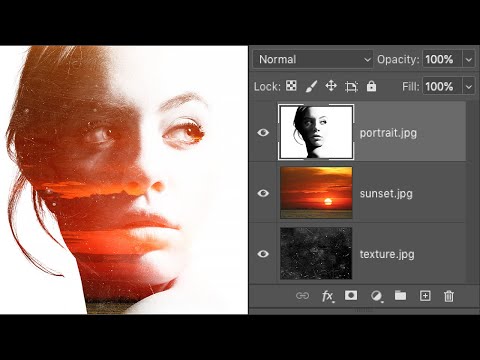
But there is a way to open two or more images at once into the same Photoshop document using a command called Load Layers into Stack. And we can add more files to the document as we need them using a different command known as Place Embedded. In this video, I show you how both of these features work. We also look at a few options in Photoshop's Preferences that make placing images into your document even faster. And at the end of the video, I show you the steps I used to blend my images into a simple double exposure effect.
► Get Photoshop here: prf.hn/l/dlXjD2w
► Get the images used in this tutorial:
1. Portrait image: prf.hn/l/0GmwQRY
2. Sunset image: prf.hn/l/dlXjP0N
3. Texture image: prf.hn/l/me41Xzq
► Now that you know how to load images as layers, here's how to blend images together:
How to blend two images in Photoshop: youtu.be/sWFwGkfQ_0U
► Video chapters:
0:00 - Intro
0:35 - How to open multiple images as layers into a document
2:28 - How to place an image into a document
3:28 - Placing smart objects vs pixel layers
4:24 - How to convert a smart object to a layer
5:10 - Photoshop's Preferences for faster image placing
6:20 - How I created the double exposure effect
#photoshoptutorial #photoshop #photoshop_tutorial
Join me on Patreon for exclusive tutorials: patreon.com/photoshopessentials
Whether we're compositing images or designing layouts, we often need to load two or more images into the same Photoshop document. And each image needs to appear on its own layer within that document. But that's not how Photoshop works when we open multiple files. Instead, each file opens in its own separate document, forcing us to move the images ourselves from one document to another.
But there is a way to open two or more images at once into the same Photoshop document using a command called Load Layers into Stack. And we can add more files to the document as we need them using a different command known as Place Embedded. In this video, I show you how both of these features work. We also look at a few options in Photoshop's Preferences that make placing images into your document even faster. And at the end of the video, I show you the steps I used to blend my images into a simple double exposure effect.
► Get Photoshop here: prf.hn/l/dlXjD2w
► Get the images used in this tutorial:
1. Portrait image: prf.hn/l/0GmwQRY
2. Sunset image: prf.hn/l/dlXjP0N
3. Texture image: prf.hn/l/me41Xzq
► Now that you know how to load images as layers, here's how to blend images together:
How to blend two images in Photoshop: youtu.be/sWFwGkfQ_0U
► Video chapters:
0:00 - Intro
0:35 - How to open multiple images as layers into a document
2:28 - How to place an image into a document
3:28 - Placing smart objects vs pixel layers
4:24 - How to convert a smart object to a layer
5:10 - Photoshop's Preferences for faster image placing
6:20 - How I created the double exposure effect
#photoshoptutorial #photoshop #photoshop_tutorial
About this tutorial
Photoshop Essentials published this 8:13 video tutorial on June 28, 2020. It has been watched 635,097 times on YouTube.
- Channel
- Photoshop Essentials
- Category
- Education
- Duration
- 8:13
- Published
- June 28, 2020
- Views
- 635,097
- Likes
- 9,492
Tags
Share
This tutorial in other languages
- FRComment ouvrir des images en tant que calques dans Photoshop
- ESCómo abrir imágenes como capas en Photoshop
- PTComo abrir imagens como camadas no Photoshop
- ITCome aprire le immagini come livelli in Photoshop
- DEWie Sie Bilder als Ebenen in Photoshop öffnen
- NLHoe aan Open Beelden als lagen in Photoshop
- RUКак открыть изображения в качестве слоев в Photoshop
- PLJak otworzyć obrazy jako warstwy w Photoshopie
- JAPhotoshopのレイヤーとして画像を開く方法
- ARكيفية فتح الصور على هيئة طبقات في فوتوشوب
- HIकैसे में फ़ोटोशॉप परतों के रूप में चित्र खोलने के लिए
- IDCara Buka Foto sebagai Layers di Photoshop