Playback starts YouTube’s embedded player (privacy-enhanced mode).
How to restore your computer to an earlier date and adjust your system restore points
ChannelquicktipstoDescription from the creator
For more tips, please visit our facebook page
facebook.com/quicktipsto
How to adjust and create more system restore points.
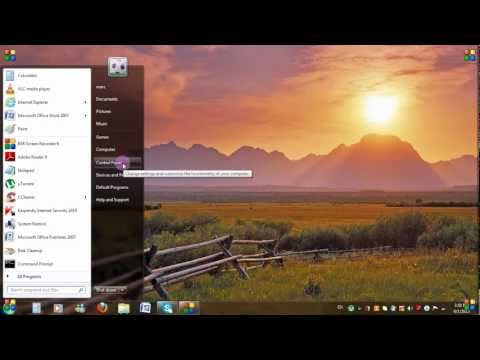
1-go to start in the bottom left hand corner of your screen, right click on computer, then click properties
2 choose advance system settings and go to system protection
3 click on Windows files to highlight it, then click configure.
4 Keep the bullet on Restore system settings and previous versions of files
5 From Disk Space usage, adjust the dial by moving it to the right or left depending on how much disk space you want to allocate for your system restore points. The higher the percentage, the more restore points you get. However a high number of restore points will consume a lot of disk space from your C drive so we therefore recommend that you choose no more than 10%.
Now click apply, then ok.
Now say for example, you have a problem on your computer and you want to restore your computer to an earlier date.
Go to start, all programs, accessories, system tools then system restore.
The system restore window will open.
Click next , then choose the restore point you wish to go back to, say we'll choose 26/3/2013.
Highlight it and then click next, then click finish.
Now a window will popup asking you to confirm this step.
If you're sure you want to restore your computer, then click yes.
Your computer will now be restored to a previous date and then will be restarted.
facebook.com/quicktipsto
How to adjust and create more system restore points.
1-go to start in the bottom left hand corner of your screen, right click on computer, then click properties
2 choose advance system settings and go to system protection
3 click on Windows files to highlight it, then click configure.
4 Keep the bullet on Restore system settings and previous versions of files
5 From Disk Space usage, adjust the dial by moving it to the right or left depending on how much disk space you want to allocate for your system restore points. The higher the percentage, the more restore points you get. However a high number of restore points will consume a lot of disk space from your C drive so we therefore recommend that you choose no more than 10%.
Now click apply, then ok.
Now say for example, you have a problem on your computer and you want to restore your computer to an earlier date.
Go to start, all programs, accessories, system tools then system restore.
The system restore window will open.
Click next , then choose the restore point you wish to go back to, say we'll choose 26/3/2013.
Highlight it and then click next, then click finish.
Now a window will popup asking you to confirm this step.
If you're sure you want to restore your computer, then click yes.
Your computer will now be restored to a previous date and then will be restarted.
About this tutorial
quicktipsto published this 3:05 video tutorial on November 1, 2013. It has been watched 888,076 times on YouTube.
- Channel
- quicktipsto
- Category
- Education
- Duration
- 3:05
- Published
- November 1, 2013
- Views
- 888,076
- Likes
- 2,046
Tags
Share
This tutorial in other languages
- FRComment restaurer votre ordinateur à une date antérieure et d'ajuster votre système des points de restauration
- ESCómo restaurar el equipo a una fecha anterior y ajustar su sistema de puntos de restauración
- PTComo restaurar o computador para uma data anterior e ajustar seu sistema de pontos de restauração
- ITCome ripristinare il computer a una data precedente e regolare il sistema di punti di ripristino
- DEWie Sie Ihren Computer zu einem früheren Zeitpunkt wiederherstellen und passen Sie Ihre Systemwiederherstellungspunkte
- NLHoe kunt u uw computer te herstellen naar een eerdere datum en aanpassen van uw systeem te herstellen punten
- RUКак восстановить компьютер на более раннюю дату и настроить точки восстановления системы
- PLJak przywrócić komputer do wcześniejszego stanu i dostosować system punktów przywracania
- JA以前の日付にコンピュータを復元すると、お使いのシステムは、ポイントを復元調節する方法
- ARكيفية استعادة الكمبيوتر إلى تاريخ سابق وضبط النظام الخاص بك نقاط استعادة
- HIपहले के एक तारीख के लिए अपने कंप्यूटर को बहाल करने और अपने सिस्टम अंक बहाल समायोजित करने के लिए कैसे
- IDCara mengembalikan komputer Anda ke tanggal yang lebih awal dan menyesuaikan sistem anda restore point