Playback starts YouTube’s embedded player (privacy-enhanced mode).
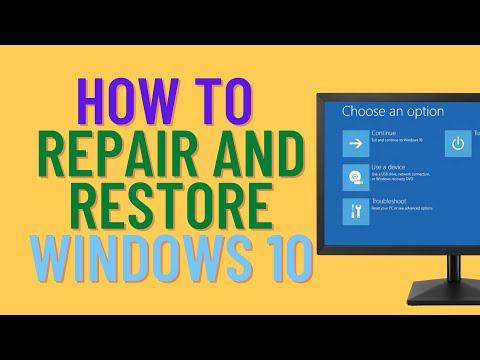
How to Repair and Restore Windows 10
ChannelBritec09Description from the creator
►►►SUBSCRIBE for more: youtube.com/user/Britec09?sub_confirmation=1
Having problems with Windows 10? getting BSOD Blue Screen of Death? Missing dll files and errors messages? corrupt operating system or missing operating system files? well this video is for you. I will show you some of the steps you can take to repair or restore windows 10 back to a working state without formatting your computer and reinstalling windows and losing data.
-----------------------------
chkdsk
chkdsk /f c:
chkdsk /r c:
------------------------------
sfc /verifyonly
sfc /scannow
------------------------------
Repair a Windows Image:
Dism /Online /Cleanup-Image /CheckHealth
Dism /Online /Cleanup-Image /ScanHealth
Dism /Online /Cleanup-Image /RestoreHealth
Dism /Image:C:\offline /Cleanup-Image /RestoreHealth /Source:c:\test\mount\windows
Dism /Online /Cleanup-Image /RestoreHealth /Source:c:\test\mount\windows /LimitAccess
docs.microsoft.com/en-us/windows-hardware/manuf…
-----------------------------
Reset This PC
——————— My Social Links:
🔵 View My Channel - youtube.com/Britec09
🔵 View My Playlists -youtube.com/user/Britec09/playlists
🔵 Follow on Twitter - twitter.com/Britec09
🔵 Follow on Facebook: facebook.com/BritecComputers
🔵 View my Website: BritecComputers.co.uk
🔵 My Official Email: [email protected]
🔵 My Discord: discord.gg/YAuGm5j
✅ Britec Merchandise teespring.com/en-GB/stores/britec-store
#Windows10 #RestoreWindows10 #RepairWindows10 #FixWindows10
About this tutorial
Britec09 published this 10:48 video tutorial on October 24, 2020. It has been watched 34,368 times on YouTube.
Tags
Share
Further reading
-
Backup and Restore in Windows 10 - support.microsoft.com
support.microsoft.com
To save it in a different place, right-click Restore, select Restore to, and then choose a new location. Find your backups created on previous versions of Windows. If you used Backup and Restore to back up files or crea…
-
How To Repair and Restore Windows 10 | Laptop Mag
laptopmag.com
Whether your Windows 10 PC won't boot at all or is just acting weird, there are several options you can try to repair or restore Windows 10.
-
How to Repair Windows 10 for Free Without Losing Data (6 Ways) - MiniTool
minitool.com
Fix 4. Repair Windows 10 for Free through a System Restore. To repair and restore Windows 10 PC with System Restore, you still need to enter into Windows 10 Recovery Environment to access Windows 10 Advanced Startup Opt…
-
6 Ways to Repair Windows 10 When Your PC Has Issues
ubackup.com
This only works when your Windows 10 boots fine. If your Windows fails to boot, then you can reset Windows from Windows recovery environment. Option 5: Reset or refresh Windows 10. Windows 10 has a built-in feature Rese…
-
How To Repair and Restore Windows 10 – Widecoder
widecoder.com
2. Click Startup Repair. Windows will take anywhere from a few seconds to a few minutes to attempt to fix the problem. It may not be able to. If you don’t actually have a startup problem, it will also say it can’t fix t…
This tutorial in other languages
- FRComment réparer et restaurer de Windows 10
- ESCómo reparar y restaurar Windows 10
- PTComo reparar e restaurar o Windows 10
- ITCome riparare e ripristinare Windows 10
- DEWie reparieren und Wiederherstellen von Windows 10
- NLHoe te repareren en herstellen Windows 10
- RUКак отремонтировать и восстановление ОС Windows 10
- PLJak naprawić i przywrócić system Windows 10
- JAWindowsの10を修復し、復元する方法
- ARكيفية إصلاح واستعادة ويندوز 10
- HIमरम्मत और पुनर्स्थापित Windows 10 के लिए
- IDCara Repair dan Restore Windows 10