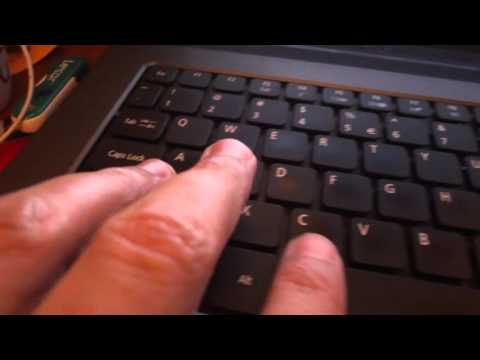
Playback starts YouTube’s embedded player (privacy-enhanced mode).
How to take a screenshot on a PC or Laptop any Windows
ChannelBlog TernetIn brief
Quickly capture your entire Windows screen or browser window with keyboard shortcuts, then save or edit the image. Perfect for saving content, troubleshooting, or sharing information.
Key steps
- Open the screen or window you want to capture
- Press Ctrl + PrtSc/SysRq simultaneously to copy it
- Open MsPaint and press Ctrl + V to paste
- Save or edit the screenshot as needed
Description from the creator
This video will show you how to take a screen shot of your Windows PC or laptop screen. Take and save a picture of your screen and internet browser. This is a great technique for saving images if you need to curate content or if you just want to save the whole screen as a jpg or image file.
Step 1: Open the screen you wish to capture
Step 2: Press Ctrl + PrtSc/SysRq at the same time
Step 3: Open MsPaint
Step 4: Press Ctrl +V (paste)
Step 5: Save as or edit as you please.
You could also try these other updated ways of taking screenshot:
youtu.be/9gB7nAULXas
or
youtu.be/BOVsNXB9D44
this one for selecting a specific part of your screen to capture:
How Take a Screenshot of Part of Your Screen
youtu.be/Quo72vf0ats
or this one for "How to Record your Computer Screen on Windows"
youtu.be/UIAGf35U9FA
Thanks for watching!
The original link to my video was on my website:
blogternet.com/take-screenshot-pc-laptop-window…
blogternet.com/
👇Not related, but benefits YOU and the channel if you check it out:
🤑 WANT FREE MONEY? GET a minimum of $10 in FREE CRYPTO HERE:
Get started on Coinbase:
coinbase.com/join/calder_5qb
💸Watch my "Get Started with Cryptocurrencies Series":
youtube.com/playlist?list=PLM2YWK8WXoDUHPCyDCyT…
About this tutorial
Blog Ternet published this 2:12 video tutorial on October 25, 2015. It has been watched 6,063,188 times on YouTube.
- Channel
- Blog Ternet
- Category
- Education
- Duration
- 2:12
- Published
- October 25, 2015
- Views
- 6,063,188
- Likes
- 23,446
Tags
Share
Further reading
-
How to Take a Screenshot on a Windows Computer
lifewire.com
Win+PrtScn: Using the Windows key with the print screen button (in Windows 8 and newer) will take a screenshot of the whole screen and then save it in the default Pictures folder in a subfolder called Screenshots (e.g.…
-
How to take a screenshot on Windows 10 computers in several ...
msn.com
Windows 10 provides several ways to take screenshots of your entire computer screen, or just select parts of it. The fastest way to take a screenshot on Windows 10 is by pressing the "PrtScn ...
-
The Easiest Way to Take a Screenshot in Windows | wikiHow
wikihow.com
Save your screenshot as an image file. Click File, click Save, enter a file name, click a location on the left side of the page, and click Save.. You can change the screenshot's file type by clicking the "Save as type"…
This tutorial in other languages
- FRComment prendre une capture d'écran sur un PC ou un ordinateur portable tout ordinateur Windows
- ESCómo tomar una captura de pantalla en un PC o Laptop cualquier Windows
- PTComo tirar um screenshot em um PC ou laptop qualquer Windows
- ITCome prendere uno screenshot su un PC o computer portatile qualsiasi Windows
- DEWie Sie einen Screenshot auf einem PC oder Laptop jeden Windows nehmen
- NLHoe maak je een screenshot op een PC of laptop een Windows nemen
- RUКак сделать скриншот на ПК или ноутбука любой ОС Windows
- PLJak zrobić zrzut ekranu na komputerze PC lub laptopie każdym systemie Windows
- JAPCまたはラップトップの任意のWindows上のスクリーンショットを撮る方法
- ARكيف تأخذ لقطة على جهاز كمبيوتر شخصي أو محمول أي ويندوز
- HIएक पीसी या लैपटॉप किसी भी विंडोज पर एक स्क्रीनशॉट लेने के लिए
- IDCara mengambil screenshot pada PC atau Laptop jendela apapun