Playback starts YouTube’s embedded player (privacy-enhanced mode).
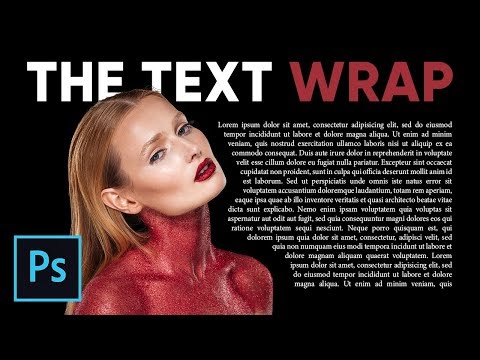
How to Wrap Text Around Image Like Magazines in Photoshop
ChannelPiXimperfectDescription from the creator
Not only wrap text around an image but also fit the text to ANY shape using this super easy technique in Photoshop!
In this tutorial, learn how to use the pen tool and guides to create custom shapes which act like text placeholders, and make the text fit into those boundaries. Also, we will touch upon Justification and an amazing new feature in Photoshop called "Variable Fonts".
I hope this tutorial helps. Thank you for watching!
► PEN TOOL COMPLETE GUIDE:
youtu.be/5kAQUNFZJXY
► DOWNLOADS
1. Sample Images: goo.gl/QaV4xs
2. Finished PSD: goo.gl/HZNJEV (Only for our Patreon Family)
PiXimperfect is free, and will always be.
► SUPPORT the cause: patreon.com/piximperfect
► SHARE: goo.gl/IUhnUl
►LET'S CONNECT:
Facebook: facebook.com/piximperfect
Twitter: twitter.com/piximperfect
Instagram: instagram.com/piximperfect
Google+: plus.google.com/+UnmeshDinda
In this tutorial, learn how to use the pen tool and guides to create custom shapes which act like text placeholders, and make the text fit into those boundaries. Also, we will touch upon Justification and an amazing new feature in Photoshop called "Variable Fonts".
I hope this tutorial helps. Thank you for watching!
► PEN TOOL COMPLETE GUIDE:
youtu.be/5kAQUNFZJXY
► DOWNLOADS
1. Sample Images: goo.gl/QaV4xs
2. Finished PSD: goo.gl/HZNJEV (Only for our Patreon Family)
PiXimperfect is free, and will always be.
► SUPPORT the cause: patreon.com/piximperfect
► SHARE: goo.gl/IUhnUl
►LET'S CONNECT:
Facebook: facebook.com/piximperfect
Twitter: twitter.com/piximperfect
Instagram: instagram.com/piximperfect
Google+: plus.google.com/+UnmeshDinda
About this tutorial
PiXimperfect published this 11:59 video tutorial on October 31, 2018. It has been watched 179,417 times on YouTube.
- Channel
- PiXimperfect
- Category
- Education
- Duration
- 11:59
- Published
- October 31, 2018
- Views
- 179,417
- Likes
- 4,706
Tags
Share
This tutorial in other languages
- FRComment Wrap texte autour de l'image comme Photoshop Magazines
- ESCómo ajustar el texto alrededor de la imagen como revistas en Photoshop
- PTComo para quebrar o texto em torno da imagem, como revistas em Photoshop
- ITCome testo attorno Ti piace Riviste in Photoshop
- DEWie zu Wrap Text Around Bild wie Zeitschriften in Photoshop
- NLHoe kan Tekst rond afbeelding Vind Magazines in Photoshop
- RUКак обернуть текст вокруг изображения как журналы в Photoshop
- PLJak do zawijania tekstu wokół obrazu jak Magazyny w Photoshopie
- JAどのようにPhotoshopの雑誌のように画像の周りラップテキストに
- ARكيفية التفاف النص حول الصورة مثل المجلات في برنامج فوتوشوب
- HIकैसे पाठ लपेटें छवि के आसपास में फ़ोटोशॉप पत्रिका की तरह करने के लिए
- IDCara Bungkus Teks Sekitar Anda suka Majalah di Photoshop