Playback starts YouTube’s embedded player (privacy-enhanced mode).
How to configure Uverse to work with a home router
ChannelElias BarbosaChapters
Description from the creator
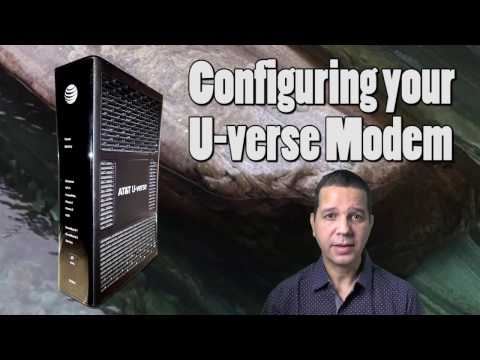
How to configure the AT&T U-verse modem/router to work with a home router.
The U-Verse router comes with the DHCP service enabled by default. That will create a conflict with your home router's own DHCP service. What makes things worse is that the U-Verse router's administrative page does not allow you to disable the DHCP service.
This tutorial will show you how to configure your U-Verse router to work in concert with your home router.
0:00 - Intro
0:56 - How to login to the U-Verse modem Admin page
2:07 - Backup the U-Verse modem settings
2:29 - Disable DHCP on U-Verse router
4:32 - Configure ASUS RT-N16 to connect to single IP
6:32 - Final considerations
The U-Verse router comes with the DHCP service enabled by default. That will create a conflict with your home router's own DHCP service. What makes things worse is that the U-Verse router's administrative page does not allow you to disable the DHCP service.
This tutorial will show you how to configure your U-Verse router to work in concert with your home router.
0:00 - Intro
0:56 - How to login to the U-Verse modem Admin page
2:07 - Backup the U-Verse modem settings
2:29 - Disable DHCP on U-Verse router
4:32 - Configure ASUS RT-N16 to connect to single IP
6:32 - Final considerations
About this tutorial
Elias Barbosa published this 7:06 video tutorial on November 15, 2017. It has been watched 265,665 times on YouTube.
- Channel
- Elias Barbosa
- Category
- Gaming
- Duration
- 7:06
- Published
- November 15, 2017
- Views
- 265,665
- Likes
- 1,824
Tags
Share
This tutorial in other languages
- FRComment configurer Uverse au travail avec un routeur domestique
- ESCómo configurar Uverse trabajar con un router
- PTComo configurar Uverse ao trabalho com um roteador em casa
- ITCome configurare Uverse al lavoro con un router di casa
- DEWie Uverse an der Arbeit mit einem Home-Router konfigurieren
- NLHoe te Uverse configureren om te werken met een home-router
- RUКак настроить Uverse для работы с домашним маршрутизатором
- PLJak skonfigurować Uverse do pracy z routerem domowym
- JAホームルータで動作するようにUverseを構成する方法
- ARكيفية تكوين Uverse للعمل مع جهاز توجيه المنزل
- HIएक घर रूटर के साथ काम करने के लिए Uverse को कैसे कॉन्फ़िगर करें
- IDBagaimana mengkonfigurasi Uverse bekerja dengan router rumah