Playback starts YouTube’s embedded player (privacy-enhanced mode).
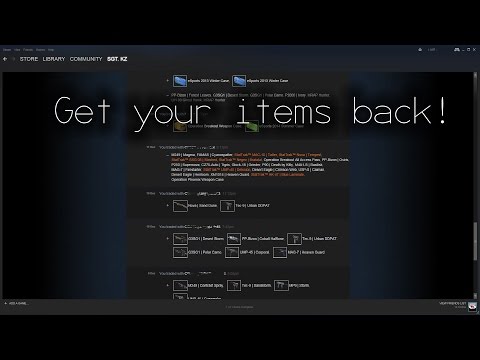
Tutorial- How to recieve stolen/scammed steam items back!
ChannelIamKZDescription from the creator
THIS TUTORIAL IS OUTDATED. PLEASE USE THIS FOR EXPERIANCE.
WHEN YOU GET SCAMMED IN ANYWAY PLEASE CONTACT STEAM.
MAKE SURE YOU DO THESE THINGS IN YOUR STEAM REPORT:
Hello steam support,
A while ago I got scammed (explane how you got scammed, something like 3th party program / trade menu not working / hacked steam accound or something)
This user has taken the items from my steam inventory and is using them for himself (or traded it on check scammer accound for this)
These items are high value items that I payed for with real money, I would like to get my items refunded from this person.
I also added a screenshot of the trade scam (screenshot of trade history). In this screenshot you can see this persons username and that he traded (add high value items here) for nothing.
Here is a link to his steam accound: (steam accound link)
Thank you alot.
(your username or real name whatever you prefer)
How to make your own successful Support Ticket:
- Make sure you use specific's, times you were last on the account and any files that have been sent to you. In my case it was .scr files.
- Be sure to include screenshots of whatever u can think of, emails of purchases or trades and your trade history. (In my case the attacker traded 2 of my Skins to him for one of his skins to make it look legit and then sold all my other skins to open Falchion Cases. I know this because of email's saying so and some extra skins that were left in my Inventory the next morning).
- Include what skins were lost. (I just mentioned my Fav 3 skins).
THANKS TO CKAY the God for the last bit :D!
His channel; youtube.com/user/ThePedoBearss
WHEN YOU GET SCAMMED IN ANYWAY PLEASE CONTACT STEAM.
MAKE SURE YOU DO THESE THINGS IN YOUR STEAM REPORT:
Hello steam support,
A while ago I got scammed (explane how you got scammed, something like 3th party program / trade menu not working / hacked steam accound or something)
This user has taken the items from my steam inventory and is using them for himself (or traded it on check scammer accound for this)
These items are high value items that I payed for with real money, I would like to get my items refunded from this person.
I also added a screenshot of the trade scam (screenshot of trade history). In this screenshot you can see this persons username and that he traded (add high value items here) for nothing.
Here is a link to his steam accound: (steam accound link)
Thank you alot.
(your username or real name whatever you prefer)
How to make your own successful Support Ticket:
- Make sure you use specific's, times you were last on the account and any files that have been sent to you. In my case it was .scr files.
- Be sure to include screenshots of whatever u can think of, emails of purchases or trades and your trade history. (In my case the attacker traded 2 of my Skins to him for one of his skins to make it look legit and then sold all my other skins to open Falchion Cases. I know this because of email's saying so and some extra skins that were left in my Inventory the next morning).
- Include what skins were lost. (I just mentioned my Fav 3 skins).
THANKS TO CKAY the God for the last bit :D!
His channel; youtube.com/user/ThePedoBearss
About this tutorial
IamKZ published this 5:08 video tutorial on October 29, 2015. It has been watched 347,992 times on YouTube.
Tags
Share
This tutorial in other languages
- FRTutorial- Comment recieve articles de vapeur volés / arnaquer de retour!
- ESCómo tutorial- para recibir artículos robados / vapor estafados de vuelta!
- PTTutorial Como para receber roubados / itens de vapor enganado volta!
- ITTutorial- Come per ricevere oggetti rubati vapore / truffati di nuovo!
- DETutorial- Wie gestohlen / scammed Dampf Artikel empfangen zurück!
- NLTutorial Hoe gestolen / opgelicht stoom items terug te ontvangen!
- RUTutorial- Как Получать украденный / мошеннические предметы пара обратно!
- PLTutorial Jak odbierać skradzione przedmioty / Scammed parowe z powrotem!
- JA盗まれた/騙さ蒸気項目をバック受け取るためにどのようにTutorial-!
- ARTutorial- كيفية تلقي المسروقة / البنود البخار خدع مرة أخرى!
- HITutorial- चोरी / धोखाधड़ी भाप आइटम वापस प्राप्त करने के लिए कैसे!
- IDTutorial- Bagaimana untuk menerima dicuri / scammed item uap kembali!