Playback starts YouTube’s embedded player (privacy-enhanced mode).
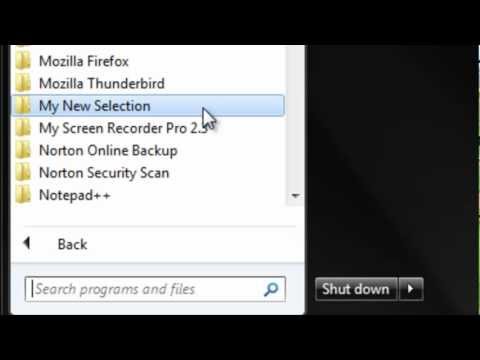
How to Add a Folder to Start Menu
ChannelBest Video Tutorials and Help from HowTechDescription from the creator
In this tutorial you would be learning how to add a folder to the start menu.
Don't forget to check out our site howtech.tv/ for more free how-to videos!
youtube.com/ithowtovids - our feed
facebook.com/howtechtv - join us on facebook
plus.google.com/103440382717658277879 - our group in Google+
Just follow the steps given below:
Step No. 1: Start Up Menu
You would be required to open up the Start Up Menu. Locate the following icon displayed below and click on it to open up the menu.
Step No. 2: Search Box
In the search bar, located within the start up menu, type in the following command and press enter.
Step No. 3: New Window
Once the new window pops open, right click and go to New and choose the Folder option.
Step No. 4: Rename
Rename the folder and press enter. You can close the window when done.
Step No. 5: Start Up Menu
Open up the start up menu again. Click on "All Programs" and find the folder that you have just created in the menu.
Don't forget to check out our site howtech.tv/ for more free how-to videos!
youtube.com/ithowtovids - our feed
facebook.com/howtechtv - join us on facebook
plus.google.com/103440382717658277879 - our group in Google+
Just follow the steps given below:
Step No. 1: Start Up Menu
You would be required to open up the Start Up Menu. Locate the following icon displayed below and click on it to open up the menu.
Step No. 2: Search Box
In the search bar, located within the start up menu, type in the following command and press enter.
Step No. 3: New Window
Once the new window pops open, right click and go to New and choose the Folder option.
Step No. 4: Rename
Rename the folder and press enter. You can close the window when done.
Step No. 5: Start Up Menu
Open up the start up menu again. Click on "All Programs" and find the folder that you have just created in the menu.
About this tutorial
Best Video Tutorials and Help from HowTech published this 1:06 video tutorial on November 9, 2012. It has been watched 7,163 times on YouTube.
- Category
- Howto & Style
- Duration
- 1:06
- Published
- November 9, 2012
- Views
- 7,163
- Likes
- 30
Share
This tutorial in other languages
- FRComment ajouter un dossier au menu Démarrer
- ESCómo agregar una carpeta al menú Inicio
- PTComo adicionar uma pasta ao menu Iniciar
- ITCome aggiungere una cartella al menu Start
- DEWie ein Ordner zum Startmenü hinzufügen
- NLHoe maak je een map naar Start Menu
- RUКак добавить папку в меню Пуск
- PLJak dodać folder do Menu Start
- JAスタートメニューにフォルダを追加する方法
- ARكيفية إضافة مجلد إلى قائمة ابدأ
- HIकैसे प्रारंभ मेनू पर एक फ़ोल्डर जोड़ें करने के लिए
- IDCara Menambahkan Folder ke Start Menu