Playback starts YouTube’s embedded player (privacy-enhanced mode).
How to Auto Login in Windows
ChannelHOWTECHDescription from the creator
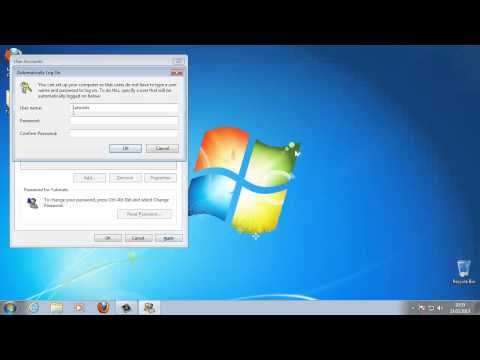
In this tutorial you will learn how to auto log in into Windows.
Don't forget to check out our site howtech.tv/ for more free how-to videos!
youtube.com/ithowtovids - our feed
facebook.com/howtechtv - join us on facebook
plus.google.com/103440382717658277879 - our group in Google+
In this tutorial you will learn how to auto log in into Windows.
Upon completion of these steps, Windows will stop asking for a user name and password when your computer starts up:
Step 1: Click Start. In the search box, carefully type the following:
Netplwiz
then ENTER
This will load the Advanced-User-Accounts applet in Control Panel.
Step 2: - Deselect the „Users must enter a username" checkbox found at the top of the Users tab.
Step 3: Click Apply.
Step 4: - Insert credentials -- username and password -- when prompted. Click OK .
Step 6: Click OK.
Windows will now log on automatically everytime your computer will start.
Don't forget to check out our site howtech.tv/ for more free how-to videos!
youtube.com/ithowtovids - our feed
facebook.com/howtechtv - join us on facebook
plus.google.com/103440382717658277879 - our group in Google+
In this tutorial you will learn how to auto log in into Windows.
Upon completion of these steps, Windows will stop asking for a user name and password when your computer starts up:
Step 1: Click Start. In the search box, carefully type the following:
Netplwiz
then ENTER
This will load the Advanced-User-Accounts applet in Control Panel.
Step 2: - Deselect the „Users must enter a username" checkbox found at the top of the Users tab.
Step 3: Click Apply.
Step 4: - Insert credentials -- username and password -- when prompted. Click OK .
Step 6: Click OK.
Windows will now log on automatically everytime your computer will start.
About this tutorial
HOWTECH published this 1:23 video tutorial on November 15, 2013. It has been watched 952 times on YouTube.
- Channel
- HOWTECH
- Category
- Howto & Style
- Duration
- 1:23
- Published
- November 15, 2013
- Views
- 952
- Likes
- 4
Share
This tutorial in other languages
- FRComment Connexion automatique dans Windows
- ESComo inicio de sesión automático en Windows
- PTComo Auto Login no Windows
- ITCome Auto Login in Windows
- DEWie man Auto Login in Windows
- NLHoe kan ik Automatisch aanmelden in Windows
- RUКак Автоматический Вход в Windows,
- PLJak Automatyczne logowanie w systemie Windows
- JAどのようにWindowsで自動ログインします
- ARكيفية دخول السيارات في ويندوز
- HIकैसे स्वत: प्रवेश Windows में करने के लिए
- IDCara Auto Login pada Windows