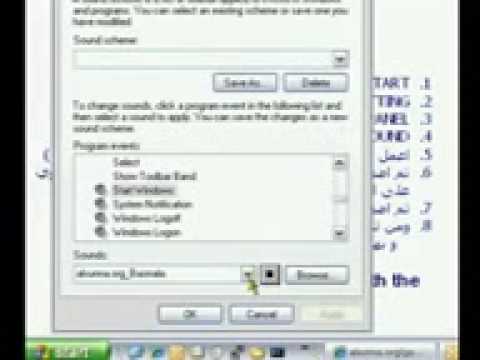
Playback starts YouTube’s embedded player (privacy-enhanced mode).
How to Change Windows XP Startup Sounds
ChannelSunnaInfoDescription from the creator
How to Change Windows XP Startup Sounds
اجعل جهازك يبدأ بالبسملة
alsunna.org/tech.htm
Just find the audio file you need your windows to startup with. Make sure it's in .wav format. Then browse in sounds, and select that file. Reboot and windows will startup reciting your sound.
لمن يريد ملف البسملة فهو هنا:
alsunna.org/basmala.wav
In our example in the video, it will start by saying: "Bismillahir-RaHmanir-RaHim"!
Regards.
alsunna.org/madih
Go to the Control Panel
Click the Sounds and Audio Devices tab
Click on the sound you wish to change, the sounds are available and labeled in the box on the lower half of the Sounds control box.
Click the Browse button in the bottom right corner of the box.
Select your custom sound.
Press the play button next to the Browse button to confirm your sound.
Save the Sound Scheme by clicking Save As and setting a unique name
Make sure your sound scheme is selected
Click Apply and exit out the box
While any sound can be used, it is typically best to use WAV sound files.
Cannot change startup sound in Windows Vista using the method given. The startup sound is played immediately after Windows has loaded, due to a system file that is not editable without additional programs to edit the system files controlling the startup.
The shutdown sound can be changed as done in Windows XP and before.
اجعل جهازك يبدأ بالبسملة
alsunna.org/tech.htm
Just find the audio file you need your windows to startup with. Make sure it's in .wav format. Then browse in sounds, and select that file. Reboot and windows will startup reciting your sound.
لمن يريد ملف البسملة فهو هنا:
alsunna.org/basmala.wav
In our example in the video, it will start by saying: "Bismillahir-RaHmanir-RaHim"!
Regards.
alsunna.org/madih
Go to the Control Panel
Click the Sounds and Audio Devices tab
Click on the sound you wish to change, the sounds are available and labeled in the box on the lower half of the Sounds control box.
Click the Browse button in the bottom right corner of the box.
Select your custom sound.
Press the play button next to the Browse button to confirm your sound.
Save the Sound Scheme by clicking Save As and setting a unique name
Make sure your sound scheme is selected
Click Apply and exit out the box
While any sound can be used, it is typically best to use WAV sound files.
Cannot change startup sound in Windows Vista using the method given. The startup sound is played immediately after Windows has loaded, due to a system file that is not editable without additional programs to edit the system files controlling the startup.
The shutdown sound can be changed as done in Windows XP and before.
About this tutorial
SunnaInfo published this 2:07 video tutorial on November 10, 2009. It has been watched 17,302 times on YouTube.
- Channel
- SunnaInfo
- Category
- Howto & Style
- Duration
- 2:07
- Published
- November 10, 2009
- Views
- 17,302
Share
This tutorial in other languages
- FRComment faire pour modifier les sons de démarrage de Windows XP
- ESCómo cambiar Windows XP Sonidos Inicio
- PTComo mudar do Windows XP Startup Sounds
- ITCome cambiare di Windows XP di avvio Suoni
- DEWie Ändern von Windows XP Startup Sounds
- NLHoe te veranderen Windows XP Startup Sounds
- RUКак изменить Windows XP Startup Звуки
- PLJak zmienić startowym systemu Windows XP Dźwięki
- JAどのように変更するのWindows XPの起動音に
- ARكيفية تغيير ويندوز XP بدء التشغيل تأثيرات صوتية
- HIकैसे बदलें Windows XP स्टार्टअप ध्वनि करने के लिए
- IDCara Mengubah Windows XP Startup Suara