Playback starts YouTube’s embedded player (privacy-enhanced mode).
How to Change Startup Programs in Windows 7
ChannelBest Video Tutorials and Help from HowTechDescription from the creator
In this tutorial we would be changing the start up programs in the windows 7 platform.
Don't forget to check out our site howtech.tv/ for more free how-to videos!
youtube.com/ithowtovids - our feed
facebook.com/howtechtv - join us on facebook
plus.google.com/103440382717658277879 - our group in Google+
Just follow this simple step by step guide and you would be able to add and remove programs from the start up folder.
Step No. 1: Shell Command
Open up the Start Menu and in the search tab type in the following command:
shell:startup
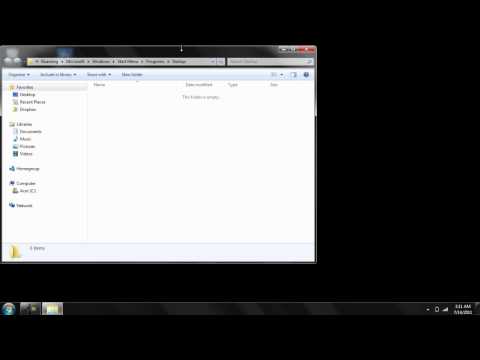
After typing in the command hit enter and a new folder would open.
Step No. 2: Drag
Now all you have to do is copy, paste or drag the shortcuts of various applications you want in the startup.
Step No. 3: Start Up Folder
Now go back to the Start Menu and click on All Programs. Go to the Startup folder and you can see the program you just added in the folder.
Don't forget to check out our site howtech.tv/ for more free how-to videos!
youtube.com/ithowtovids - our feed
facebook.com/howtechtv - join us on facebook
plus.google.com/103440382717658277879 - our group in Google+
Just follow this simple step by step guide and you would be able to add and remove programs from the start up folder.
Step No. 1: Shell Command
Open up the Start Menu and in the search tab type in the following command:
shell:startup
After typing in the command hit enter and a new folder would open.
Step No. 2: Drag
Now all you have to do is copy, paste or drag the shortcuts of various applications you want in the startup.
Step No. 3: Start Up Folder
Now go back to the Start Menu and click on All Programs. Go to the Startup folder and you can see the program you just added in the folder.
About this tutorial
Best Video Tutorials and Help from HowTech published this 1:32 video tutorial on November 10, 2012. It has been watched 1,608 times on YouTube.
- Category
- Howto & Style
- Duration
- 1:32
- Published
- November 10, 2012
- Views
- 1,608
- Likes
- 3
Share
This tutorial in other languages
- FRComment faire pour modifier les programmes de démarrage dans Windows 7
- ESCómo cambiar los programas de inicio en Windows 7
- PTComo mudar Startup programas no Windows 7
- ITCome cambiare programmi di avvio in Windows 7
- DEWie Ändern von Autostart-Programme in Windows 7
- NLHoe te veranderen opstartprogramma's in Windows 7
- RUКак изменить Startup Programs в Windows, 7
- PLJak zmienić uruchomienia programów w Windows 7
- JAどのようにWindowsの変更スタートアッププログラムへ7
- ARكيفية تغيير برامج بدء التشغيل في ويندوز 7
- HIकैसे Windows में बदलें स्टार्टअप प्रोग्राम करने के लिए 7
- IDCara Mengubah Startup Programs di Windows 7