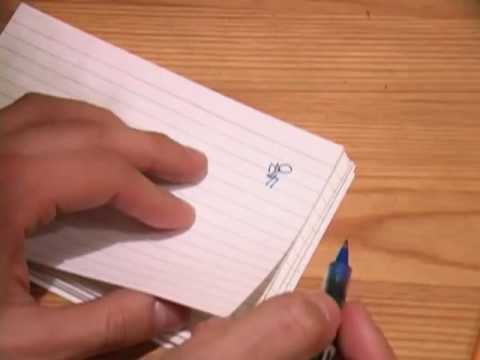
Playback starts YouTube’s embedded player (privacy-enhanced mode).
How to Create a Flip Book
ChannelHowcastDescription from the creator
Watch more Animation Techniques videos: howcast.com/videos/1085-How-to-Create-a-Flip-Bo…
Doodles are fun, but turn them into a flipbook and they spring to life on the page—your flower blooms, your rocketship blasts off, or, if your doodles are a little on the primitive side, sure: your stick figure walks.
Step 1: Use ruler to draw frames
Use the ruler to help you lightly draw a series of rectangles on loose paper. These will act as guides, or frames, for your concept.
Tip
Start with about 48 frames—you can add or subtract later as needed.
Step 2: Sketch animation in frames
Conceptualize in your head the scene you’d like to animate. Then lightly sketch out your animation in the frames, drawing one frame for each stage of animation.
Tip
Draw the first and last frames before filling in the intermediary steps.
Step 3: Draw frames on index cards
When you’re done with the sketches, it's time to make the actual flip book. Carefully draw each frame on the right-hand side of a different index card.
Tip
If your animation images are small, draw them near the top corner. It will help you align your drawings to a common point of reference.
Step 4: Occasionally test
Occasionally test how your animation looks by holding the left side of the stack firmly with your left hand and flipping through the right side with your right thumb.
Tip
If you think there's a jump in the animation, insert a new card between the awkward frames and draw an intermediate step.
Step 5: Loop rubber band
When you're satisfied with all your drawings, loop the rubber band tightly around the left side of the stack.
Step 6: Flip through book
Now set the scene in motion with a flick of your thumb. Try flipping it from back to front—yup, the scene goes backward!
Did You Know?
The German word for a flip book is daumenkino, which means "thumb cinema."
Doodles are fun, but turn them into a flipbook and they spring to life on the page—your flower blooms, your rocketship blasts off, or, if your doodles are a little on the primitive side, sure: your stick figure walks.
Step 1: Use ruler to draw frames
Use the ruler to help you lightly draw a series of rectangles on loose paper. These will act as guides, or frames, for your concept.
Tip
Start with about 48 frames—you can add or subtract later as needed.
Step 2: Sketch animation in frames
Conceptualize in your head the scene you’d like to animate. Then lightly sketch out your animation in the frames, drawing one frame for each stage of animation.
Tip
Draw the first and last frames before filling in the intermediary steps.
Step 3: Draw frames on index cards
When you’re done with the sketches, it's time to make the actual flip book. Carefully draw each frame on the right-hand side of a different index card.
Tip
If your animation images are small, draw them near the top corner. It will help you align your drawings to a common point of reference.
Step 4: Occasionally test
Occasionally test how your animation looks by holding the left side of the stack firmly with your left hand and flipping through the right side with your right thumb.
Tip
If you think there's a jump in the animation, insert a new card between the awkward frames and draw an intermediate step.
Step 5: Loop rubber band
When you're satisfied with all your drawings, loop the rubber band tightly around the left side of the stack.
Step 6: Flip through book
Now set the scene in motion with a flick of your thumb. Try flipping it from back to front—yup, the scene goes backward!
Did You Know?
The German word for a flip book is daumenkino, which means "thumb cinema."
About this tutorial
Howcast published this 2:08 video tutorial on November 14, 2010. It has been watched 564,316 times on YouTube.
- Channel
- Howcast
- Category
- Howto & Style
- Duration
- 2:08
- Published
- November 14, 2010
- Views
- 564,316
- Likes
- 2,129
Tags
Share
This tutorial in other languages
- FRComment créer un Flip Book
- ESCómo crear un libro del tirón
- PTComo criar um flip book
- ITCome creare un Flip Book
- DESo erstellen Sie eine Flip Book
- NLHoe maak je een Flip Boek maken
- RUКак создать Флип книгу
- PLJak utworzyć Flip Book
- JAフリップブックを作成する方法
- ARكيفية إنشاء كتاب ورقي
- HIकैसे एक फ्लिप बुक बनाएँ करने के लिए
- IDCara Membuat Buku Balik