Playback starts YouTube’s embedded player (privacy-enhanced mode).
How to dedicate RAM to you Minecraft SERVER - MEANS NO LAG
ChannelQonkeyDescription from the creator
Twitter: twitter.com/#!/qonk3y
FOLLOW ME :)
SUBSCRIBE
This is my way to dedicate RAM to a server onwhich I think is the easiest and the best way to dedicate RAM to a Minecraft server, i have not seen anyone do i this way using this .bat others are far to complicated and get confusing.
1.Open up notepad
2. Type ------------
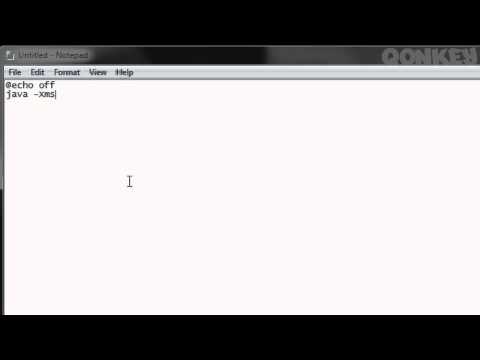
@echo off
java -Xms" "M -Xmx" "M -jar Minecraft_Server.jar gui
pause
(the " " is where you put your RAM in) aka :
@echo off
java -Xms16384M -Xmx16384M -jar Minecraft_Server.jar gui
pause
3. Now save it into your minecraft server folder as " ".bat
EG: Qonkey.bat
4. Open the .bat AND YOU ARE DONE!
Hope this helped :) please Subscribe to me and follow me on Twitter xx
1GB RAM = 1024MB
SUM is -- 1024 x (RAM)GB
EG 1024 x 10 = 10240 = 10GB
IGNORE:
how to make a no lag houses crib pimp my best top 10 on minecraft server how to dedicate ram on minecraft 16gb 24gb tnt sick mine craft server hack mod more ram memory run faster packs hd mods bounce notch machinima yogcast antvenom, UberHaxorNova BlueXephos thekenburtonshow zXNoRegretzzXz SeaNanners episode Atomaround davidr64yt faster sick speed computer server funny tut tutorial minecraft lets play tag survival mode two player mine craft awesome gamers snow j3za whitelite gaming multiplayer server hosting first retro tips tricks pc computer hacks video game fps consoles lets play twoawesomegamers two awesome gamers LOL rofl funny random fail win epic pwn games gameplay awesomely minecraft survival mode minecraft multiplayer minecraft server
FOLLOW ME :)
SUBSCRIBE
This is my way to dedicate RAM to a server onwhich I think is the easiest and the best way to dedicate RAM to a Minecraft server, i have not seen anyone do i this way using this .bat others are far to complicated and get confusing.
1.Open up notepad
2. Type ------------
@echo off
java -Xms" "M -Xmx" "M -jar Minecraft_Server.jar gui
pause
(the " " is where you put your RAM in) aka :
@echo off
java -Xms16384M -Xmx16384M -jar Minecraft_Server.jar gui
pause
3. Now save it into your minecraft server folder as " ".bat
EG: Qonkey.bat
4. Open the .bat AND YOU ARE DONE!
Hope this helped :) please Subscribe to me and follow me on Twitter xx
1GB RAM = 1024MB
SUM is -- 1024 x (RAM)GB
EG 1024 x 10 = 10240 = 10GB
IGNORE:
how to make a no lag houses crib pimp my best top 10 on minecraft server how to dedicate ram on minecraft 16gb 24gb tnt sick mine craft server hack mod more ram memory run faster packs hd mods bounce notch machinima yogcast antvenom, UberHaxorNova BlueXephos thekenburtonshow zXNoRegretzzXz SeaNanners episode Atomaround davidr64yt faster sick speed computer server funny tut tutorial minecraft lets play tag survival mode two player mine craft awesome gamers snow j3za whitelite gaming multiplayer server hosting first retro tips tricks pc computer hacks video game fps consoles lets play twoawesomegamers two awesome gamers LOL rofl funny random fail win epic pwn games gameplay awesomely minecraft survival mode minecraft multiplayer minecraft server
About this tutorial
Qonkey published this 9:25 video tutorial on October 27, 2011. It has been watched 205,554 times on YouTube.
- Channel
- Qonkey
- Category
- Howto & Style
- Duration
- 9:25
- Published
- October 27, 2011
- Views
- 205,554
- Likes
- 2,007
Share
This tutorial in other languages
- FRComment consacrer RAM à votre serveur Minecraft - MOYENS NO LAG
- ESCómo dedicar memoria RAM para que Minecraft SERVIDOR - MEDIOS NO LAG
- PTComo dedicar RAM para você Minecraft SERVER - MEIOS NO LAG
- ITCome da dedicare a voi RAM Minecraft SERVER - MEZZI NO LAG
- DEWie zu widmen RAM Sie Minecraft SERVER - MEANS NO LAG
- NLHoe je RAM-geheugen te wijden aan je Minecraft SERVER - betekent geen LAG
- RUКак выделить RAM вам Minecraft SERVER - СПОСОБЫ NO LAG
- PLJak zadedykować pamięci RAM do ciebie Minecraft Serwer - oznacza brak LAG
- JAあなたにMinecraftのサーバーのRAMを捧げる方法 - MEANS NOのLAG
- ARكيفية تكريس RAM لك ماين كرافت الخادم - وسائل NO LAG
- HIआप के लिए राम को समर्पित करने के लिए कैसे Minecraft सर्वर - साधन कोई अंतराल
- IDCara mendedikasikan RAM untuk Anda Minecraft SERVER - SARANA NO LAG