Playback starts YouTube’s embedded player (privacy-enhanced mode).
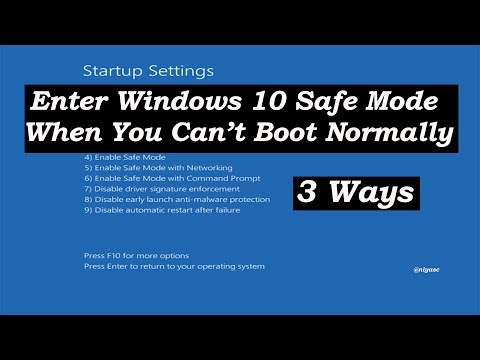
How to Enter Windows 10 Safe Mode When Windows Cannot Boot Normally
ChannelNiyas CDescription from the creator
How to Start Windows 10 in Safe Mode if Windows Cannot Boot normally / how to enter Windows 10 Safe Mode when you Can’t boot in to windows 10
1. Interrupt the normal windows 10 boot process three times in a row
If Windows 10 fails to boot normally three times over, the fourth time it enters by default in an Automatic Repair mode. Using this mode, you can boot into Safe Mode.
2. Use a Windows 10 installation usb drive / DVD and the Command Prompt
If you have a Windows 10 setup DVD or USB, you can use it to boot your broken PC with Windows 10 into Safe Mode.
How to Create Bootable USB : youtu.be/G-LsM9JfrfA
Download Windows 10 ISO : youtu.be/-nw44RIKNWo
3. Use F8 or Shift + F8 (does not work when using UEFI BIOS and SSD drives)
Tags: Complete tutorial for computers, laptops, desktops,and tablets running the Windows 10 operating system (Home, Professional, Enterprise, Education ), Dell, HP, Acer, Asus, Toshiba,Lenovo, and Samsung,Enter to "F8" (Advanced Boot Options) menu if Windows 10 or 8 Won't Boot Normally.how to boot in safe mode windows 10, windows 10 safe mode from bios, how to start windows 10 in safe mode while booting,windows 10 safe mode hp,how do i start w10 in safe mode?, how to boot in safe mode windows 8,windows 10 safe mode black screen, windows 10 not booting, windows 10 safe mode hp, win 10 safe mode
1. Interrupt the normal windows 10 boot process three times in a row
If Windows 10 fails to boot normally three times over, the fourth time it enters by default in an Automatic Repair mode. Using this mode, you can boot into Safe Mode.
2. Use a Windows 10 installation usb drive / DVD and the Command Prompt
If you have a Windows 10 setup DVD or USB, you can use it to boot your broken PC with Windows 10 into Safe Mode.
How to Create Bootable USB : youtu.be/G-LsM9JfrfA
Download Windows 10 ISO : youtu.be/-nw44RIKNWo
3. Use F8 or Shift + F8 (does not work when using UEFI BIOS and SSD drives)
Tags: Complete tutorial for computers, laptops, desktops,and tablets running the Windows 10 operating system (Home, Professional, Enterprise, Education ), Dell, HP, Acer, Asus, Toshiba,Lenovo, and Samsung,Enter to "F8" (Advanced Boot Options) menu if Windows 10 or 8 Won't Boot Normally.how to boot in safe mode windows 10, windows 10 safe mode from bios, how to start windows 10 in safe mode while booting,windows 10 safe mode hp,how do i start w10 in safe mode?, how to boot in safe mode windows 8,windows 10 safe mode black screen, windows 10 not booting, windows 10 safe mode hp, win 10 safe mode
About this tutorial
Niyas C published this 6:03 video tutorial on November 7, 2019. It has been watched 826,994 times on YouTube.
- Channel
- Niyas C
- Category
- Howto & Style
- Duration
- 6:03
- Published
- November 7, 2019
- Views
- 826,994
- Likes
- 4,506
Tags
Share
This tutorial in other languages
- FRComment accéder à Windows 10 Mode sans échec Lorsque Windows ne peut pas démarrer normalement
- ESCómo entrar en modo seguro de Windows 10 Cuando Windows no puede iniciar normalmente
- PTComo inserir Windows 10 modo de segurança Quando o Windows não pode iniciar normalmente
- ITCome partecipare di Windows 10 in modalità provvisoria Quando Windows non riesce a riavviarsi normalmente
- DEWie mache ich mit Microsoft Windows 10 im abgesicherten Modus Wenn Windows nicht booten kann Normalerweise
- NLHoe je meedoet Windows 10 Veilige modus Als Windows kan niet Boot Normaal
- RUКак войти в 10 Безопасном режиме Windows Когда Windows не может загрузиться нормально
- PLJak wejść w trybie awaryjnym systemu Windows 10, gdy system Windows nie może Boot Normalnie
- JAときにWindowsのことはできませんブート通常のWindows 10のセーフモードを入力する方法
- ARكيفية إدخال الوضع الآمن ويندوز 10 عندما ويندوز لا يمكن التمهيد عادة
- HIकैसे Windows 10 सुरक्षित मोड दर्ज करने के लिए जब Windows नहीं कर सकते बूट आम तौर पर
- IDCara Masukkan Windows 10 Safe Mode Ketika Windows Can bukan Boot Biasanya