Playback starts YouTube’s embedded player (privacy-enhanced mode).
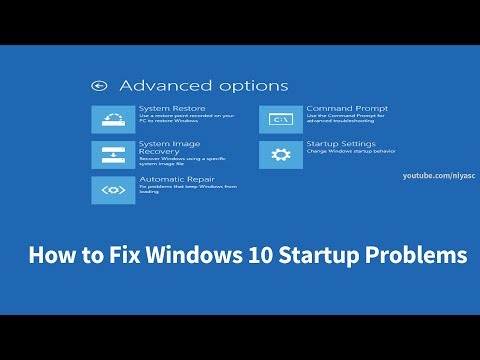
How to Fix Windows 10 Startup Problems (4 Ways)
ChannelNiyas CDescription from the creator
Top four solutions/ ways to fix windows 10 booting startup problems [complete tutorial for computers, laptops, desktops,and tablets running the Windows 10 operating system (Home, Professional, Enterprise, Education )]
Solution I : Fix Using Startup Repair
Startup Repair tool is probably one of the best features in Windows 10 that can fix certain system problems that might prevent Windows from starting. Startup Repair scans your PC for the problem and then tries to fix it so your PC can start correctly.
Solution II : Fix With Command Prompt
In this method, we are are going to manually restore the previous version of the Registry from its automated backup on Windows 10.
Solution III : Fix using System Restore
If you unable to start your computer, it's possible to use the system advanced options to access System Restore
Solution IV : Reset this PC
If your PC is not running well, resetting might help. This let you choose to keep your files or remove them, and then reinstalls windows.
How to Fix Automatic Repair Couldn't Repair PC in Windows 10
Windows 10 Fails to Start, Advanced troubleshooting for Windows boot problems, Startup Repair to fix boot problems, how to fix windows 10 startup problems in 2019, windows 10 startup repair command prompt, windows 10 startup repair not working, windows 10 startup repair loop, windows 10 startup problems black screen, windows 10 not booting, windows 10 won't boot, windows 10 not booting after update, windows 10 not booting black screen, Bootloop, Infinite loading screen, or infinite boot. Dell, HP, Acer, Asus, Toshiba,Lenovo, and Samsung. How to Fix Windows has not loaded correctly error
The Startup Repair log file is located at:
C:\Windows\System32\Logfiles\Srt\SrtTrail.txt
Solution I : Fix Using Startup Repair
Startup Repair tool is probably one of the best features in Windows 10 that can fix certain system problems that might prevent Windows from starting. Startup Repair scans your PC for the problem and then tries to fix it so your PC can start correctly.
Solution II : Fix With Command Prompt
In this method, we are are going to manually restore the previous version of the Registry from its automated backup on Windows 10.
Solution III : Fix using System Restore
If you unable to start your computer, it's possible to use the system advanced options to access System Restore
Solution IV : Reset this PC
If your PC is not running well, resetting might help. This let you choose to keep your files or remove them, and then reinstalls windows.
How to Fix Automatic Repair Couldn't Repair PC in Windows 10
Windows 10 Fails to Start, Advanced troubleshooting for Windows boot problems, Startup Repair to fix boot problems, how to fix windows 10 startup problems in 2019, windows 10 startup repair command prompt, windows 10 startup repair not working, windows 10 startup repair loop, windows 10 startup problems black screen, windows 10 not booting, windows 10 won't boot, windows 10 not booting after update, windows 10 not booting black screen, Bootloop, Infinite loading screen, or infinite boot. Dell, HP, Acer, Asus, Toshiba,Lenovo, and Samsung. How to Fix Windows has not loaded correctly error
The Startup Repair log file is located at:
C:\Windows\System32\Logfiles\Srt\SrtTrail.txt
About this tutorial
Niyas C published this 7:32 video tutorial on November 8, 2019. It has been watched 1,274,175 times on YouTube.
- Channel
- Niyas C
- Category
- Howto & Style
- Duration
- 7:32
- Published
- November 8, 2019
- Views
- 1,274,175
- Likes
- 9,446
Tags
Share
This tutorial in other languages
- FRComment réparer Windows 10 problèmes de démarrage (4 façons)
- ESCómo arreglar problemas de inicio de Windows 10 (4 maneras)
- PTComo corrigir Windows 10 Startup Problems (4 maneiras)
- ITCome risolvere Windows 10 problemi di avvio (4 modi)
- DEWie Fix Windows-10-Startprobleme (4 Wege)
- NLHoe Fix Windows 10 Opstartproblemen (4 manieren)
- RUКак исправить проблемы при запуске Windows 10 (4 способа)
- PLJak naprawić system Windows 10 problemy z uruchamianiem (4 sposoby)
- JAWindowsの10起動時の問題を修正する方法(4つの方法)
- ARكيفية تثبيت ويندوز 10 مشاكل بدء التشغيل (4 طرق)
- HIठीक करने के लिए कैसे Windows 10 स्टार्टअप समस्याएं (4 तरीके)
- IDBagaimana Fix Windows 10 Masalah Startup (4 Cara)