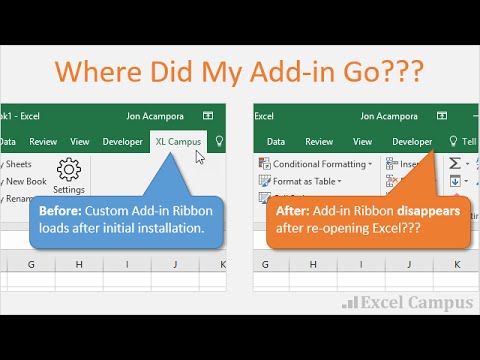
Playback starts YouTube’s embedded player (privacy-enhanced mode).
How to Fix the Disappearing Add in Ribbon Menu Bar in Excel
ChannelExcel Campus - JonChapters
Description from the creator
Is your Add-in Ribbon Menu disappearing? A recent Microsoft Office security update has caused Add-in Ribbon Menu Bars to disappear when Excel is opened.
Here is a link the article with step-by-step instructions. excelcampus.com/vba/add-in-ribbon-disappears/
Microsoft released an Office Update in July 2016 that is causing this issue with installed add-in Ribbons disappearing. The security update is blocking files that have been downloaded from the internet.
Files downloaded from the internet now have a Security property that is automatically set to Block. When you open regular Excel files (.xlsx or .xlsm), you will get a security prompt asking you if the file is safe.
However, there is no security prompt for add-in files (.xla, .xlam). That means there is nothing to tell you why the add-in ribbon disappeared.
So if you have downloaded an Excel Campus add-in recently, or an add-in from another site, then you might not be seeing it load up when you open Excel. Argh!!!
If this still does NOT solve your problem then your add-in might have become disabled. Checkout this video on how to restore a disabled add-in. youtube.com/watch?v=mJlemzmo8t0
00:00 Introduction
00:56 Addin Location
01:52 Add New Location
03:01 Conclusion
About this tutorial
Excel Campus - Jon published this 4:11 video tutorial on October 26, 2016. It has been watched 206,540 times on YouTube.
- Channel
- Excel Campus - Jon
- Category
- Howto & Style
- Duration
- 4:11
- Published
- October 26, 2016
- Views
- 206,540
- Likes
- 792
Tags
Share
Further reading
-
How to show, hide and restore missing ribbon in Excel
ablebits.com
You've been using some Excel add-in (e.g. our Ultimate Suite) for a while, and now the add-in's ribbon is gone. Chances are the add-in was disabled by Excel. To fix this, click File > Excel Options > Add-ins > Disabled…
-
Excel Add-in Ribbon Disappears After Installation
excelcampus.com
Bottom line: A recent Microsoft Office security update has caused add-in Ribbon Menu Bars to disappear when Excel is opened. This article contains a few solutions for this issue. Why Did My Add-in's Ribbon Menu Disappea…
-
Add-in Menu has Disappeared from the Excel Ribbon Bar
nextanalytics.com
Add-in Menu has Disappeared from the Excel Ribbon Bar Everything on the internet today is so automatic, people sometimes forget that there is a lot of work going on behind the scenes. When you ask for a download, someti…
This tutorial in other languages
- FRComment réparer la Ajouter au ruban Disappearing Barre de menus dans Excel
- ESCómo arreglar la desaparición de la cinta Agregar barra de menús en Excel
- PTComo corrigir o desaparecimento Add no menu Ribbon Bar no Excel
- ITCome risolvere il Disappearing Aggiungi nella barra multifunzione Barra dei menu in Excel
- DEWie Fix die Disappearing Hinzufügen in Ribbon-Menüleiste in Excel
- NLHoe de Disappearing toevoegen in Menu Ribbon Bar in Excel Fix
- RUКак исправить исчезающий Добавить в Ribbon строке меню в Excel
- PLJak naprawić znikają Dodać w menu Wstążka Bar w programie Excel
- JAExcelでリボンメニューバーで消えるの追加を修正する方法
- ARكيفية إصلاح اختفاء إضافة في القائمة الشريط بار في Excel
- HIठीक करने के लिए कैसे Excel में रिबन मेनू बार में गायब जोड़ें
- IDCara Memperbaiki Hilang Tambah di Ribbon Menu Bar di Excel