Playback starts YouTube’s embedded player (privacy-enhanced mode).
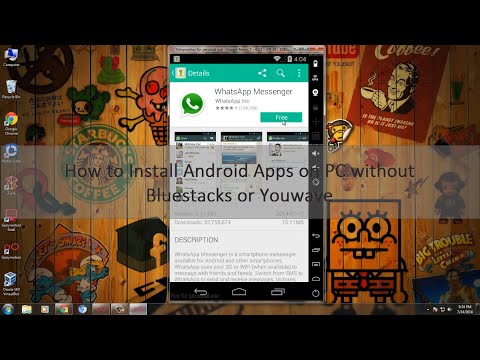
How to install Android Apps on PC without Bluestacks or Youwave
ChanneliTechDescription from the creator
Earn $5 Every day 😍 - bit.ly/5EveryDay
In my earlier videos How to Run Android OS & Apps on PC I covered almost most of the free and best android emulators to install Android OS on PC, But the problem is Bluestacks android emulator slow downs your computer performance, YouWave is the paid version and manymo allows only 10 emulator per month. So that’s why, Today I’m going to share one more the great emulator to run android operating system on Windows and MAC computer, Using this GenyMotion Android emulator you can easily Run, Install, Play Android games and Apps on PC.
GenyMotion is actually an Android emulator based upon Virtual-box. Is definitely the best and awesome tool for developers to try their applications on various version of android OS from one PC with simple installation. GenyMotion is usually an emulator working with x86 architecture virtualization, which makes it far more effective!, Using OpenGL components acceleration, it enables anyone to try your apps with awesome 3D performance. GenyMotion works by using virtual-box therefore it is so speedy than yet another Android Emulator like Bluestacks. You don’t need to get worried of your favorite games or apps getting struck while running.
★★★ Top 5 Best Gadgets you should Buy with iPhone 6s and 6s Plus ★★★
youtu.be/OADORgrvdGY
★★★ How to Install Remix OS on VIrtualBox ★★★
youtube.com/watch?v=ndGIODb4s3E
★★★How to install Android 6.0 Marshmallow on PC★★★
youtube.com/watch?v=8D7O35hhOg8
★★★Top 5 Inventions You need to Buy Now [Latest]
youtube.com/watch?v=osjbsSy3YEo
★★★Top 5 GoPro Accessories you should buy [2016]
youtube.com/watch?v=3vUnGs-WJe4
★★★Top 10 Best Android Smartphones you can buy in 2016 [4K]
youtube.com/watch?v=6aG0eMHmAYQ
Features of GenyMotion
-Easy to install, easy to run
-It really works extremely speedy when in comparison with other Android emulators.
-You are able to test almost many of the versions of Android and devices without having any issue.
-You may take advantage of the accelerometer as well as other sensors( Pro version features).
-And you will also find the custom ROM’s running on the computer.
-All of the Android operating system versions we work include Superuser access ex. they’re rooted!
-Absolutely Developer friendly as well as standard user friendly.
-Finally it is actually absolutely free( for personal use)
Install Android Apps with Bluestacks youtube.com/watch?v=EaGzu...
Install Android Apps on Browser with Manymo
youtube.com/watch?v=5WBKy...
Install Android With Virtual Box
youtube.com/watch?v=ZU2TG...
Like & Subscribe :)
★★★ Top 5 Best Gadgets you should Buy with iPhone 6s and 6s Plus ★★★
goo.gl/Vj8a0N
★★★How to ROOT Almost Any Android device★★★
Check it out ➩➩ goo.gl/U9L0fG
★★★How to make Google Chrome Faster★★★
Check it out ➩➩ goo.gl/6bTJwC
★★★ Top 10 Must have Google Chrome Extensions★★★
Check it out ➩➩ goo.gl/58j6nx
Text-To-Speech used in this video is from oddcast.com :)
In my earlier videos How to Run Android OS & Apps on PC I covered almost most of the free and best android emulators to install Android OS on PC, But the problem is Bluestacks android emulator slow downs your computer performance, YouWave is the paid version and manymo allows only 10 emulator per month. So that’s why, Today I’m going to share one more the great emulator to run android operating system on Windows and MAC computer, Using this GenyMotion Android emulator you can easily Run, Install, Play Android games and Apps on PC.
GenyMotion is actually an Android emulator based upon Virtual-box. Is definitely the best and awesome tool for developers to try their applications on various version of android OS from one PC with simple installation. GenyMotion is usually an emulator working with x86 architecture virtualization, which makes it far more effective!, Using OpenGL components acceleration, it enables anyone to try your apps with awesome 3D performance. GenyMotion works by using virtual-box therefore it is so speedy than yet another Android Emulator like Bluestacks. You don’t need to get worried of your favorite games or apps getting struck while running.
★★★ Top 5 Best Gadgets you should Buy with iPhone 6s and 6s Plus ★★★
youtu.be/OADORgrvdGY
★★★ How to Install Remix OS on VIrtualBox ★★★
youtube.com/watch?v=ndGIODb4s3E
★★★How to install Android 6.0 Marshmallow on PC★★★
youtube.com/watch?v=8D7O35hhOg8
★★★Top 5 Inventions You need to Buy Now [Latest]
youtube.com/watch?v=osjbsSy3YEo
★★★Top 5 GoPro Accessories you should buy [2016]
youtube.com/watch?v=3vUnGs-WJe4
★★★Top 10 Best Android Smartphones you can buy in 2016 [4K]
youtube.com/watch?v=6aG0eMHmAYQ
Features of GenyMotion
-Easy to install, easy to run
-It really works extremely speedy when in comparison with other Android emulators.
-You are able to test almost many of the versions of Android and devices without having any issue.
-You may take advantage of the accelerometer as well as other sensors( Pro version features).
-And you will also find the custom ROM’s running on the computer.
-All of the Android operating system versions we work include Superuser access ex. they’re rooted!
-Absolutely Developer friendly as well as standard user friendly.
-Finally it is actually absolutely free( for personal use)
Install Android Apps with Bluestacks youtube.com/watch?v=EaGzu...
Install Android Apps on Browser with Manymo
youtube.com/watch?v=5WBKy...
Install Android With Virtual Box
youtube.com/watch?v=ZU2TG...
Like & Subscribe :)
★★★ Top 5 Best Gadgets you should Buy with iPhone 6s and 6s Plus ★★★
goo.gl/Vj8a0N
★★★How to ROOT Almost Any Android device★★★
Check it out ➩➩ goo.gl/U9L0fG
★★★How to make Google Chrome Faster★★★
Check it out ➩➩ goo.gl/6bTJwC
★★★ Top 10 Must have Google Chrome Extensions★★★
Check it out ➩➩ goo.gl/58j6nx
Text-To-Speech used in this video is from oddcast.com :)
About this tutorial
iTech published this 4:32 video tutorial on November 12, 2014. It has been watched 737,476 times on YouTube.
- Channel
- iTech
- Category
- Howto & Style
- Duration
- 4:32
- Published
- November 12, 2014
- Views
- 737,476
- Likes
- 2,968
Tags
Share
This tutorial in other languages
- FRComment installer Android Apps sur PC sans Bluestacks ou YouWave
- ESCómo Aplicaciones Android en el PC sin instalar Bluestacks o YouWave
- PTComo instalar aplicativos Android no PC sem Bluestacks ou YouWave
- ITCome installare applicazioni Android sul PC senza Bluestacks o YouWave
- DEWie Android Apps auf dem PC ohne Bluestacks oder YouWave installieren
- NLHoe te Android-apps te installeren op pc zonder Bluestacks of Youwave
- RUКак установить Android приложения на ПК без Bluestacks или Youwave
- PLJak zainstalować aplikacje Androida na PC bez BlueStacks lub Youwave
- JABluestacksまたはYouwaveせずにPC上でAndroidアプリのインストール方法
- ARكيفية تثبيت تطبيقات الروبوت على جهاز الكمبيوتر دون بلوستاكس أو Youwave
- HIब्लूस्टैक्स या YouWave बिना पीसी पर Android एप्लिकेशन स्थापित करने के लिए
- IDBagaimana menginstal Android Apps pada PC tanpa Bluestacks atau YouWave