Playback starts YouTube’s embedded player (privacy-enhanced mode).
How to Install Opera Mini to PC
ChannelHOWTECHDescription from the creator
In this tutorial you are going to learn how to get Opera Mini for PC
Don't forget to check out our site howtech.tv/ for more free how-to videos!
youtube.com/ithowtovids - our feed
facebook.com/howtechtv - join us on facebook
plus.google.com/103440382717658277879 - our group in Google+
This tutorial is going toThis tutorial is going to show you how to download Opera Mini to your PC. show you how to lower ping in online games which will mean you have a smoother experience.
Step # 1 -- Downloading Opera Mini
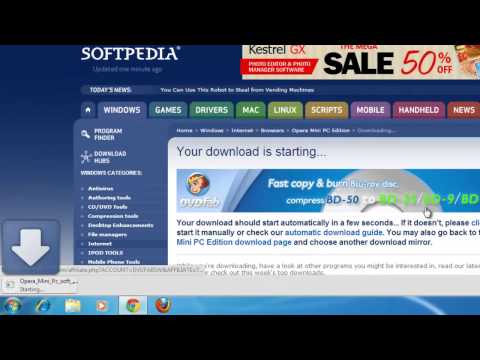
First you are going to need to download the program. Navigate to the website "www.softpedia.com/get/Internet/Browsers/Opera-Mini-PC-Edition.shtml" and click the "Download" button. On the next page choose a download source on the right then just wait for the program to download.
Step # 2 -- Installing the Program
Once the download has completed, click on it to open the file. Click "Yes" in the dialog box that appears. The installer will run, you need to click "Next" five times then click the large "Install" button. Close the window that appears then close the advertising that appears in your current web browser.
Step # 3 -- Running the Program
Go to the desktop and right click on the Opera icon and click "Run as Administrator", click "Yes" in the dialog box that appears. In the window that appears select one of the Opera mini versions, here we are selecting version 4. In the window that appears click "Start" and Opera Mini will load in a window and that is how to install Opera Mini for PC.
Don't forget to check out our site howtech.tv/ for more free how-to videos!
youtube.com/ithowtovids - our feed
facebook.com/howtechtv - join us on facebook
plus.google.com/103440382717658277879 - our group in Google+
This tutorial is going toThis tutorial is going to show you how to download Opera Mini to your PC. show you how to lower ping in online games which will mean you have a smoother experience.
Step # 1 -- Downloading Opera Mini
First you are going to need to download the program. Navigate to the website "www.softpedia.com/get/Internet/Browsers/Opera-Mini-PC-Edition.shtml" and click the "Download" button. On the next page choose a download source on the right then just wait for the program to download.
Step # 2 -- Installing the Program
Once the download has completed, click on it to open the file. Click "Yes" in the dialog box that appears. The installer will run, you need to click "Next" five times then click the large "Install" button. Close the window that appears then close the advertising that appears in your current web browser.
Step # 3 -- Running the Program
Go to the desktop and right click on the Opera icon and click "Run as Administrator", click "Yes" in the dialog box that appears. In the window that appears select one of the Opera mini versions, here we are selecting version 4. In the window that appears click "Start" and Opera Mini will load in a window and that is how to install Opera Mini for PC.
About this tutorial
HOWTECH published this 1:11 video tutorial on November 13, 2013. It has been watched 41,200 times on YouTube.
- Channel
- HOWTECH
- Category
- Howto & Style
- Duration
- 1:11
- Published
- November 13, 2013
- Views
- 41,200
- Likes
- 52
Share
This tutorial in other languages
- FRComment faire pour installer Opera Mini pour PC
- ESCómo instalar Opera Mini para PC
- PTComo instalar o Opera Mini para PC
- ITCome installare Opera Mini per PC
- DESo installieren Sie Opera Mini auf PC
- NLHoe te installeren Opera Mini naar PC
- RUКак установить Opera Mini на ПК
- PLJak zainstalować Operę Mini do PC
- JAOpera MiniのPCへのインストール方法
- ARكيفية تثبيت أوبرا ميني لPC
- HIओपेरा मिनी पीसी के लिए स्थापित करने के लिए कैसे
- IDCara Install Opera Mini untuk PC