Playback starts YouTube’s embedded player (privacy-enhanced mode).
How To Know If Someone Blocked You On Twitter
ChannelFreewaySocialDescription from the creator
Suspect someone in blocking you on Twitter? In this video I will show you how to know if someone blocked you on Twitter.
Twitter doesn’t notify users about being blocked by someone, so the only way to do it is to check it by yourself.
Just follow these steps and you will be able to find out if someone has blocked you on Twitter:
1. Open up Twitter app and login to your profile if you haven’t already;
2. Click on “Search” icon at the bottom of your screen;
3. Search for the user which you think may have blocked you. If you don’t see his profile in the suggestions, just type in his full username and click on “Go to @username”;
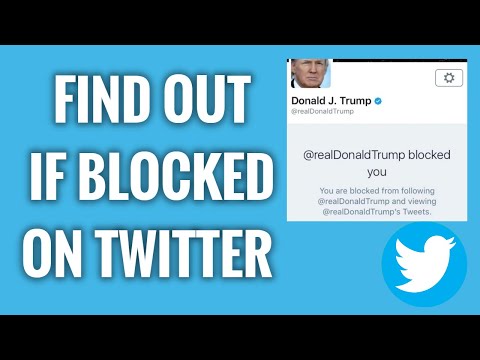
4. If you can see tweets and other content of this user, it means that you haven’t been blocked by him. However, if you don’t see any tweets or other content of this user, it means that you have been blocked. What’s more, you will be displayed a message stating “You are blocked from following and viewing this user’s Tweets”.
That’s how you do it!
I hope this guide was helpful and you were able to find out if someone blocked you on Twitter. Don’t forget to like this video and visit us at freewaysocial.com/buy-twitter-followers/
Twitter doesn’t notify users about being blocked by someone, so the only way to do it is to check it by yourself.
Just follow these steps and you will be able to find out if someone has blocked you on Twitter:
1. Open up Twitter app and login to your profile if you haven’t already;
2. Click on “Search” icon at the bottom of your screen;
3. Search for the user which you think may have blocked you. If you don’t see his profile in the suggestions, just type in his full username and click on “Go to @username”;
4. If you can see tweets and other content of this user, it means that you haven’t been blocked by him. However, if you don’t see any tweets or other content of this user, it means that you have been blocked. What’s more, you will be displayed a message stating “You are blocked from following and viewing this user’s Tweets”.
That’s how you do it!
I hope this guide was helpful and you were able to find out if someone blocked you on Twitter. Don’t forget to like this video and visit us at freewaysocial.com/buy-twitter-followers/
About this tutorial
FreewaySocial published this 1:34 video tutorial on June 12, 2020. It has been watched 25,671 times on YouTube.
- Channel
- FreewaySocial
- Category
- Howto & Style
- Duration
- 1:34
- Published
- June 12, 2020
- Views
- 25,671
- Likes
- 177
Tags
Share
This tutorial in other languages
- FRComment savoir si quelqu'un BLOQUE sur Twitter
- ES¿Cómo saber si alguien te bloquea en Twitter
- PTComo saber se alguém Bloqueado You On Twitter
- ITCome sapere se qualcuno ti ha bloccato su Twitter
- DEWie wissen, ob jemand Blockierte Sie auf Twitter
- NLHoe weet ik of iemand Geblokkeerd You On Twitter
- RUКак знать, если кто-то заблокировал вас на Twitter
- PLJak wiedzieć, czy ktoś Cię zablokował się na Twitter
- JAどのように知っていれば誰かがあなたにTwitterにブロックされました
- ARكيفية معرفة ما إذا كان شخص محظور أنت على تويتر
- HIकैसे पता चलेगा कि किसी अवरोधित आप ट्विटर पर
- IDCara Tahu Jika Seseorang Diblokir Anda Di Twitter