Playback starts YouTube’s embedded player (privacy-enhanced mode).
How to Pay Illinois Toll Online
ChannelBest Video Tutorials and Help from HowTechDescription from the creator
In this tutorial you will learn how to pay Illinois Toll online.
Don't forget to check out our site howtech.tv/ for more free how-to videos!
youtube.com/ithowtovids - our feed
facebook.com/howtechtv - join us on facebook
plus.google.com/103440382717658277879 - our group in Google+
In this tutorial you will learn how to pay Illinois toll online.
Follow these simple way to save your time and pay online:
Step 1. Go to www.illinoistollway.com
Step 2. From the Unpaid Tolls menu, select „Pay Tolls".
Step 3. Notice the criteria that exclude you from payment. If none of these apply to you, click
"I am eligible to pay online"
Step 4. Fill in your personal information and the information about your vehicle. Click "Continue".
Step 5. Fill in the information about your vehicle. Click "Continue"
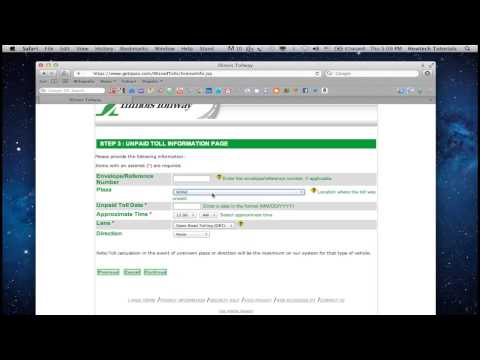
Step 6. Fill in the information about the unpaid toll. Click "Continue"
Step 7. You are now on Toll Calculation Page. Double-check the information.
If everything is correct, click "Continue".
Step 8. Enter your credit card number and your name exactly as it appears on the card.
Click "Continue".
Step 9. You are now on Payment verification page. If everything is correct, click "Submit Payment".
Result: Congratulations! You have successfully learned how to pay Illinois Toll online.
Don't forget to check out our site howtech.tv/ for more free how-to videos!
youtube.com/ithowtovids - our feed
facebook.com/howtechtv - join us on facebook
plus.google.com/103440382717658277879 - our group in Google+
In this tutorial you will learn how to pay Illinois toll online.
Follow these simple way to save your time and pay online:
Step 1. Go to www.illinoistollway.com
Step 2. From the Unpaid Tolls menu, select „Pay Tolls".
Step 3. Notice the criteria that exclude you from payment. If none of these apply to you, click
"I am eligible to pay online"
Step 4. Fill in your personal information and the information about your vehicle. Click "Continue".
Step 5. Fill in the information about your vehicle. Click "Continue"
Step 6. Fill in the information about the unpaid toll. Click "Continue"
Step 7. You are now on Toll Calculation Page. Double-check the information.
If everything is correct, click "Continue".
Step 8. Enter your credit card number and your name exactly as it appears on the card.
Click "Continue".
Step 9. You are now on Payment verification page. If everything is correct, click "Submit Payment".
Result: Congratulations! You have successfully learned how to pay Illinois Toll online.
About this tutorial
Best Video Tutorials and Help from HowTech published this 1:28 video tutorial on November 13, 2013. It has been watched 181,826 times on YouTube.
- Category
- Howto & Style
- Duration
- 1:28
- Published
- November 13, 2013
- Views
- 181,826
- Likes
- 313
Tags
Share
This tutorial in other languages
- FRComment payer en ligne sans frais Illinois
- ESCómo pago de peaje de Illinois en línea
- PTComo pagar Illinois Toll on-line
- ITCome pagare Illinois Toll online
- DEWie bezahlen Illinois Toll Online
- NLHoe betalen Illinois Toll Online
- RUКак оплатить Иллинойс Toll онлайн
- PLJak zapłacić Illinois Toll Online
- JAどのようにペイイリノイ有料オンラインへ
- ARكيفية الدفع إلينوي تول الانترنت
- HIकैसे वेतन इलिनोइस टोल ऑनलाइन करने के लिए
- IDCara Bayar Illinois Tol online