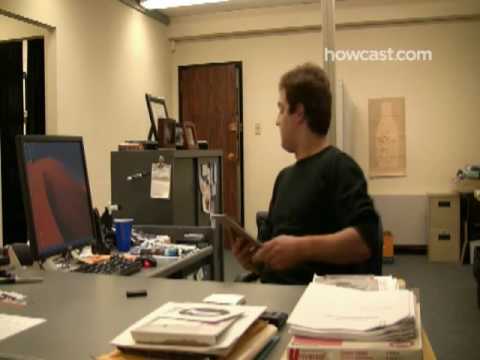
Playback starts YouTube’s embedded player (privacy-enhanced mode).
How to Play a Fake Desktop Prank on a Co-Worker
ChannelHowcastDescription from the creator
Watch more Office Pranks videos: howcast.com/videos/217965-How-to-Play-a-Fake-De…
Step 1: Create a phony desktop
Create a few on your desktop and give the folders funny or embarrassing names.
Step 2: Capture the screen
On a Windows PC, hold down the Control and Print Screen keys at the same time to capture the phony desktop display. Open a graphics program, like PhotoShop or Illustrator, and hit Control and the V key to paste the image.
Step 3: Save the phony desktop
Save the phony screen display, using either a BMP or JPEG file format.
Tip
On a Mac, capture the display by holding down Command, Shift and the number 3. The image will save to your desktop automatically.
Step 4: Transfer to a USB key
Transfer the phony desktop to a USB flash drive, so that you can open it up on your coworker's computer.
Step 5: Find a good mark
Select an unsuspecting coworker to be your mark, preferably someone with a good sense of humor. Wait for an opportunity to sit down at their computer for a few minutes, and plug in your USB drive.
Step 6: Access their control panel
On a Windows PC, find the Control Panel in the Start menu. Click the Desktop icon, and browse to select the stored phony desktop file from your USB drive. Activate the phony desktop, and return to your seat.
Tip
On a Mac, change the desktop in System Preferences, Desktop. Find the file, and choose either the "Center" or "Fit to Screen" option.
Step 7: Enjoy the results
Wait until your befuddled coworker achieves maximum frustration from trying to interact with their phony desktop. Then, casually drop by to offer assistance – just try not to laugh!
Did You Know?
Bill Gates is credited with releasing the first computer virus when he worked at a power company during high school.
Step 1: Create a phony desktop
Create a few on your desktop and give the folders funny or embarrassing names.
Step 2: Capture the screen
On a Windows PC, hold down the Control and Print Screen keys at the same time to capture the phony desktop display. Open a graphics program, like PhotoShop or Illustrator, and hit Control and the V key to paste the image.
Step 3: Save the phony desktop
Save the phony screen display, using either a BMP or JPEG file format.
Tip
On a Mac, capture the display by holding down Command, Shift and the number 3. The image will save to your desktop automatically.
Step 4: Transfer to a USB key
Transfer the phony desktop to a USB flash drive, so that you can open it up on your coworker's computer.
Step 5: Find a good mark
Select an unsuspecting coworker to be your mark, preferably someone with a good sense of humor. Wait for an opportunity to sit down at their computer for a few minutes, and plug in your USB drive.
Step 6: Access their control panel
On a Windows PC, find the Control Panel in the Start menu. Click the Desktop icon, and browse to select the stored phony desktop file from your USB drive. Activate the phony desktop, and return to your seat.
Tip
On a Mac, change the desktop in System Preferences, Desktop. Find the file, and choose either the "Center" or "Fit to Screen" option.
Step 7: Enjoy the results
Wait until your befuddled coworker achieves maximum frustration from trying to interact with their phony desktop. Then, casually drop by to offer assistance – just try not to laugh!
Did You Know?
Bill Gates is credited with releasing the first computer virus when he worked at a power company during high school.
About this tutorial
Howcast published this 2:10 video tutorial on November 5, 2009. It has been watched 187,368 times on YouTube.
- Channel
- Howcast
- Category
- Howto & Style
- Duration
- 2:10
- Published
- November 5, 2009
- Views
- 187,368
- Likes
- 331
Tags
Share
This tutorial in other languages
- FRComment jouer un faux bureau Prank sur un collègue
- ESCómo reproducir un falso escritorio broma a un compañero de trabajo
- PTComo Jogar um Falso desktop Prank em um colega de trabalho
- ITCome giocare un falso desktop scherzo a un collega
- DEWie ein Fake-Desktop-Prank auf einem Co-Worker spielen
- NLHoe maak je een Fake Desktop Prank Play in een Co-Worker
- RUКак играть поддельный Desktop Шутка на КОЛЛЕГЕ
- PLJak grać fałszywy Pulpit Prank na współpracownik
- JA同僚に偽デスクトップいたずらを再生する方法
- ARكيفية اللعب وهمية سطح المكتب المزحة على زميل في العمل
- HIकैसे एक सह कार्यकर्ता पर एक नकली डेस्कटॉप शरारत खेलने के लिए
- IDCara Bermain Fake Desktop Prank pada Co-Pekerja