Playback starts YouTube’s embedded player (privacy-enhanced mode).
How to Set and Change Wallpaper on Android Device
ChanneliPhone, iPad and Android Tutorials from HowTechDescription from the creator
The easiest thing in customizing your Android so far is changing its wallpaper. The newest models of Android have usually several options for wallpaper customization. Nothing makes your phone yours more so than the wallpaper you choose. Though the custom wallpapers on Androids may be appealing, they are far from personalized.
Android phones come with three options for wallpapers: simple wallpapers, live wallpapers and wallpapers from your photo gallery.
Don't forget to check out our site howtech.tv/ for more free how-to videos!
youtube.com/ithowtovids - our feed
facebook.com/howtechtv - join us on facebook
plus.google.com/103440382717658277879 - our group in Google+
Step 1. Long-press your Android screen: this will invoke 3 wallpaper options.
Step 2. When you choose "Pictures", it will invoke another submenu, where you can choose either a picture from your photo gallery or any other folder in your Android.
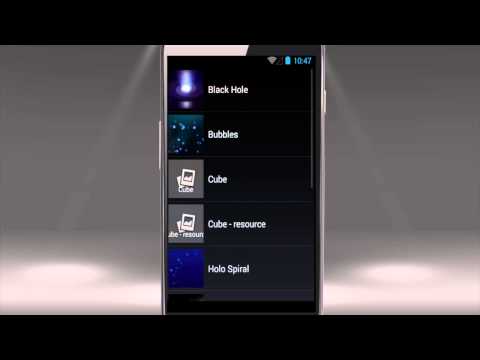
Step 3. Choosing "Live Wallpapers" leads you to the choice of animated wallpapers. Pick any of them -- it will be shown as the preview on your screen. Tap "Set wallpaper" to apply it.
Step 4. Sometimes motion on the screen tires the eye. To set something more neutral, use the third option -- "Wallpapers". Tap on any of the wallpapers from the displayed wallpaper row and tap "Set wallpaper" to apply it.
Step 5. Once your wallpaper is set, you will be taken back to the main screen where you can admire it. Once you're tired of your wallpaper, long-press your Android's screen again and make a new choice.
Result: You've just learned how to set and change wallpaper on Android device.
This was a HowTech tutorial. Like us on Facebook, love us forever or leave us a comment here in the fields below. Thanks for watching!
Android phones come with three options for wallpapers: simple wallpapers, live wallpapers and wallpapers from your photo gallery.
Don't forget to check out our site howtech.tv/ for more free how-to videos!
youtube.com/ithowtovids - our feed
facebook.com/howtechtv - join us on facebook
plus.google.com/103440382717658277879 - our group in Google+
Step 1. Long-press your Android screen: this will invoke 3 wallpaper options.
Step 2. When you choose "Pictures", it will invoke another submenu, where you can choose either a picture from your photo gallery or any other folder in your Android.
Step 3. Choosing "Live Wallpapers" leads you to the choice of animated wallpapers. Pick any of them -- it will be shown as the preview on your screen. Tap "Set wallpaper" to apply it.
Step 4. Sometimes motion on the screen tires the eye. To set something more neutral, use the third option -- "Wallpapers". Tap on any of the wallpapers from the displayed wallpaper row and tap "Set wallpaper" to apply it.
Step 5. Once your wallpaper is set, you will be taken back to the main screen where you can admire it. Once you're tired of your wallpaper, long-press your Android's screen again and make a new choice.
Result: You've just learned how to set and change wallpaper on Android device.
This was a HowTech tutorial. Like us on Facebook, love us forever or leave us a comment here in the fields below. Thanks for watching!
About this tutorial
iPhone, iPad and Android Tutorials from HowTech published this 1:55 video tutorial on November 10, 2014. It has been watched 17,283 times on YouTube.
- Category
- Howto & Style
- Duration
- 1:55
- Published
- November 10, 2014
- Views
- 17,283
- Likes
- 68
Tags
Share
This tutorial in other languages
- FRComment définir et modifier Wallpaper sur appareil Android
- ESCómo establecer y cambiar el fondo de pantalla de dispositivos Android
- PTComo definir e alterar Wallpaper no dispositivo Android
- ITCome Sfondo impostare e modificare il dispositivo Android
- DESo setzen und ändern Wallpaper auf Android Geräte
- NLHoe te stellen en te wijzigen Achtergrond op Android-apparaat
- RUКак установить и изменить обои на устройстве Android
- PLJak ustawić i zmienić tapetę na urządzeniu z Androidem
- JAどのように設定すると、変更の壁紙のAndroidデバイス上の
- ARكيفية تعيين وتغيير خلفية على جهاز الروبوت
- HIकैसे करने के लिए सेट और बदलें वॉलपेपर Android डिवाइस पर
- IDCara Set dan Perubahan Wallpaper di Perangkat Android