Playback starts YouTube’s embedded player (privacy-enhanced mode).
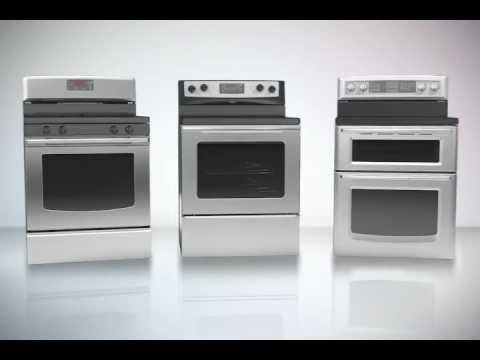
How to Steam Clean your Oven
ChannelWhirlpool Service and SupportDescription from the creator
Looking for a quick, low-heat way to remove light food spills from your range oven without running a long self-clean cycle? The Steam Clean feature uses just 10 ounces of water and heat to loosen light messes in only a short amount of time, saving you both time and energy across Whirlpool, Maytag, and KitchenAid ovens.
In this official step-by-step tutorial, you will learn how to properly steam clean your oven:
- Remove all racks and accessories before starting the process.
- Press the "Steam Clean" button on your oven display panel.
- Pour exactly 10 oz of distilled or filtered water into the bottom of the cool oven cavity when prompted.
- Run the cycle and press "Cancel/Off" when the signal sounds.
- Safely wipe away excess water and loosened debris using a sponge or soft cloth.
For additional troubleshooting, visit: producthelp.whirlpool.com
Interested in an extended service warranty? A Whirlpool® Extended Service Plan can cover your new kitchen or laundry appliances, giving you peace of mind. Visit: whirlpool.com/services/service-plans.html
Subscribe to W Service for official Whirlpool, Maytag, and KitchenAid and troubleshooting tutorials!
#WService #Whirlpool #Maytag #KitchenAid #OvenCleaning #SteamClean #ApplianceCare
In this official step-by-step tutorial, you will learn how to properly steam clean your oven:
- Remove all racks and accessories before starting the process.
- Press the "Steam Clean" button on your oven display panel.
- Pour exactly 10 oz of distilled or filtered water into the bottom of the cool oven cavity when prompted.
- Run the cycle and press "Cancel/Off" when the signal sounds.
- Safely wipe away excess water and loosened debris using a sponge or soft cloth.
For additional troubleshooting, visit: producthelp.whirlpool.com
Interested in an extended service warranty? A Whirlpool® Extended Service Plan can cover your new kitchen or laundry appliances, giving you peace of mind. Visit: whirlpool.com/services/service-plans.html
Subscribe to W Service for official Whirlpool, Maytag, and KitchenAid and troubleshooting tutorials!
#WService #Whirlpool #Maytag #KitchenAid #OvenCleaning #SteamClean #ApplianceCare
About this tutorial
Whirlpool Service and Support published this 1:38 video tutorial on November 13, 2012. It has been watched 369,448 times on YouTube.
- Category
- Howto & Style
- Duration
- 1:38
- Published
- November 13, 2012
- Views
- 369,448
- Likes
- 337
Tags
Share
This tutorial in other languages
- FRComment nettoyer à la vapeur votre four
- ESCómo vapor limpio su horno
- PTComo vapor limpo o forno
- ITCome vapore pulito il forno
- DEWie Steam Reinigen Sie Ihren Ofen
- NLHoe kan ik Steam Clean uw Oven
- RUКак Паровые Протирайте печь
- PLJak czyścić Piekarnik parowy
- JAクリーンあなたのオーブンスチームする方法
- ARكيفية البخار تنظيف الفرن الخاص بك
- HIस्वच्छ अपने ओवन भाप कैसे
- IDCara Steam Clean Anda Oven