Playback starts YouTube’s embedded player (privacy-enhanced mode).
How to Track Shipment from UPS, DHL or Fedex
ChannelBest Video Tutorials and Help from HowTechDescription from the creator
In this tutorial you will learn how to Track Shipment from UPS, DHL or FedEx.
Don't forget to check out our site howtech.tv/ for more free how-to videos!
youtube.com/ithowtovids - our feed
facebook.com/howtechtv - join us on facebook
plus.google.com/103440382717658277879 - our group in Google+
In this tutorial you will learn how to Track Shipment from UPS, DHL or FedEx.
Let's say you're in a hurry and need quick information about your package's destiny. Here's a fast way to track it online: both in U.S. and internationally.
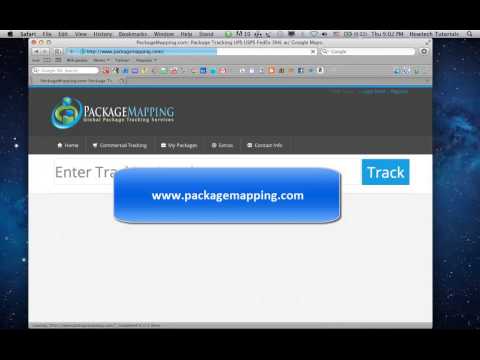
Step 1. Go to PackageMapping.com.
Step 2. In the upper part of the website enter your package number and press" Track".
You'll be redirected to the page with the map where you can see the travel trajectory of your package.
Step 3. Under "Enter your tracking number below" in the upper left corner, choose the name of package delivery operator and click "Track and Map".
You'll see the trajectory and current point of where's your package at the moment.
Result: Congratulations! You have now successfully learned how to track shipment from UPS, DHL or Fedex online.
Don't forget to check out our site howtech.tv/ for more free how-to videos!
youtube.com/ithowtovids - our feed
facebook.com/howtechtv - join us on facebook
plus.google.com/103440382717658277879 - our group in Google+
In this tutorial you will learn how to Track Shipment from UPS, DHL or FedEx.
Let's say you're in a hurry and need quick information about your package's destiny. Here's a fast way to track it online: both in U.S. and internationally.
Step 1. Go to PackageMapping.com.
Step 2. In the upper part of the website enter your package number and press" Track".
You'll be redirected to the page with the map where you can see the travel trajectory of your package.
Step 3. Under "Enter your tracking number below" in the upper left corner, choose the name of package delivery operator and click "Track and Map".
You'll see the trajectory and current point of where's your package at the moment.
Result: Congratulations! You have now successfully learned how to track shipment from UPS, DHL or Fedex online.
About this tutorial
Best Video Tutorials and Help from HowTech published this 1:06 video tutorial on October 27, 2013. It has been watched 17,177 times on YouTube.
- Category
- Howto & Style
- Duration
- 1:06
- Published
- October 27, 2013
- Views
- 17,177
- Likes
- 42
Share
This tutorial in other languages
- FRComment suivre l'expédition de UPS, DHL ou Fedex
- ESCómo realizar el seguimiento del envío de UPS, DHL o Fedex
- PTComo controlar Embarque da UPS, DHL ou Fedex
- ITCome tenere traccia della spedizione da UPS, DHL o Fedex
- DEWie verfolgen Versand von UPS, DHL oder Fedex
- NLHoe te zending van UPS, DHL of Fedex
- RUКак отследить отправление от UPS, DHL или Fedex
- PLJak śledzić przesyłkę z UPS, DHL lub Fedex
- JAUPS、DHLやフェデックスから出荷を追跡する方法
- ARكيفية تتبع شحنة من UPS، DHL أو فيديكس
- HIयूपीएस, डीएचएल या Fedex से शिपमेंट ट्रैक करने के लिए कैसे
- IDCara Melacak pengiriman dari UPS, DHL atau Fedex