Playback starts YouTube’s embedded player (privacy-enhanced mode).
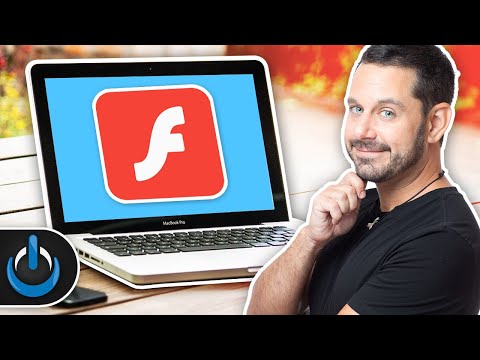
How To Update Flash On A Mac ⚡️
ChannelTech Talk AmericaDescription from the creator
How to properly update the Flash Player on your Mac is one of those things that EVERY user should know! Learn how in this tutorial!
SUBSCRIBE & HIT THE 🔔
bit.ly/TTASubscribe
Did you know that one of the most common ways people download malware onto their Mac is by clicking on what they THINK is an update to flash? Today, I'm going to show you the proper way to do this so that you never fall for this scam.
Need to Download Flash? Here's the legit link:
get.adobe.com/flashplayer/
🔗DOWNLOAD Malwarebytes for Mac
bit.ly/MalwarebytesMac2019
IF Malwarebytes does detect something, there are a few other settings you should check. Here are the directions for each browser:
Safari:
Go into Preferences and under the GENERAL tab make sure your homepage is a legit page. If it doesn't look correct, try deleting what's there and replace it with something simple (like Google.com).
You should also check the EXTENSIONS tab and make sure it only lists familiar plugins.
Firefox Directions
Go into Preferences and then click on the "Home" button. Make sure the homepage is set to either the default homepage or enter a custom URL.
Next, you'll want to go into the top menu bar to "Tools" and then select "Ad-Ons." Finally, go to "Plugins" and uninstall anything that you don't recognize.
Google Chrome Directions:
Go into Preferences and click on "Manage Search Engines." We really only care about the sites listed at the top of this list, but if you see anything that looks suspicious, you can click the three dots icon to remove it.
Next, go into the top menu bar and under "Window" select "Extensions." Uninstall anything from this list that looks suspicious.
#Flash #FlashPlayer #UpdateFlashPlayer
📬 We Love Hearing From You! 💌
Tech Talk America
Attn: David A. Cox
PO BOX 1566
Provincetown, MA 02657
❤️Please help support Tech Talk America on Venmo 💙
Any contribution is greatly appreciated!
venmo.com/techtalkamerica
Do You...
Need help navigating your Mac?
Need help learning Final Cut Pro or iMovie?
Need help removing Malware from your Mac?
Need help Organizing your Photos?
IF YOU ANSWERED YES to any of these questions; I'd Love To Work With You!!!
Book A Remote Private Lesson with David: techtalkamerica.com/privatelessons
Social Media Links:
YouTube: youtube.com/techtalkamerica
Facebook: facebook.com/techtalkamerica2
Instagram: instagram.com/techtalkamerica
Website: TechTalkAmerica.com
Tech Talk America is filmed and produced in Provincetown, Massachusetts.
SUBSCRIBE & HIT THE 🔔
bit.ly/TTASubscribe
Did you know that one of the most common ways people download malware onto their Mac is by clicking on what they THINK is an update to flash? Today, I'm going to show you the proper way to do this so that you never fall for this scam.
Need to Download Flash? Here's the legit link:
get.adobe.com/flashplayer/
🔗DOWNLOAD Malwarebytes for Mac
bit.ly/MalwarebytesMac2019
IF Malwarebytes does detect something, there are a few other settings you should check. Here are the directions for each browser:
Safari:
Go into Preferences and under the GENERAL tab make sure your homepage is a legit page. If it doesn't look correct, try deleting what's there and replace it with something simple (like Google.com).
You should also check the EXTENSIONS tab and make sure it only lists familiar plugins.
Firefox Directions
Go into Preferences and then click on the "Home" button. Make sure the homepage is set to either the default homepage or enter a custom URL.
Next, you'll want to go into the top menu bar to "Tools" and then select "Ad-Ons." Finally, go to "Plugins" and uninstall anything that you don't recognize.
Google Chrome Directions:
Go into Preferences and click on "Manage Search Engines." We really only care about the sites listed at the top of this list, but if you see anything that looks suspicious, you can click the three dots icon to remove it.
Next, go into the top menu bar and under "Window" select "Extensions." Uninstall anything from this list that looks suspicious.
#Flash #FlashPlayer #UpdateFlashPlayer
📬 We Love Hearing From You! 💌
Tech Talk America
Attn: David A. Cox
PO BOX 1566
Provincetown, MA 02657
❤️Please help support Tech Talk America on Venmo 💙
Any contribution is greatly appreciated!
venmo.com/techtalkamerica
Do You...
Need help navigating your Mac?
Need help learning Final Cut Pro or iMovie?
Need help removing Malware from your Mac?
Need help Organizing your Photos?
IF YOU ANSWERED YES to any of these questions; I'd Love To Work With You!!!
Book A Remote Private Lesson with David: techtalkamerica.com/privatelessons
Social Media Links:
YouTube: youtube.com/techtalkamerica
Facebook: facebook.com/techtalkamerica2
Instagram: instagram.com/techtalkamerica
Website: TechTalkAmerica.com
Tech Talk America is filmed and produced in Provincetown, Massachusetts.
About this tutorial
Tech Talk America published this 4:45 video tutorial on November 2, 2019. It has been watched 55,619 times on YouTube.
- Channel
- Tech Talk America
- Category
- Howto & Style
- Duration
- 4:45
- Published
- November 2, 2019
- Views
- 55,619
- Likes
- 2,226
Tags
Share
This tutorial in other languages
- FRComment mettre à jour Flash sur un Mac ⚡️
- ESCómo actualizar Flash en un Mac ⚡️
- PTComo atualizar o Flash em um Mac ⚡️
- ITCome aggiornare Flash su Mac ⚡️
- DEHow To Flash aktualisieren auf einem Mac ⚡️
- NLHoe updaten flits op een Mac ⚡️
- RUКак обновить со вспышкой на Mac ⚡️
- PLJak zaktualizować Flash na Mac ⚡️
- JAどのように更新してフラッシュオンAマック⚡️
- ARكيفية تحديث فلاش على ماك ⚡️
- HIकैसे करने के लिए अद्यतन फ्लैश Mac पर ⚡️
- IDCara Perbarui flash On A Mac ⚡️