Playback starts YouTube’s embedded player (privacy-enhanced mode).
How to Use Shake to Undo/Redo on iPhone
ChanneliPhone, iPad and Android Tutorials from HowTechDescription from the creator
How to Use And other applications of Shake To Undo
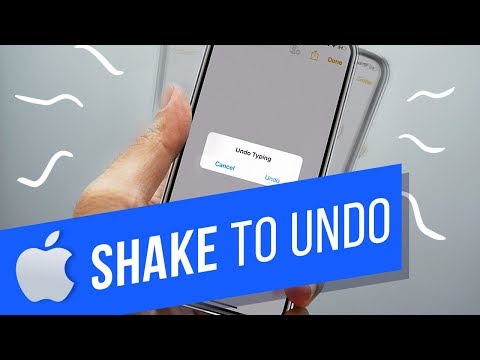
In this tutorial you will learn how to use the shake to undo feature.
This feature can have many different applications depending on what app you are using. For example you can shake to undo to bring back deleted text, or shake to undo to bring back a deleted email message.
Shake to undo also works with cutting or pasting text. You can also redo the task by shaking again. Just shake your phone and when asked, tap Undo!
If you however, prefer to not use this feature, just go to Settings - General - Accessibility - Shake to Undo and turn off the Shake to Undo toggle.
Did you know about the multiple ways to use Shake to Undo? Please let us know in comments.
#HowTech #EasyiPhone
In this tutorial you will learn how to use the shake to undo feature.
This feature can have many different applications depending on what app you are using. For example you can shake to undo to bring back deleted text, or shake to undo to bring back a deleted email message.
Shake to undo also works with cutting or pasting text. You can also redo the task by shaking again. Just shake your phone and when asked, tap Undo!
If you however, prefer to not use this feature, just go to Settings - General - Accessibility - Shake to Undo and turn off the Shake to Undo toggle.
Did you know about the multiple ways to use Shake to Undo? Please let us know in comments.
#HowTech #EasyiPhone
About this tutorial
iPhone, iPad and Android Tutorials from HowTech published this 1:09 video tutorial on October 29, 2019. It has been watched 73,336 times on YouTube.
- Category
- Howto & Style
- Duration
- 1:09
- Published
- October 29, 2019
- Views
- 73,336
- Likes
- 307
Tags
Share
This tutorial in other languages
- FRComment utiliser Shake pour Undo / Redo sur iPhone
- ESCómo utilizar Agitar para deshacer / rehacer en el iPhone
- PTComo usar Shake para desfazer / refazer no iPhone
- ITCome utilizzare Scossa per Annulla / Ripristina su iPhone
- DEWie zu verwenden Shake Undo / Redo auf dem iPhone
- NLHoe te gebruiken Shake om Undo / Redo op iPhone
- RUКак использовать встряхнуть, чтобы Undo / Redo на iPhone
- PLJak używać Shake cofania / powtarzania na iPhone
- JAどのようにiPhone上のアンドゥ/リドゥに使用シェイクへ
- ARكيفية استخدام اهتز لتراجع / الإعادة على اي فون
- HIकैसे iPhone पर पूर्ववत करें / फिर करने के लिए उपयोग करने के लिए शेक
- IDCara Gunakan Shake to Undo / Redo pada iPhone