Playback starts YouTube’s embedded player (privacy-enhanced mode).
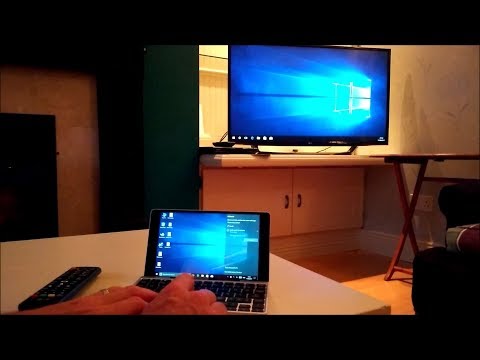
How to view your Windows 10 Laptop on a LG TV Wirelessly
ChannelMy Mate VINCEDescription from the creator
Hi, this video shows you how to view your Windows 10 Laptop on a LG TV wirelessly using Screen Share. It is useful if you want to view your documents, photos, videos or apps from your laptop on the big screen.
The laptop in the video is a GPD Pocket.
Many thanks Vince.
The laptop in the video is a GPD Pocket.
Many thanks Vince.
About this tutorial
My Mate VINCE published this 6:34 video tutorial on October 27, 2017. It has been watched 1,604,055 times on YouTube.
- Channel
- My Mate VINCE
- Category
- Howto & Style
- Duration
- 6:34
- Published
- October 27, 2017
- Views
- 1,604,055
- Likes
- 5,908
Tags
Share
This tutorial in other languages
- FRComment voir Windows 10 sur un ordinateur portable LG TV sans fil
- ESCómo ver el portátil con Windows 10 en un televisor LG de forma inalámbrica
- PTComo visualizar seu Windows 10 Portátil em um LG TV sem fio
- ITCome visualizzare il tuo Windows 10 su un computer portatile LG TV in modalità wireless
- DEWie Sie Ihren Windows-10 Laptop auf einem LG-TV drahtlos sehen
- NLHoe kunt u uw Windows 10 Laptop bekijken op een LG TV draadloos
- RUКак просмотреть Windows 10 ноутбуков на LG TV по беспроводной сети
- PLJak wyświetlić swój system Windows 10 laptop na LG TV bezprzewodowo
- JALGテレビワイヤレスであなたのWindows 10ラップトップを表示する方法
- ARكيفية عرض ويندوز 10 أجهزة الكمبيوتر المحمول على التلفزيون لاسلكيا LG
- HIएक एलजी टीवी को बेतार पर अपने Windows 10 लैपटॉप कैसे देखें
- IDCara melihat Anda Windows 10 Laptop pada LG TV Nirkabel