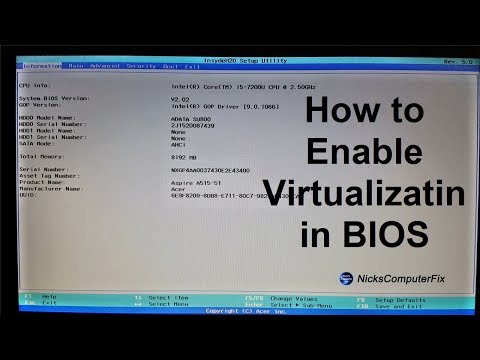
Playback starts YouTube’s embedded player (privacy-enhanced mode).
Virtual machine Windows 10 tutorial " Enable VM in your Computer BIOS" Free & Easy
ChannelnickscomputerfixDescription from the creator
This is a virtual machine Windows 10 tutorial that shows how to enable virtualization in your computer BIOS. This allows you to run VM (Virtual Machines) within Windows, using virtualization apps like: VMware WorkStation Player or Oracle VM VirtualBox. Virtualization software like Oracle VM VirtualBox is free too, however VMware Workstation player is not.
►►►SUBSCRIBE for more: youtube.com/user/nickscomputerfix
Here's are two good questions: How do i enable CPU virtualization or how to enable CPU virtualization windows 10? If you need to use Virtualization on your PC, laptop or Desktop computer you keep getting an error every time you try to open a virtual machine in VMware, VirtualBox or any Virtualization app for that matter, then this video is going to help you out. Just about all you will need to do is to make sure that Virtualization is enabled in your computers BIOS and you have your virtualization software installed correctly. It makes no difference if you are running a Intel based CPU system "Intel VTX/Intel VTD or AMD Virtualization "VT-X/AMD-V based CPU system, all you have to ensure is that go into your computers BIOS and enable Virtualization under the Advance configuration settings in your BIOS.
#Virtualization #VM #VirtualMachine #HyperV
►►►SUBSCRIBE for more: youtube.com/user/nickscomputerfix
Here's are two good questions: How do i enable CPU virtualization or how to enable CPU virtualization windows 10? If you need to use Virtualization on your PC, laptop or Desktop computer you keep getting an error every time you try to open a virtual machine in VMware, VirtualBox or any Virtualization app for that matter, then this video is going to help you out. Just about all you will need to do is to make sure that Virtualization is enabled in your computers BIOS and you have your virtualization software installed correctly. It makes no difference if you are running a Intel based CPU system "Intel VTX/Intel VTD or AMD Virtualization "VT-X/AMD-V based CPU system, all you have to ensure is that go into your computers BIOS and enable Virtualization under the Advance configuration settings in your BIOS.
#Virtualization #VM #VirtualMachine #HyperV
About this tutorial
nickscomputerfix published this 4:59 video tutorial on November 29, 2019. It has been watched 278,366 times on YouTube.
- Channel
- nickscomputerfix
- Category
- Howto & Style
- Duration
- 4:59
- Published
- November 29, 2019
- Views
- 278,366
- Likes
- 1,892
Tags
Share
This tutorial in other languages
- FRmachine virtuelle tutoriel de Windows 10 "Activer VM dans votre BIOS d'ordinateur" Free & Easy
- ESla máquina virtual de Windows 10 tutorial "Activar VM en la BIOS del ordenador" Libre y Fácil
- PTmáquina virtual Windows 10 tutorial "Ativar VM na BIOS do computador" Free & Easy
- ITmacchina virtuale Windows 10 Tutorial "Enable VM nel vostro computer BIOS" Free & Easy
- DEVirtuelle Maschine Windows-10-Tutorial "Enable VM in Ihrem Computer-BIOS" Free & Easy
- NLVirtuele machine Windows 10 handleiding "Enable VM in uw Computer BIOS" Free & Easy
- RUВиртуальная машина для Windows 10 учебник "Enable VM в вашем BIOS компьютера" Free & Easy
- PLMaszyna wirtualna z systemem Windows 10 poradnik „Włącz VM BIOS w komputerze” wolny & Easy
- JA仮想マシンのWindows 10チュートリアルフリー&イージー「あなたのコンピュータのBIOSでVMを有効にします」
- ARالجهاز الظاهري ويندوز 10 التعليمي "تمكين VM في حياتك BIOS الكمبيوتر" مجانية وسهلة
- HIवर्चुअल मशीन Windows 10 ट्यूटोरियल नि: शुल्क और आसान "अपने कंप्यूटर BIOS में वी एम सक्षम करें"
- IDVirtual mesin Windows 10 tutorial "Aktifkan VM di Komputer Anda BIOS" Free & Easy