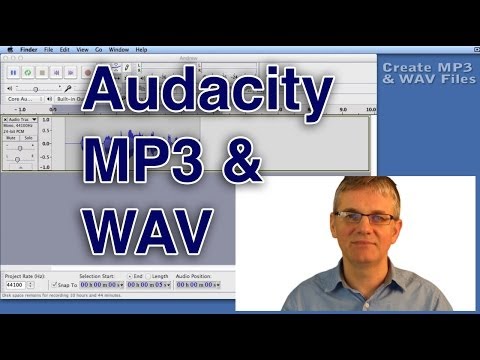
Playback starts YouTube’s embedded player (privacy-enhanced mode).
Audacity Tutorial How to Save a WAV or MP3 File | Export Sound Format Tutorial
ChannelAndrew MercerDescription from the creator
For many more Audacity Tutorials...
makeandbreakeducation.com/membership-options-pa…
This Audacity tutorial shows how to save an MP3.
youtube.com/user/buckydurddle
andrewmercer.ca
To get started, drag and drop a file into Audacity for Audacity MP3 export. It can be an MP3 already if you like. Now go to the FILE menu and select EXPORT. At this point you will be asked the name of the artists, song, ect. You can put in whatever you like or just leave it out for now. Click OK.
Next you will give your file a name and choose the file type. You can choose WAV or MP3 (or many others for that matter). A WAV file will be a lossless sound file format. This means that the file is exactly the way it was recorded. This format has excellent sound quality, but it will be a large file. Great for professional recording projects, but not good for emailing. An MP3 is a compressed sound file format. A great deal of the sound data is deleted in order to make the file small. The result is a smaller file size with not that great sound quality. You choose what you need.
When you are exporting as an MP3 you may be asked for the LAME encoder. I have created another video on how to install the lame encoder. A link to the video is here - youtube.com/watch?v=9aL7e6fpCfI How to export in audacity
Audacity Tutorials
Audacity is a free, easy to use sound recorder and editor. Audacity may be simple to use, but very powerful in its features.
This series of easy lessons is meant to help solve the most common issues faced by musicians using Audacity to record their music.
Audacity is a great educational tool for use in the music room. There are countless exciting ways to use Audacity with your students.
makeandbreakeducation.com/membership-options-pa…
This Audacity tutorial shows how to save an MP3.
youtube.com/user/buckydurddle
andrewmercer.ca
To get started, drag and drop a file into Audacity for Audacity MP3 export. It can be an MP3 already if you like. Now go to the FILE menu and select EXPORT. At this point you will be asked the name of the artists, song, ect. You can put in whatever you like or just leave it out for now. Click OK.
Next you will give your file a name and choose the file type. You can choose WAV or MP3 (or many others for that matter). A WAV file will be a lossless sound file format. This means that the file is exactly the way it was recorded. This format has excellent sound quality, but it will be a large file. Great for professional recording projects, but not good for emailing. An MP3 is a compressed sound file format. A great deal of the sound data is deleted in order to make the file small. The result is a smaller file size with not that great sound quality. You choose what you need.
When you are exporting as an MP3 you may be asked for the LAME encoder. I have created another video on how to install the lame encoder. A link to the video is here - youtube.com/watch?v=9aL7e6fpCfI How to export in audacity
Audacity Tutorials
Audacity is a free, easy to use sound recorder and editor. Audacity may be simple to use, but very powerful in its features.
This series of easy lessons is meant to help solve the most common issues faced by musicians using Audacity to record their music.
Audacity is a great educational tool for use in the music room. There are countless exciting ways to use Audacity with your students.
About this tutorial
Andrew Mercer published this 4:21 video tutorial on November 10, 2012. It has been watched 312,163 times on YouTube.
- Channel
- Andrew Mercer
- Category
- Music
- Duration
- 4:21
- Published
- November 10, 2012
- Views
- 312,163
- Likes
- 3,265
Share
This tutorial in other languages
- FRAudacity Tutoriel Comment faire pour enregistrer un fichier WAV ou MP3 | Exporter son Format Tutorial
- ESAudacity Tutorial de cómo guardar un archivo WAV o MP3 | Exportación de sonido en formato Tutorial
- PTAudacity Tutorial Como salvar um arquivo WAV ou MP3 Arquivo | Exportação de som Formato Tutorial
- ITAudacity Tutorial Come salvare un file WAV o MP3 | Esporta audio Formato Tutorial
- DEAudacity Tutorial Wie speichere ich eine WAV oder MP3-Datei | Export Sound-Format Tutorial
- NLAudacity Tutorial hoe te besparen een WAV of MP3 bestand | Export Sound Format Tutorial
- RUAudacity Учебник Как сохранить WAV или MP3 файлов | Экспорт Звуковой формат Учебник
- PLAudacity Tutorial Jak zapisać WAV lub MP3 File | Eksport dźwięku Format Tutorial
- JA保存へのAudacityのチュートリアルどのようにWAVまたはMP3ファイル|輸出サウンドフォーマットのチュートリアル
- ARالجرأة تعليمي كيفية حفظ WAV أو MP3 ملف | تصدير الصوت تنسيق تعليمي
- HIसहेजें करने के लिए धृष्टता ट्यूटोरियल कैसे एक WAV या एमपी 3 फ़ाइल | निर्यात ध्वनि प्रारूप ट्यूटोरियल
- IDAudacity Tutorial Cara Menyimpan WAV atau MP3 File | Ekspor Suara Format Tutorial