Playback starts YouTube’s embedded player (privacy-enhanced mode).
How to plug your guitar into iPad and GarageBand
ChannelApogee ElectronicsDescription from the creator
Learn more about Apogee JAM: apogeedigital.com/products/jam
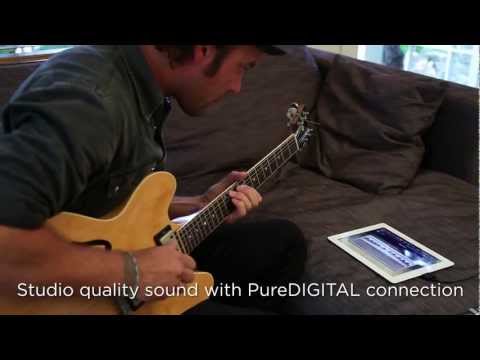
You probably already know how easy it is to create a song on the iPad, so we are going to show you how easy it is to connect your guitar to the iPad.. using Jam by Apogee
Simply connect Jam to the dock port on your iPad using the provided cable.
Plug in your guitar with a standard 1/4" guitar cable
Choose one of the many amps in GarageBand
and begin recording.
JAM's input gain knob allows you to adjust the level for any pick up configuration on any electric guitar, and the multi color status led lets you know if you have proper level or if it's too hot.
Along with being easy to connect and use, JAM features studio quality sound. Using Apogee's PureDIGITAL technology JAM makes a direct digital connection to your iPad and delivers your guitars true tone without compromise.
Also connect JAM to iPhone and GarageBand.
For more information on JAM, please visit apogeedigital.com
You probably already know how easy it is to create a song on the iPad, so we are going to show you how easy it is to connect your guitar to the iPad.. using Jam by Apogee
Simply connect Jam to the dock port on your iPad using the provided cable.
Plug in your guitar with a standard 1/4" guitar cable
Choose one of the many amps in GarageBand
and begin recording.
JAM's input gain knob allows you to adjust the level for any pick up configuration on any electric guitar, and the multi color status led lets you know if you have proper level or if it's too hot.
Along with being easy to connect and use, JAM features studio quality sound. Using Apogee's PureDIGITAL technology JAM makes a direct digital connection to your iPad and delivers your guitars true tone without compromise.
Also connect JAM to iPhone and GarageBand.
For more information on JAM, please visit apogeedigital.com
About this tutorial
Apogee Electronics published this 1:29 video tutorial on October 29, 2011. It has been watched 678,370 times on YouTube.
- Channel
- Apogee Electronics
- Category
- Music
- Duration
- 1:29
- Published
- October 29, 2011
- Views
- 678,370
- Likes
- 1,365
Tags
Share
This tutorial in other languages
- FRComment brancher votre guitare sur iPad et GarageBand
- ESCómo conectar la guitarra en el iPad y GarageBand
- PTComo ligar a sua guitarra para iPad e GarageBand
- ITCome collegare la vostra chitarra in iPad e GarageBand
- DEWie stecken Sie Ihre Gitarre in iPad und Garageband
- NLHoe kunt u uw gitaar met iPad en GarageBand
- RUКак подключить гитару к IPad и GarageBand
- PLJak podłączyć gitarę do iPada i GarageBand
- JAiPadとのGarageBandにギターを接続する方法
- ARكيفية لسد الغيتار الخاص بك إلى باد وكاراج
- HIकैसे iPad और GarageBand में अपने गिटार प्लग करने के लिए
- IDCara pasang gitar Anda ke iPad dan GarageBand