Playback starts YouTube’s embedded player (privacy-enhanced mode).
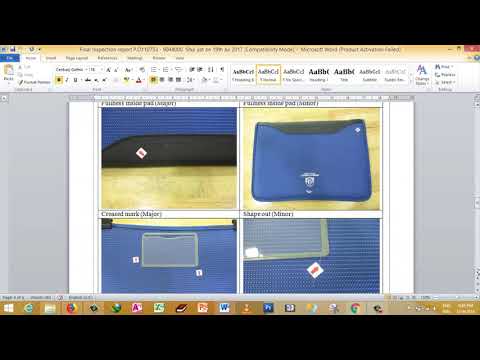
How to insert PDF File into Word Document
ChannelXBORINGDescription from the creator
How to insert PDF File into Word Document,
In Microsoft word, normal we can insert pictures in document, and this time we share this video, that how to insert PDF file into word document.
Following step :
1- Go into Microsoft Word
2- Open file that we need to insert PDF file
3- Move pointers to location that we need to insert PDF file.
4- Choose Insert in menu bar
5- Choose Object
6- Choose Adobe Acrobat document, OK
7- Choose PDF file that we need to insert, OK
In Microsoft word, normal we can insert pictures in document, and this time we share this video, that how to insert PDF file into word document.
Following step :
1- Go into Microsoft Word
2- Open file that we need to insert PDF file
3- Move pointers to location that we need to insert PDF file.
4- Choose Insert in menu bar
5- Choose Object
6- Choose Adobe Acrobat document, OK
7- Choose PDF file that we need to insert, OK
About this tutorial
XBORING published this 2:58 video tutorial on November 6, 2018. It has been watched 74,747 times on YouTube.
- Channel
- XBORING
- Category
- People & Blogs
- Duration
- 2:58
- Published
- November 6, 2018
- Views
- 74,747
- Likes
- 90
Tags
Share
This tutorial in other languages
- FRComment insérer le fichier PDF en document Word
- ES¿Cómo insertar archivos PDF en documentos de Word
- PTComo inserir arquivo PDF em documento do Word
- ITCome inserire file PDF in Word Document
- DEWie PDF-Datei in Word-Dokument einfügen
- NLHoe PDF-bestand naar Word-document invoegen
- RUКак вставить PDF-файл в документ Word
- PLJak wstawić plik PDF do dokumentu programu Word
- JAWord文書にPDFファイルを挿入する方法
- ARكيفية إدراج ملف PDF إلى مستند Word
- HIकैसे वर्ड दस्तावेज़ में PDF फ़ाइल को सम्मिलित करने के
- IDCara menyisipkan File PDF ke Word Document