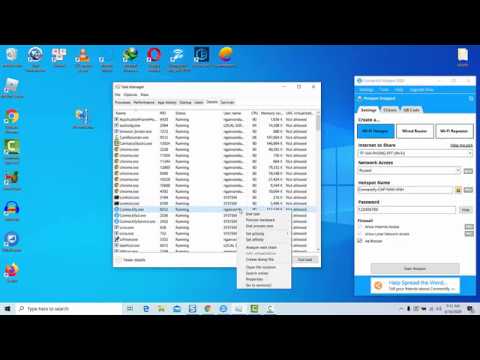
Playback starts YouTube’s embedded player (privacy-enhanced mode).
How to set a program to high priority permanently in Windows 10/8/7
ChannelWindows 10 FixDescription from the creator
We are going to use Process Tamer. Process Tamer is a small process management utility that can automatically change the priority for running processes when they reach a certain level of CPU usage.
1. Download and install Process Tamer on your computer.
2. Launch Process Tamer. You'll see a balloon tooltip in your system tray
3. Go to the Configuration tab and uncheck “Tame Applications Based on CPU Usage”.
4. Making Process Tamer remember a priority is quite simple, just click on the Explicit Rule drop-down menu on the row of the process and choose what you want it to be set at.
1. Download and install Process Tamer on your computer.
2. Launch Process Tamer. You'll see a balloon tooltip in your system tray
3. Go to the Configuration tab and uncheck “Tame Applications Based on CPU Usage”.
4. Making Process Tamer remember a priority is quite simple, just click on the Explicit Rule drop-down menu on the row of the process and choose what you want it to be set at.
About this tutorial
Windows 10 Fix published this 2:21 video tutorial on May 5, 2020. It has been watched 11,171 times on YouTube.
- Channel
- Windows 10 Fix
- Category
- People & Blogs
- Duration
- 2:21
- Published
- May 5, 2020
- Views
- 11,171
- Likes
- 63
Share
This tutorial in other languages
- FRComment définir la priorité de processus permanent! 2020, Windows 10!
- ESCómo establecer la prioridad del proceso permanente! 2020, Windows 10!
- PTComo definir a prioridade do processo permanente! 2020, Windows 10!
- ITCome impostare la priorità del processo permanente! 2020, Windows 10!
- DEWie permanenten Prozess Priorität setzen! 2020, Microsoft Windows 10!
- NLHoe kan ik permanent proces prioriteit in te stellen! 2020, Windows 10!
- RUКак установить постоянный приоритет процесса! 2020, Windows 10!
- PLJak ustawić stały priorytet procesu! 2020, Windows 10!
- JAどのように永続的なプロセスの優先度を設定するには! 2020、Windowsの10!
- ARكيفية تعيين أولوية عملية دائمة! 2020، ويندوز 10!
- HIकैसे स्थायी प्रक्रिया प्राथमिकता सेट करने के लिए! 2020, Windows 10!
- IDCara mengatur program untuk prioritas tinggi secara permanen pada Windows 10/8/7