Playback starts YouTube’s embedded player (privacy-enhanced mode).
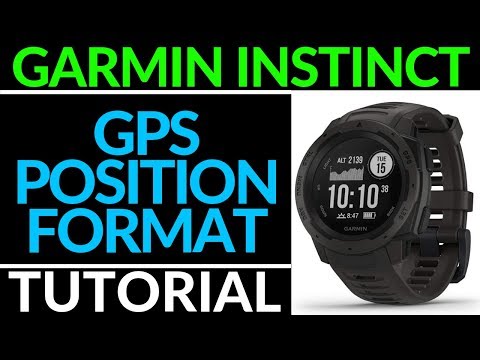
How to Change GPS Position Format - Garmin Instinct Tutorial
ChannelGauging GadgetsDescription from the creator
Trying to change the GPS Position Format on your Garmin Instinct? In this quick tutorial, I show you how to navigate the settings in order to change your GPS location format. This video includes MGRS (Military Grid Reference System) but there are several other format options.
Garmin Instinct on Amazon: geni.us/Garmin-Instinct
Useful Accessories 👇
Extra Charging Cables: geni.us/InstinctCable
Screen Protectors: geni.us/InstinctScreen
Charging Port Protector: geni.us/InstinctPort
Follow the steps below to change the GPS position format on your Garmin Instinct:
1. Hold the menu button to open the Garmin Instinct Menu.
2. In the menu select Settings
3. In settings, select System,
4. In system, select Format,
5. In Format, select Pos. Format.
6. Scroll through to find your desired GPS Position Format.
7. You have now changed the GPS Position format on your Garmin Instinct.
Full List of Available GPS Position Formats:
hddd.ddddd°, hddd° mm.mmm, hddd°mm'ss.s", Austrian Grid, Borneo RSO, Bristish Grid, Dutch grid, EOV Hungarian, Estonian grid, Finnish Grid, German grid, Ielandic grid, Indon. Equat., Indonesian Irain, Indon. South., India Zone 0, India Zone IA, India Zone IB, India Zone IIA, India Zone IIB, India Zone IIIA, India Zone IIIB, India Zone IVA, India Zone IVB, Irish (ITM), Irish (IG), Latvian TM, Loran TD, Maidenhead, MGRS, New Zealand TM, QNC Grid, RT 90, Swedish Grid, SWEREF 99 TM, South African, Swiss Grid, Taiwan Grid, U.S. National, UTM UPS, W Malayan RSO, and User Grid.
#GarminInstinct #Garmin #Smartwatch
Disclaimer: Some of the links in this description are Amazon affiliate links. As an Amazon Associate, Gauging Gadgets earns from qualifying purchases through affiliate links.
😀 HAPPY WITH THE VIDEO? 😀
SUBSCRIBE NOW! CLICK HERE - youtube.com/c/gauginggadgets?sub_confirmation=1
SEND ME A TIP! - paypal.me/GaugingGadgets
FOLLOW ME!
BLOG: GaugingGadgets.com
FACEBOOK - fb.me/GaugingGadgets
TWITTER - twitter.com/GaugingGadgets
TWITCH - twitch.tv/GaugingGadgets
Learn How to Crochet: youtube.com/c/CrochetWithJulie
REDDIT - reddit.com/r/GaugingGadgets/
INSTAGRAM - instagram.com/GaugingGadgets/
HOW DO I DO IT? (Paid Links)
TubeBuddy YouTube Toolkit: tubebuddy.com/gauginggadgets/yt
My YouTube Setup:
Sony DSC-HX80 Camera - geni.us/SonyHX80
Neewer Mini Table Tripod - geni.us/MiniTableTripod
Lighting Kit - geni.us/LightingKit
Blue Yeti USB Microphone - geni.us/USBMic
Logitech C270 Webcam - geni.us/LogitechC270Cam
Cell Phone - Pixel 2 XL - geni.us/FilmingPhone
Music from Sensei Nap - soundcloud.com/sensei_nap/
Learn how to make a website:
youtube.com/channel/UCYrr7ufEB0DoXD7RyN7vCkQ
Garmin Instinct on Amazon: geni.us/Garmin-Instinct
Useful Accessories 👇
Extra Charging Cables: geni.us/InstinctCable
Screen Protectors: geni.us/InstinctScreen
Charging Port Protector: geni.us/InstinctPort
Follow the steps below to change the GPS position format on your Garmin Instinct:
1. Hold the menu button to open the Garmin Instinct Menu.
2. In the menu select Settings
3. In settings, select System,
4. In system, select Format,
5. In Format, select Pos. Format.
6. Scroll through to find your desired GPS Position Format.
7. You have now changed the GPS Position format on your Garmin Instinct.
Full List of Available GPS Position Formats:
hddd.ddddd°, hddd° mm.mmm, hddd°mm'ss.s", Austrian Grid, Borneo RSO, Bristish Grid, Dutch grid, EOV Hungarian, Estonian grid, Finnish Grid, German grid, Ielandic grid, Indon. Equat., Indonesian Irain, Indon. South., India Zone 0, India Zone IA, India Zone IB, India Zone IIA, India Zone IIB, India Zone IIIA, India Zone IIIB, India Zone IVA, India Zone IVB, Irish (ITM), Irish (IG), Latvian TM, Loran TD, Maidenhead, MGRS, New Zealand TM, QNC Grid, RT 90, Swedish Grid, SWEREF 99 TM, South African, Swiss Grid, Taiwan Grid, U.S. National, UTM UPS, W Malayan RSO, and User Grid.
#GarminInstinct #Garmin #Smartwatch
Disclaimer: Some of the links in this description are Amazon affiliate links. As an Amazon Associate, Gauging Gadgets earns from qualifying purchases through affiliate links.
😀 HAPPY WITH THE VIDEO? 😀
SUBSCRIBE NOW! CLICK HERE - youtube.com/c/gauginggadgets?sub_confirmation=1
SEND ME A TIP! - paypal.me/GaugingGadgets
FOLLOW ME!
BLOG: GaugingGadgets.com
FACEBOOK - fb.me/GaugingGadgets
TWITTER - twitter.com/GaugingGadgets
TWITCH - twitch.tv/GaugingGadgets
Learn How to Crochet: youtube.com/c/CrochetWithJulie
REDDIT - reddit.com/r/GaugingGadgets/
INSTAGRAM - instagram.com/GaugingGadgets/
HOW DO I DO IT? (Paid Links)
TubeBuddy YouTube Toolkit: tubebuddy.com/gauginggadgets/yt
My YouTube Setup:
Sony DSC-HX80 Camera - geni.us/SonyHX80
Neewer Mini Table Tripod - geni.us/MiniTableTripod
Lighting Kit - geni.us/LightingKit
Blue Yeti USB Microphone - geni.us/USBMic
Logitech C270 Webcam - geni.us/LogitechC270Cam
Cell Phone - Pixel 2 XL - geni.us/FilmingPhone
Music from Sensei Nap - soundcloud.com/sensei_nap/
Learn how to make a website:
youtube.com/channel/UCYrr7ufEB0DoXD7RyN7vCkQ
About this tutorial
Gauging Gadgets published this 1:17 video tutorial on November 11, 2019. It has been watched 60,279 times on YouTube.
- Channel
- Gauging Gadgets
- Category
- Science & Technology
- Duration
- 1:17
- Published
- November 11, 2019
- Views
- 60,279
- Likes
- 605
Tags
Share
This tutorial in other languages
- FRComment formater le changement de position GPS - Garmin Instinct Tutorial
- ESCómo cambiar GPS Formato de posición - Garmin instinto Tutorial
- PTComo mudar GPS Position Format - Garmin Instinct Tutorial
- ITCome cambiare GPS Formato posizione - Garmin Instinct Tutorial
- DEWie Ändern von GPS-Position Format - Garmin Instinct Tutorial
- NLHoe te wijzigen GPS positie Format - Garmin Instinct Tutorial
- RUКак формат Изменить GPS Position - Garmin Instinct Tutorial
- PLJak zmienić Format Pozycji GPS - Garmin Instinct Tutorial
- JAどのように変更GPS位置フォーマットへ - ガーミン本能チュートリアル
- ARكيفية تغيير التنسيق العالمي لتحديد المواقع - غارمين غريزة دروس
- HIकैसे बदलें जीपीएस स्थिति प्रारूप करने के लिए - गार्मिन इंस्टिंक्ट ट्यूटोरियल
- IDCara Mengubah GPS Position Format - Garmin Instinct Tutorial