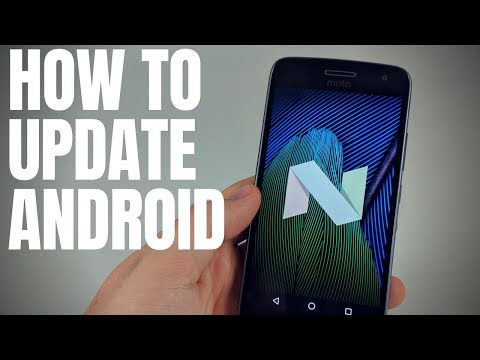
Playback starts YouTube’s embedded player (privacy-enhanced mode).
How to Check Your Phone for Updates - Android 7.0 Nougat Tutorial
ChannelGauging GadgetsDescription from the creator
Trying to update your android operating system on your Android phone? In this tutorial, I show you how to manually check for any updates to Android. Checking for updates is a great way to get the latest version of Android. In this tutorial I check for an update and get Android Pie but this tutorial can be used to check for updates in Android Oreo, Android Nougat, Android Marshmallow, Android Lollipop, and Android KitKat.
Android Repair Kit (Paid Link) 👍: amzn.to/2vyTcAD
This android tutorial should work on Android 7.0 Nougat and up or Android Oreo, and Android P (Pie). This Android tutorial should work on all android phones or tablet brands such as Samsung, Motorola, Nexus, Pixel, HTC, LG, BLU, Sony, and many more.
Follow the steps below to check for updates on Android:
1. Go to the Android settings on your phone or tablet
2. Scroll down and select About Phone
3. Once in About Phone select System updates
4. In System update, select Check for update
5. You have now checked for updates on Android
#Android #AndroidTutorial #GaugingGadgets
Disclaimer: Some of the links in this description are Amazon affiliate links. As an Amazon Associate, Gauging Gadgets earns from qualifying purchases through affiliate links.
😀 HAPPY WITH THE VIDEO? 😀
SUBSCRIBE NOW! CLICK HERE - youtube.com/c/gauginggadgets?sub_confirmation=1
SEND ME A TIP! - paypal.me/GaugingGadgets
FOLLOW ME!
BLOG: GaugingGadgets.com
FACEBOOK - fb.me/GaugingGadgets
TWITTER - twitter.com/GaugingGadgets
TWITCH - twitch.tv/GaugingGadgets
Learn How to Crochet: youtube.com/c/CrochetWithJulie
REDDIT - reddit.com/r/GaugingGadgets/
INSTAGRAM - instagram.com/GaugingGadgets/
HOW DO I DO IT? (Paid Links)
TubeBuddy YouTube Toolkit: tubebuddy.com/gauginggadgets/yt
My YouTube Setup:
Sony DSC-HX80 Camera - geni.us/SonyHX80
Neewer Mini Table Tripod - geni.us/MiniTableTripod
Lighting Kit - geni.us/LightingKit
Blue Yeti USB Microphone - geni.us/USBMic
Logitech C270 Webcam - geni.us/LogitechC270Cam
Cell Phone - Pixel 2 XL - geni.us/FilmingPhone
Music from Sensei Nap - youtube.com/channel/UCmhmPiFCUHVQEt_NFNURqPg
Learn how to make a website:
youtube.com/channel/UCYrr7ufEB0DoXD7RyN7vCkQ
Android Repair Kit (Paid Link) 👍: amzn.to/2vyTcAD
This android tutorial should work on Android 7.0 Nougat and up or Android Oreo, and Android P (Pie). This Android tutorial should work on all android phones or tablet brands such as Samsung, Motorola, Nexus, Pixel, HTC, LG, BLU, Sony, and many more.
Follow the steps below to check for updates on Android:
1. Go to the Android settings on your phone or tablet
2. Scroll down and select About Phone
3. Once in About Phone select System updates
4. In System update, select Check for update
5. You have now checked for updates on Android
#Android #AndroidTutorial #GaugingGadgets
Disclaimer: Some of the links in this description are Amazon affiliate links. As an Amazon Associate, Gauging Gadgets earns from qualifying purchases through affiliate links.
😀 HAPPY WITH THE VIDEO? 😀
SUBSCRIBE NOW! CLICK HERE - youtube.com/c/gauginggadgets?sub_confirmation=1
SEND ME A TIP! - paypal.me/GaugingGadgets
FOLLOW ME!
BLOG: GaugingGadgets.com
FACEBOOK - fb.me/GaugingGadgets
TWITTER - twitter.com/GaugingGadgets
TWITCH - twitch.tv/GaugingGadgets
Learn How to Crochet: youtube.com/c/CrochetWithJulie
REDDIT - reddit.com/r/GaugingGadgets/
INSTAGRAM - instagram.com/GaugingGadgets/
HOW DO I DO IT? (Paid Links)
TubeBuddy YouTube Toolkit: tubebuddy.com/gauginggadgets/yt
My YouTube Setup:
Sony DSC-HX80 Camera - geni.us/SonyHX80
Neewer Mini Table Tripod - geni.us/MiniTableTripod
Lighting Kit - geni.us/LightingKit
Blue Yeti USB Microphone - geni.us/USBMic
Logitech C270 Webcam - geni.us/LogitechC270Cam
Cell Phone - Pixel 2 XL - geni.us/FilmingPhone
Music from Sensei Nap - youtube.com/channel/UCmhmPiFCUHVQEt_NFNURqPg
Learn how to make a website:
youtube.com/channel/UCYrr7ufEB0DoXD7RyN7vCkQ
About this tutorial
Gauging Gadgets published this 1:01 video tutorial on November 10, 2018. It has been watched 14,919 times on YouTube.
- Channel
- Gauging Gadgets
- Category
- Science & Technology
- Duration
- 1:01
- Published
- November 10, 2018
- Views
- 14,919
- Likes
- 76
Share
This tutorial in other languages
- FRComment vérifier votre téléphone pour les mises à jour - Android 7.0 Nougat Tutoriel
- ESCómo verificar el teléfono para actualizaciones - Android 7.0 Turrón Tutorial
- PTComo verificar o seu telefone for Updates - Android 7.0 Nougat Tutorial
- ITCome controllare il telefono per aggiornamenti - Android 7.0 Torrone Esercitazione
- DEWie Sie Ihr Telefon nach Updates suchen - Android 7.0 Nougat Tutorial
- NLHoe uw telefoon voor updates - Android 7.0 Nougat Tutorial
- RUКак проверить свой телефон для обновления - Android 7,0 Нуга Tutorial
- PLJak sprawdzić swój telefon aktualizacje - Android 7.0 Nugat Tutorial
- JAアップデートのためにお使いの携帯電話を確認する方法 - Androidの7.0ヌガーチュートリアル
- ARكيفية التحقق من وجود تحديثات الهاتف - الروبوت 7.0 نوغة دروس
- HIकैसे अपडेट के लिए आपका फोन चेक करने के लिए - एंड्रॉयड 7.0 नूगा ट्यूटोरियल
- IDBagaimana Periksa telepon Anda untuk Updates - Android 7.0 Nougat Tutorial