Playback starts YouTube’s embedded player (privacy-enhanced mode).
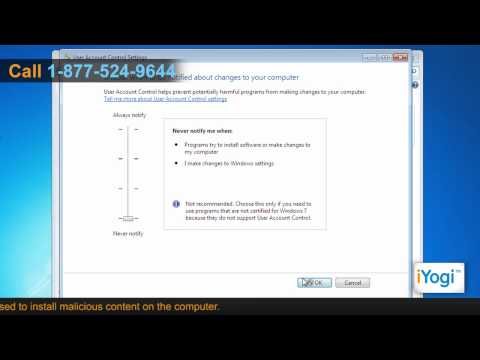
How to disable UAC in Windows® 7 from the Control Panel
ChannelHow-To GuideDescription from the creator
Find out how to disable UAC (User Account Control) in Windows® 7.
Content in this video is provided on an "as is" basis with no express or implied warranties whatsoever. Any reference of any third party logos, brand names, trademarks, services marks, trade names, trade dress and copyrights shall not imply any affiliation to such third parties, unless expressly specified.
Content in this video is provided on an "as is" basis with no express or implied warranties whatsoever. Any reference of any third party logos, brand names, trademarks, services marks, trade names, trade dress and copyrights shall not imply any affiliation to such third parties, unless expressly specified.
About this tutorial
How-To Guide published this 1:56 video tutorial on November 2, 2011. It has been watched 11,974 times on YouTube.
- Channel
- How-To Guide
- Category
- Science & Technology
- Duration
- 1:56
- Published
- November 2, 2011
- Views
- 11,974
- Likes
- 21
Tags
Share
This tutorial in other languages
- FRComment désactiver l'UAC dans Windows 7 à partir du Panneau de configuration
- ESCómo desactivar el UAC en Windows 7 desde el panel de control
- PTComo desativar o UAC no Windows 7 a partir do Painel de Controle
- ITCome disattivare UAC in Windows 7 dal pannello di controllo
- DEWie deaktivieren UAC in Windows 7 in der Systemsteuerung
- NLHoe te UAC in Windows 7 uit te schakelen via het configuratiescherm
- RUКак отключить UAC в Windows® 7 с панели управления
- PLJak wyłączyć UAC w Windows 7 z Panelu sterowania
- JAコントロールパネルからのWindows®7でUACを無効にする方法
- ARكيفية تعطيل UAC في ويندوز 7 من لوحة التحكم
- HIनियंत्रण कक्ष से विंडोज 7 में यूएसी निष्क्रिय करने के लिए कैसे
- IDCara menonaktifkan UAC di Windows 7 dari Control Panel