Playback starts YouTube’s embedded player (privacy-enhanced mode).
How to Optimize System Range | Arlo Security Light
ChannelArlo Smart HomeDescription from the creator
Learn more about the Arlo Security Light System: arlo.com/en-us/products/arlo-light/default.aspx
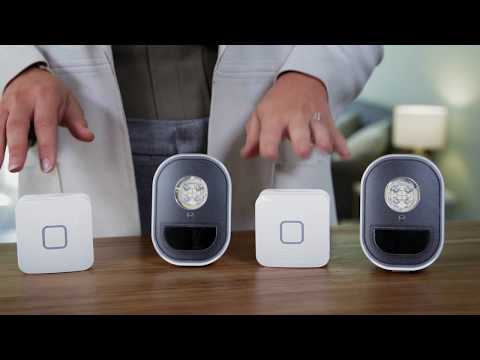
Need help knowing where to place your Arlo Security Lights? See how you can optimize the performance of your Arlo Security Light System in this short video.
Arlo Security Light is a 100% wire-free, weather-resistant, super bright LED light. The Arlo Security Light has a range of up to 100 feet, depending on your home layout. The Arlo Security Light System comes with an Arlo Bridge, which connects your Arlo Security Light to the cloud, so you can control your lights from anywhere and get instant notification alerts. You can customize your Arlo Security Light System to your home's needs and easily add another Arlo Bridge for larger properties.
Use the "Range Finder Test" in the Arlo app to see your Arlo Bridge's coverage zone in your home. You can easily assign an existing Arlo Security Light to a new Arlo Bridge in just a few steps in the Arlo app. By getting the most out of your Arlo Security Light System, you can secure your home and provide peace of mind to you and your family.
Be sure to subscribe for more videos! bit.ly/2sg6hMO
Need help knowing where to place your Arlo Security Lights? See how you can optimize the performance of your Arlo Security Light System in this short video.
Arlo Security Light is a 100% wire-free, weather-resistant, super bright LED light. The Arlo Security Light has a range of up to 100 feet, depending on your home layout. The Arlo Security Light System comes with an Arlo Bridge, which connects your Arlo Security Light to the cloud, so you can control your lights from anywhere and get instant notification alerts. You can customize your Arlo Security Light System to your home's needs and easily add another Arlo Bridge for larger properties.
Use the "Range Finder Test" in the Arlo app to see your Arlo Bridge's coverage zone in your home. You can easily assign an existing Arlo Security Light to a new Arlo Bridge in just a few steps in the Arlo app. By getting the most out of your Arlo Security Light System, you can secure your home and provide peace of mind to you and your family.
Be sure to subscribe for more videos! bit.ly/2sg6hMO
About this tutorial
Arlo Smart Home published this 3:00 video tutorial on November 11, 2018. It has been watched 38,067 times on YouTube.
- Channel
- Arlo Smart Home
- Category
- Science & Technology
- Duration
- 3:00
- Published
- November 11, 2018
- Views
- 38,067
- Likes
- 92
Tags
Share
This tutorial in other languages
- FRComment optimiser Range Système | Arlo Lumière de sécurité
- ESCómo Rango Optimizar el sistema | Luz de seguridad arlo
- PTComo otimizar Sistema Faixa | Luz de Segurança Arlo
- ITCome ottimizzare il sistema Gamma | Security Light Arlo
- DEWie zu optimieren Systemreichweite | Arlo Sicherheitslicht
- NLHoe te optimaliseren System Range | Arlo Veiligheid Light
- RUКак Оптимизировать System Range | Арло Light Security
- PLJak zoptymalizować Systemu Zakres | Arlo bezpieczeństwo Światło
- JAどのように最適化システムの範囲に|アーロ・セキュリティライト
- ARكيفية تحسين نطاق نظام | Arlo ضوء الأمن
- HIकैसे अनुकूलन प्रणाली रेंज करने के लिए | आर्लो सुरक्षा लाइट
- IDCara Optimalkan Sistem Rentang | Arlo Cahaya Security