Playback starts YouTube’s embedded player (privacy-enhanced mode).
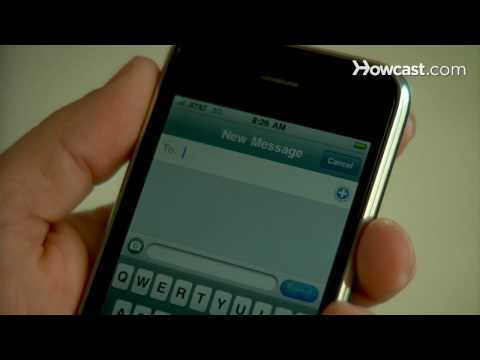
How to Send a Text Message
ChannelHowcastDescription from the creator
Full Playlist: youtube.com/playlist?list=PLLALQuK1NDrhn46Kq_E7…
-
-
Watch more How to Use E-Mail videos: howcast.com/videos/351866-How-to-Send-a-Text-Me…
Text messaging makes it easy to communicate with friends and family by typing a short message into your phone.
Step 1: Find the main menu
Find the main menu on your mobile phone by selecting Menu or Main Menu from the main screen, and then selecting Message.
Tip
Some phones have the option to select Message from the main screen.
Step 2: Create new message
Select New Message from the message menu, and then select Text Message if you have other options to choose from.
Step 3: Choose recipient
Choose the recipient of the text message by typing their phone number or choosing their number from your list of contacts. Select Ok if prompted.
Step 4: Type your message
Type your message. Use your full alphabet keypad, if you have one, or use your number keypad, for which you need to press a key once to get the first letter, twice for the second, and three times for the third.
Tip
Check your text capabilities. Most phones have a 160-character limit on text messages.
Step 5: Use shorthand
Use shorthand if typing each word is too time-consuming or if you are nearing your character limit. Popular shorthand includes the letter 'u' for the word you and the letter 'r' for the word are.
Step 6: Send
Hit Send or Ok to send your message when you finish typing it. You’ll join the millions of other people who regularly send text messages.
Did You Know?
Did you know? In 2008, Americans sent over 1 trillion text messages.
-
-
Watch more How to Use E-Mail videos: howcast.com/videos/351866-How-to-Send-a-Text-Me…
Text messaging makes it easy to communicate with friends and family by typing a short message into your phone.
Step 1: Find the main menu
Find the main menu on your mobile phone by selecting Menu or Main Menu from the main screen, and then selecting Message.
Tip
Some phones have the option to select Message from the main screen.
Step 2: Create new message
Select New Message from the message menu, and then select Text Message if you have other options to choose from.
Step 3: Choose recipient
Choose the recipient of the text message by typing their phone number or choosing their number from your list of contacts. Select Ok if prompted.
Step 4: Type your message
Type your message. Use your full alphabet keypad, if you have one, or use your number keypad, for which you need to press a key once to get the first letter, twice for the second, and three times for the third.
Tip
Check your text capabilities. Most phones have a 160-character limit on text messages.
Step 5: Use shorthand
Use shorthand if typing each word is too time-consuming or if you are nearing your character limit. Popular shorthand includes the letter 'u' for the word you and the letter 'r' for the word are.
Step 6: Send
Hit Send or Ok to send your message when you finish typing it. You’ll join the millions of other people who regularly send text messages.
Did You Know?
Did you know? In 2008, Americans sent over 1 trillion text messages.
About this tutorial
Howcast published this 1:26 video tutorial on October 26, 2010. It has been watched 890,039 times on YouTube.
- Channel
- Howcast
- Category
- Science & Technology
- Duration
- 1:26
- Published
- October 26, 2010
- Views
- 890,039
- Likes
- 1,319
Tags
Share
This tutorial in other languages
- FRComment envoyer un message texte
- ESCómo enviar un mensaje de texto
- PTComo enviar uma mensagem de texto
- ITCome inviare un messaggio di testo
- DEWie eine Textnachricht senden
- NLHoe maak je een SMS-bericht
- RUКак отправить текстовое сообщение
- PLJak wysłać wiadomość tekstową
- JAテキストメッセージを送信する方法
- ARكيفية إرسال رسالة نصية
- HIकैसे भेजें करने के लिए एक पाठ संदेश
- IDCara Kirim Pesan Teks