Playback starts YouTube’s embedded player (privacy-enhanced mode).
How to set a static IP Address in Linux
ChannelZoey BrockmeierDescription from the creator
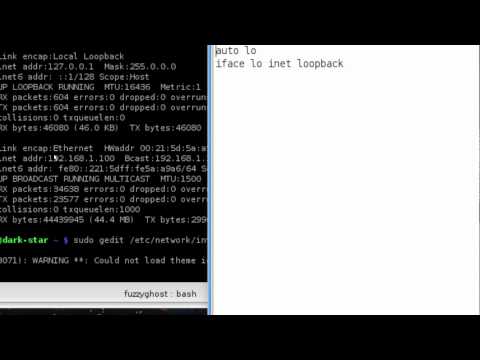
Here is a quick tutorial video on how to set up a static IP address in Linux. I assume that you have not changed any of your IP address settings in your modem/router, but if you have you'll get the information you need from ifconfig. I know there are a couple other ways to do this, but this seems the simplest to me.
I do zoom in on the video, so you won't need to worry if you can't, or don't, want to watch this in high definition.
A few errors I made in the video
1. I declared eth1 as the adapter to give a static address. If you only have one NIC in your machine, it will be eth0.
2. The command I gave to restart networking should have been $ sudo /etc/init.d/networking restart.
I do zoom in on the video, so you won't need to worry if you can't, or don't, want to watch this in high definition.
A few errors I made in the video
1. I declared eth1 as the adapter to give a static address. If you only have one NIC in your machine, it will be eth0.
2. The command I gave to restart networking should have been $ sudo /etc/init.d/networking restart.
About this tutorial
Zoey Brockmeier published this 4:29 video tutorial on November 9, 2010. It has been watched 69,970 times on YouTube.
- Channel
- Zoey Brockmeier
- Category
- Science & Technology
- Duration
- 4:29
- Published
- November 9, 2010
- Views
- 69,970
- Likes
- 134
Tags
Share
This tutorial in other languages
- FRComment définir une adresse IP statique dans Linux
- ESCómo configurar una dirección IP estática en Linux
- PTComo definir um endereço IP estático no Linux
- ITCome impostare un indirizzo IP statico in Linux
- DEWie eine statische IP-Adresse in Linux setzen
- NLHoe maak je een statisch IP-adres in Linux ingesteld
- RUКак установить статический IP-адрес в Linux
- PLJak ustawić statyczny adres IP w systemie Linux
- JALinuxでの静的IPアドレスを設定する方法
- ARكيفية تعيين عنوان IP ثابت في لينكس
- HIकैसे लिनक्स में एक स्थिर आईपी पता सेट करने के लिए
- IDCara menetapkan Alamat IP statis di Linux