Playback starts YouTube’s embedded player (privacy-enhanced mode).
How to Set Ringtones for Different People | iPhone Tips
ChannelHowcastDescription from the creator
Watch more iPhone Tips & Tricks videos: howcast.com/videos/515281-How-to-Set-Ringtones-…
Hi, Lisa here. I'm going to tell you how you can set a custom ringtone for your contacts. So, first thing you're going to do is you're gonna open up your contacts by tapping on them. Then you're going to find the contact that you want. I'm going to pull up my sister. So we here, I want to set a custom ringtone so that I know when she's calling without even looking at the phone. So I got to edit, then you scroll done some and you see ringtone. Right now it's set to default. So you tap on default, and you're going to get a whole list of ringtones that you can choose from.
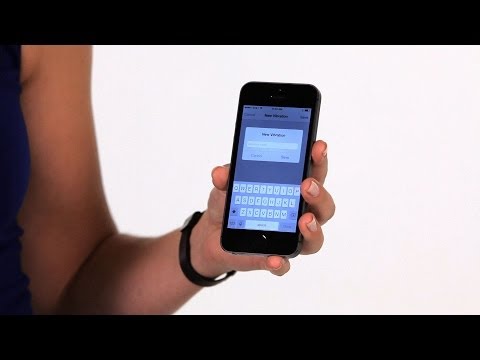
So I'm going to choose this one here. It's going to play you a little sample. You can say done. Now, something you can also pick in here is the vibration that the phone makes so that if it's in your pocket you can still know who's calling. So you tap on vibration, you can choose one of these standard ones or you can actually make one up. So I can choose create new vibration and you actually tap on the screen to make it.
So that's what I've set, I say save, I have to title it so I'll put it with her name, and now, it's selected for her. You hit done. Now both of those are saved so when she calls, whether it rings or vibrates, I'll know it's her. And that's how you set a custom ringtone and vibration for your contacts.
Hi, Lisa here. I'm going to tell you how you can set a custom ringtone for your contacts. So, first thing you're going to do is you're gonna open up your contacts by tapping on them. Then you're going to find the contact that you want. I'm going to pull up my sister. So we here, I want to set a custom ringtone so that I know when she's calling without even looking at the phone. So I got to edit, then you scroll done some and you see ringtone. Right now it's set to default. So you tap on default, and you're going to get a whole list of ringtones that you can choose from.
So I'm going to choose this one here. It's going to play you a little sample. You can say done. Now, something you can also pick in here is the vibration that the phone makes so that if it's in your pocket you can still know who's calling. So you tap on vibration, you can choose one of these standard ones or you can actually make one up. So I can choose create new vibration and you actually tap on the screen to make it.
So that's what I've set, I say save, I have to title it so I'll put it with her name, and now, it's selected for her. You hit done. Now both of those are saved so when she calls, whether it rings or vibrates, I'll know it's her. And that's how you set a custom ringtone and vibration for your contacts.
About this tutorial
Howcast published this 1:31 video tutorial on November 7, 2014. It has been watched 180,210 times on YouTube.
- Channel
- Howcast
- Category
- Science & Technology
- Duration
- 1:31
- Published
- November 7, 2014
- Views
- 180,210
- Likes
- 1,007
Tags
Share
This tutorial in other languages
- FRComment définir des sonneries pour différentes personnes | Conseils iPhone
- ESCómo configurar tonos de timbre para diferentes personas | Consejos iPhone
- PTComo definir toques para diferentes Pessoas | Dicas iPhone
- ITCome impostare suonerie per i differenti persone | iPhone Tips
- DESo stellen Sie Klingeltöne für verschiedene Personen | iPhone Tipps
- NLHoe stel Ringtones voor verschillende mensen | iPhone Tips
- RUКак установить рингтоны для разных людей | iPhone Советы
- PLJak ustawić dzwonki dla różnych osób | iPhone Porady
- JAどのように設定する着信音に異なる人々のために| iPhoneのヒント
- ARكيفية تعيين نغمات لمختلف الناس | نصائح فون
- HIकैसे सेट रिंगटोन को अलग लोगों के लिए | iPhone युक्तियाँ
- IDCara Set Ringtone untuk Orang Berbeda | Tips iPhone