Playback starts YouTube’s embedded player (privacy-enhanced mode).
How to Set the password to protect your Outlook Data (.pst) FIle
ChannelTechno MathDescription from the creator
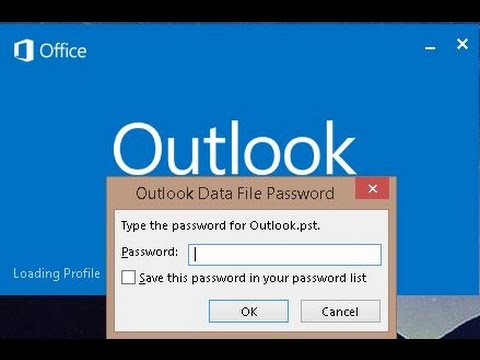
Want to set the password for Outlook 2013 Data File? Here is a short tutorial showing you how to do it. Once you set the password for outlook data file, then each time you open a new outlook session, it prompts you to provide that password. Below are the steps to set the password.
1) Click File, Account Settings, Account Settings.
2) On the Data Files tab, click the Outlook Data File (.pst) for which you want to create a password, and then click Settings.
3) Click Change password.
Note that the Option "Change Password" is not available if you are using Exchange Account as in this case the network password is used to access your outlook profile.
4) In the Change Password dialog box, in the New password and Verify password boxes, type the new password. The password can be up to 15 characters and is case-sensitive.
5) Click OK to set the password.
Background Music :
1) First To Last
2) Follow Me
3) Bomber (Sting)
Source : YouTube Audio Library
1) Click File, Account Settings, Account Settings.
2) On the Data Files tab, click the Outlook Data File (.pst) for which you want to create a password, and then click Settings.
3) Click Change password.
Note that the Option "Change Password" is not available if you are using Exchange Account as in this case the network password is used to access your outlook profile.
4) In the Change Password dialog box, in the New password and Verify password boxes, type the new password. The password can be up to 15 characters and is case-sensitive.
5) Click OK to set the password.
Background Music :
1) First To Last
2) Follow Me
3) Bomber (Sting)
Source : YouTube Audio Library
About this tutorial
Techno Math published this 4:59 video tutorial on November 10, 2015. It has been watched 65,936 times on YouTube.
- Channel
- Techno Math
- Category
- Science & Technology
- Duration
- 4:59
- Published
- November 10, 2015
- Views
- 65,936
- Likes
- 175
Tags
Share
This tutorial in other languages
- FRComment configurer le mot de passe pour protéger vos données Outlook (.pst)
- ESCómo establecer una contraseña para proteger su archivo (.pst) de datos de Outlook
- PTComo definir a senha para proteger seu arquivo (.pst) de dados do Outlook
- ITCome impostare la password per proteggere il vostro (pst) file di dati di Outlook
- DEWie Sie das Kennwort Legen Sie Ihre Outlook-Datendatei (PST) zu schützen
- NLHoe het wachtwoord in te stellen om uw Outlook-gegevensbestand (.pst) te beschermen
- RUКак установить пароль для защиты ваших данных Outlook (.pst)
- PLJak ustawić hasło w celu ochrony danych programu Outlook (.pst)
- JAあなたのOutlookデータ(.pst)ファイルを保護するためにパスワードを設定する方法
- ARكيفية تعيين كلمة المرور الخاصة بك لحماية بيانات Outlook (.pst) ملف
- HIपासवर्ड सेट करने के लिए कैसे आपके Outlook डेटा (.pst) फ़ाइल की रक्षा के लिए
- IDCara Mengatur password untuk melindungi Anda data Outlook (.pst)