Playback starts YouTube’s embedded player (privacy-enhanced mode).
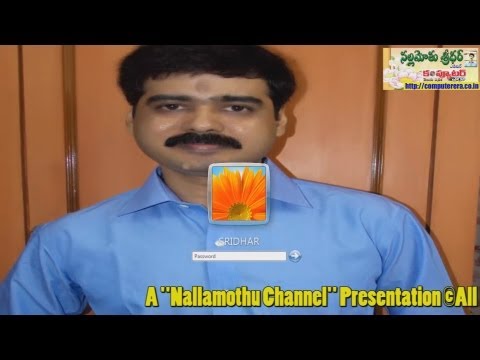
How to Set Your Own Image at Windows Logon Screen?
ChannelComputer Era MagazineDescription from the creator
You can set your own image as Windows Login screen. Since Windows XP it is possible win small tweaks in Windows Operating system. With Windows XP, you could set your own login background colors or image by modifying the values found in the Windows Registry location.. [HKEY_USERS\.DEFAULT\Control Panel\Desktop]. But with Windows 7 registry modificaiton is not sufficient.
Instead you've got to complete the multi-step process described in video tutorial. There are only two steps to set a login wallpaper for Windows 7. You can feel it comfort by following this demonstration. Here in this video I set my own picture as Windows 7 Logon wallpaper.
Regards
Sridhar Nallamothu
Editor
Computer Era Telugu Magazine
మీ పిసిలోకి వెళ్లబోయే ముందు మీ ఫొటో కావాలా?
మీ కంప్యూటర్లోకి వెళ్లబోయే ముందు పాస్వర్డ్ ఎంటర్ చేసే దగ్గర మీ ఫొటోని సెట్ చేసుకోవాలనుకుంటున్నారా?
అయితే ఇది డెడ్ ఈజీ. ఈ వీడియోని చూస్తే 5 నిముషాల్లో మీరూ మీ స్వంత ఫొటోని లాగిన్ స్క్రీన్గా సెట్ చేసుకోవచ్చు. లేదా మీకు నచ్చిన సీనరీనీ సెట్ చేసుకోవచ్చు. దీనికి ఎలాంటి అడ్వాన్స్డ్ టెక్నికల్ నాలెడ్జ్ అవసరం లేదు. ఏమాత్రం పిసి అవగాహన లేని వారు కూడా ఈ టెక్నిక్ని ఫాలో కావచ్చు.
గమనిక: ఈ వీడియో మీకు నచ్చితే మీ ఫ్రెండ్స్కీ షేర్ చెయ్యగలరు.
ధన్యవాదాలు
- నల్లమోతు శ్రీధర్
ఎడిటర్
కంప్యూటర్ ఎరా తెలుగు మేగజైన్
Instead you've got to complete the multi-step process described in video tutorial. There are only two steps to set a login wallpaper for Windows 7. You can feel it comfort by following this demonstration. Here in this video I set my own picture as Windows 7 Logon wallpaper.
Regards
Sridhar Nallamothu
Editor
Computer Era Telugu Magazine
మీ పిసిలోకి వెళ్లబోయే ముందు మీ ఫొటో కావాలా?
మీ కంప్యూటర్లోకి వెళ్లబోయే ముందు పాస్వర్డ్ ఎంటర్ చేసే దగ్గర మీ ఫొటోని సెట్ చేసుకోవాలనుకుంటున్నారా?
అయితే ఇది డెడ్ ఈజీ. ఈ వీడియోని చూస్తే 5 నిముషాల్లో మీరూ మీ స్వంత ఫొటోని లాగిన్ స్క్రీన్గా సెట్ చేసుకోవచ్చు. లేదా మీకు నచ్చిన సీనరీనీ సెట్ చేసుకోవచ్చు. దీనికి ఎలాంటి అడ్వాన్స్డ్ టెక్నికల్ నాలెడ్జ్ అవసరం లేదు. ఏమాత్రం పిసి అవగాహన లేని వారు కూడా ఈ టెక్నిక్ని ఫాలో కావచ్చు.
గమనిక: ఈ వీడియో మీకు నచ్చితే మీ ఫ్రెండ్స్కీ షేర్ చెయ్యగలరు.
ధన్యవాదాలు
- నల్లమోతు శ్రీధర్
ఎడిటర్
కంప్యూటర్ ఎరా తెలుగు మేగజైన్
About this tutorial
Computer Era Magazine published this 3:37 video tutorial on November 12, 2013. It has been watched 170,820 times on YouTube.
- Channel
- Computer Era Magazine
- Category
- Science & Technology
- Duration
- 3:37
- Published
- November 12, 2013
- Views
- 170,820
- Likes
- 806
Tags
Share
This tutorial in other languages
- FRComment configurer votre propre image à l'écran de connexion Windows?
- ESCómo configurar su propia imagen en la pantalla de inicio de sesión de Windows?
- PTComo definir sua própria imagem na tela de logon do Windows?
- ITCome impostare la propria immagine a schermo Windows Logon?
- DEWie Sie Ihr eigenes Bild im Windows-Anmeldebildschirm setzen?
- NLHoe u uw eigen beeld op Windows Logon Screen?
- RUКак установить свое собственное изображение на экране входа в Windows?
- PLJak ustawić własny obraz na ekranie logowania Windows?
- JAWindowsのログオン画面で独自のイメージを設定する方法?
- ARكيفية تعيين صورة خاصة بك على شاشة تسجيل الدخول إلى Windows؟
- HIकैसे विंडोज लॉग ऑन स्क्रीन पर अपनी स्वयं की छवि सेट करने के लिए?
- IDBagaimana Set Sendiri Gambar Anda di Windows logon Screen?