Playback starts YouTube’s embedded player (privacy-enhanced mode).
How to Speak LOLcat
ChannelHowcastDescription from the creator
Full Playlist: youtube.com/playlist?list=PLLALQuK1NDrid12lPjYT…
-
-
Watch more How to Use Internet Search & Web Browsers videos: howcast.com/videos/419854-How-to-Speak-LOLcat
Smitten by kittens? Translate your words into the feline voice by learning how to speak LOLcat.
Step 1: Pick a picture
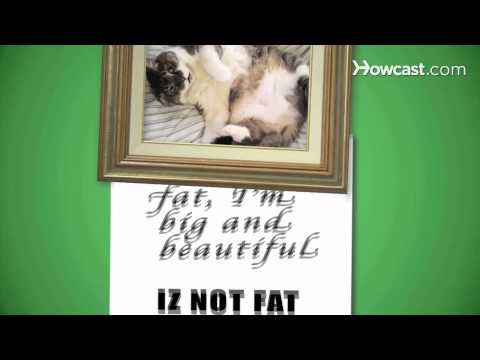
Upload or find a picture of a house cat in an unusual or particularly adorable pose or costume online. Then, write a short, amusing caption in standard English explaining the situation from the feline point of view.
Tip
You can review standard LOLcat caption constructions for inspiration.
Step 2: Simplify the grammar
Rewrite the phrase to mimic the simplified, often erroneous grammar of a human toddler. Remove all indefinite articles (a or an) and words that don't impact an adult human's ability to understand the caption.
Step 3: Check your spelling
Spell words phonetically, removing any letters that don't directly affect a word's pronunciation. If a word ends with E, move the E before the word's last consonant to make it LOLcat. Then replace at least half of all Ss with Zs.
Step 4: Tighten up
Substitute numbers or symbols for words whenever possible. Add exclamation points mixed with the number 1 to emphasize important statements.
Tip
You can also use an online LOLcat translator to convert your phrases.
Step 5: Post it up
Use an online LOLcat builder to add your kitten-ized caption to the photo -- in Impact font -- and post it online. Then, convert other phrases from your daily life into LOLcat and maek ur wurld hoel lot moar nturtainin!!! 11!! 11!!
Did You Know?
The picture used in the original I Can Has Cheezburger LOL was from a Russian ad for cat food.
-
-
Watch more How to Use Internet Search & Web Browsers videos: howcast.com/videos/419854-How-to-Speak-LOLcat
Smitten by kittens? Translate your words into the feline voice by learning how to speak LOLcat.
Step 1: Pick a picture
Upload or find a picture of a house cat in an unusual or particularly adorable pose or costume online. Then, write a short, amusing caption in standard English explaining the situation from the feline point of view.
Tip
You can review standard LOLcat caption constructions for inspiration.
Step 2: Simplify the grammar
Rewrite the phrase to mimic the simplified, often erroneous grammar of a human toddler. Remove all indefinite articles (a or an) and words that don't impact an adult human's ability to understand the caption.
Step 3: Check your spelling
Spell words phonetically, removing any letters that don't directly affect a word's pronunciation. If a word ends with E, move the E before the word's last consonant to make it LOLcat. Then replace at least half of all Ss with Zs.
Step 4: Tighten up
Substitute numbers or symbols for words whenever possible. Add exclamation points mixed with the number 1 to emphasize important statements.
Tip
You can also use an online LOLcat translator to convert your phrases.
Step 5: Post it up
Use an online LOLcat builder to add your kitten-ized caption to the photo -- in Impact font -- and post it online. Then, convert other phrases from your daily life into LOLcat and maek ur wurld hoel lot moar nturtainin!!! 11!! 11!!
Did You Know?
The picture used in the original I Can Has Cheezburger LOL was from a Russian ad for cat food.
About this tutorial
Howcast published this 1:50 video tutorial on November 5, 2010. It has been watched 21,903 times on YouTube.
- Channel
- Howcast
- Category
- Science & Technology
- Duration
- 1:50
- Published
- November 5, 2010
- Views
- 21,903
- Likes
- 308