Playback starts YouTube’s embedded player (privacy-enhanced mode).
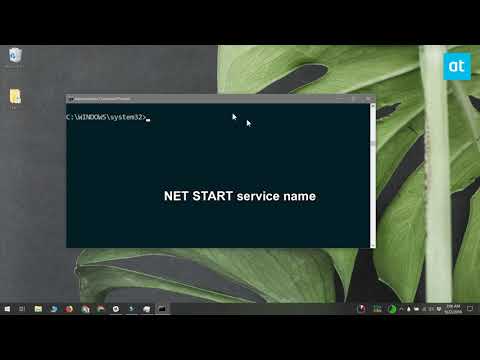
How To Stop And Start A Windows Service From The Command Prompt
ChannelAddictiveTipsTVDescription from the creator
The Task Manager lets you quit apps and stop and start a Windows service. It’s an easy, graphical way to stop a service if you ever need to but you can also stop and start a Windows service from the command prompt. The process is easy enough though it goes without saying that you need administrative rights to stop or start a service on Windows. More info at addictivetips.com/windows-tips/stop-and-start-a…
About this tutorial
AddictiveTipsTV published this 1:43 video tutorial on November 7, 2018. It has been watched 22,164 times on YouTube.
- Channel
- AddictiveTipsTV
- Category
- Science & Technology
- Duration
- 1:43
- Published
- November 7, 2018
- Views
- 22,164
- Likes
- 133
Tags
Share
This tutorial in other languages
- FRComment arrêter et démarrer un service Windows partir de l'invite de commande
- ESCómo detener e iniciar un servicio de Windows desde el símbolo del sistema
- PTComo parar e iniciar um serviço Windows a partir do prompt de comando
- ITCome per interrompere e avviare un servizio di Windows dal prompt dei comandi
- DEWie zu stoppen und starten Sie ein Windows-Dienst über die Eingabeaufforderung
- NLHoe om te stoppen en het starten van een Windows-service van de Command Prompt
- RUКак остановить и запустить службы Windows из командной строки
- PLJak zatrzymać i rozpocząć usługi Windows z wiersza poleceń
- JAどのようにコマンドプロンプトからに停止し、開始A Windowsサービス
- ARكيفية إيقاف وبدء تشغيل خدمة Windows من موجه الأوامر
- HIकैसे करने के लिए बंद करें और नया Windows सेवा प्रारंभ कमांड प्रॉम्प्ट से
- IDCara Berhenti Dan Start A Windows Service Dari Command Prompt